Shopify Conversions API: Setup, Deduplication and QA
How Meta's Conversions API works on Shopify: pixels vs. server events, event ID deduplication, consent, troubleshooting and a QA checklist for engineers.
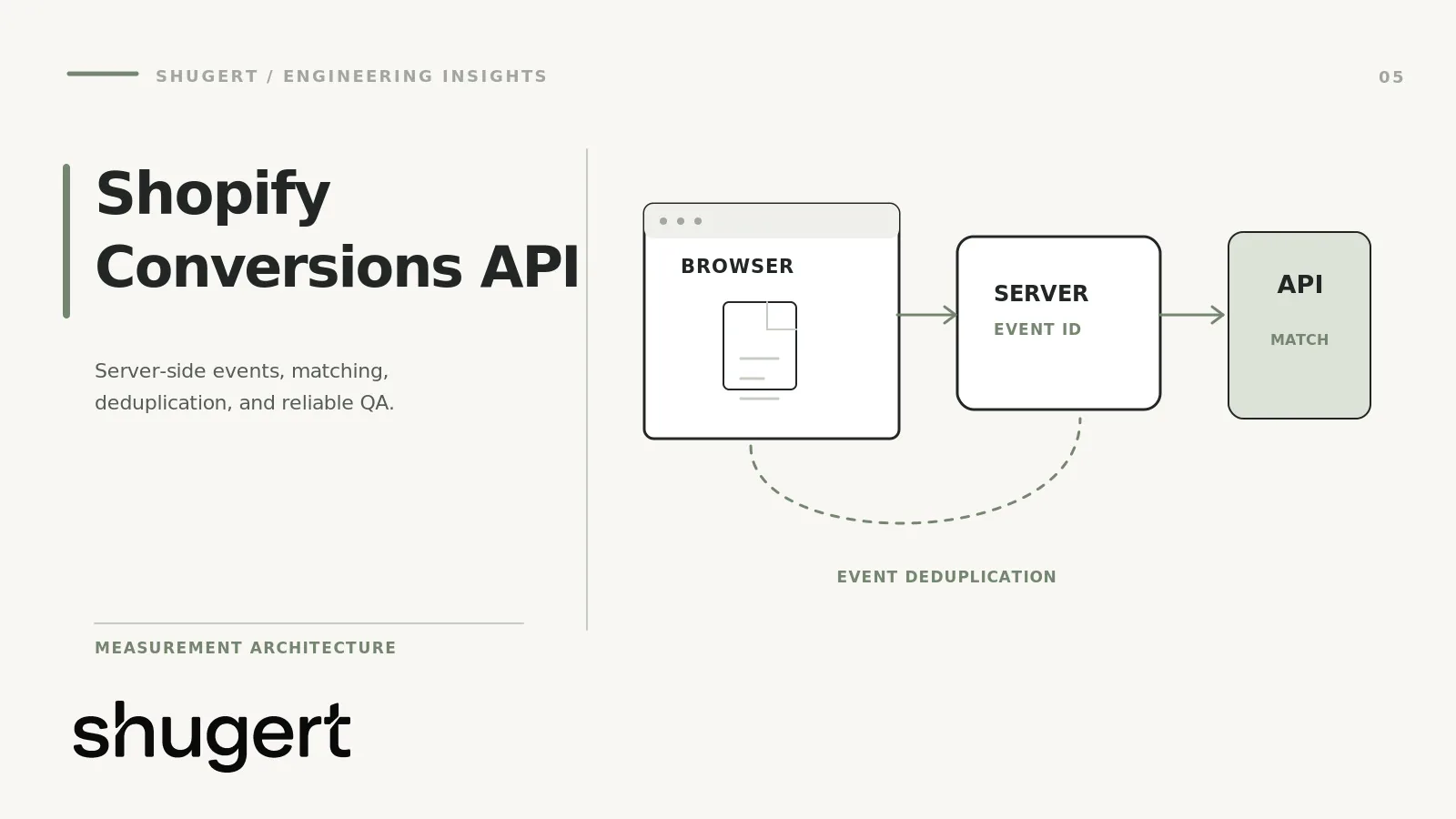
Meta’s Conversions API (CAPI) on Shopify sends purchase and funnel events from a server to Meta, alongside the browser pixel, so ad blockers and short-lived cookies cost you fewer events. The fastest route is the data-sharing setting in Shopify’s Facebook and Instagram by Meta channel. The hard part is not turning it on. It is making sure every conversion is counted once, carries the right value, and respects consent. This guide covers the architecture, the failure modes we see, and a QA checklist you can run before and after any change.
Key takeaways
- Meta CAPI, Shopify Customer Events and web pixels are three different layers. CAPI is a server-to-server channel to Meta. Customer Events and web pixels are Shopify’s browser-side event system.
- The biggest risk is duplicate data, not missing data. Browser and server events must share the same event name and event ID, or Meta cannot treat them as one conversion.
- Shopify’s Enhanced and Maximum data-sharing levels use CAPI alongside the pixel. Standard uses the browser pixel only.
- Consent and privacy settings can silently suppress events even when the technical setup is correct.
- No setup delivers perfect attribution. The realistic goal is better match quality and numbers you can reconcile with Shopify orders.
Table of Contents
- Three layers people confuse
- Browser events versus server events
- How Shopify’s native integration works
- Shopify’s pixel architecture and the sandbox
- Event IDs and deduplication
- Consent and privacy configuration
- Match quality and what attribution can promise
- Common failures and how to diagnose them
- Validation and QA checklist
- Our perspective
- Getting this audited
- FAQ
- Sources
Three layers people confuse
Most bad CAPI implementations start with a vocabulary problem. These are separate things:
| Layer | Where it runs | What it does |
|---|---|---|
| Shopify Customer Events / web pixels | Browser, in Shopify’s sandbox | Publishes and subscribes to storefront and checkout events through the pixels manager |
| Meta pixel | Browser | Sends events from the customer’s browser to Meta |
| Meta Conversions API | Server | Sends events from a server to Meta, independent of the browser |
Shopify’s pixels manager is the place where you add and manage pixels that track customer events, meaning actions in the customer’s browser such as clicking a link or adding a product to a cart. It is not a Meta feature, and it does not by itself send anything server-side to Meta. CAPI is Meta’s endpoint. Shopify, an app or your own server decides what to send to it.
That distinction matters when you debug. A missing event could be a Shopify event that never fired, a pixel that never subscribed to it, a consent rule that blocked it, or a server call that Meta rejected. Each has a different owner and a different fix.
Browser events versus server events
The browser pixel sees context the server does not: the page, the click, the cookies Meta sets. The server sees things the browser cannot be trusted to deliver: a confirmed order, the final amount, a customer email from your own records.
Browser-side tracking is exposed to ad blockers and to browser tracking prevention that shortens cookie lifetimes. Shopify’s own documentation says that data sent from server to server can’t be blocked by browser-based tools such as ad blockers, which is the core reason to add CAPI.
It does not make the pixel obsolete. The two signals are designed to run together. The browser event supplies the identifiers and the event ID. The server event supplies reliability and first-party customer data. Drop the browser side and you lose context. Drop the server side and you lose the events blockers eat.
How Shopify’s native integration works
In the Facebook and Instagram by Meta sales channel, the Data sharing settings offer three levels: Standard, Enhanced and Maximum. According to Shopify’s documentation:
- Standard uses the browser pixel only.
- Enhanced uses the pixel plus the Conversions API, so the purchase event travels between Shopify’s servers and Facebook’s.
- Maximum also uses both, with the broadest customer data matching.
For most established stores, the native channel is the right first move. Shopify handles the event pairing, so you are not hand-building deduplication. Where it falls short is flexibility: you work with the standard events it supports (PageView, ViewContent, Search, AddToCart, InitiateCheckout, AddPaymentInfo, Purchase). If you need custom events, custom parameters such as margin or subscription status, or routing to several destinations, you move to a partner integration or a custom build.
When to leave the native integration
Consider something else when:
- You need custom events or parameters Meta should receive.
- You run multiple pixels or datasets and need to control which events go where.
- Your order values differ from what the channel reports because of bundles, subscriptions, B2B pricing or post-purchase upsells.
- You need server events for offline or POS orders that the channel does not cover.
The alternatives are a partner app, a server-side tagging container, or a custom app pixel. Each adds a moving part you now own. Choose based on who will maintain it in 18 months, not on who has the nicest setup wizard.
Shopify’s pixel architecture and the sandbox
Shopify runs app pixels and custom pixels in a strict, isolated environment. Your code does not get free access to the page DOM or to global variables the way an old theme script did. Instead, you subscribe to Shopify’s event stream with analytics.subscribe, and storefront code can publish custom events with Shopify.analytics.publish.
The practical consequences:
- Old checkout script injection is a dead end. Scripts that scraped the DOM on the thank-you page do not belong in a modern Shopify Plus build. Move that logic into a pixel that listens to
checkout_completed. - You read data from event payloads, not from the page. Order totals, line items and currency come from the event, which is better for consistency than scraping.
- Custom pixels are your responsibility. Shopify notes that adding and using custom pixels is unsupported by Shopify, and points you to a Shopify Partner for help.
- Consent is applied by the pixel system. Your pixel’s customer privacy settings decide when it loads. If a pixel never runs, check consent before you check code.
If you also run a sandboxed pixel for GA4 or another platform, make sure the same checkout_completed handler does not fire twice because two apps registered similar listeners.
Event IDs and deduplication
When the browser and the server both report a purchase, Meta must know they describe the same purchase. Meta’s deduplication rules say events are judged identical on their ID and name: the pixel’s eventID must match the Conversions API event_id, and the pixel event name must match the CAPI event_name.
In practice:
- Generate the ID once, at the moment of the action, and hand the same value to both channels. For purchases, the Shopify order ID or checkout token is a stable choice, because both sides can derive it independently.
- Never use a random ID on each side. Two random IDs guarantee zero matches.
- Match names exactly.
Purchaseandpurchaseare different strings. A custom event namedOrderCompleteon one side andPurchaseon the other will not pair. - Check which event wins. Meta says that when the two do not differ meaningfully, it generally prefers the event received first. Do not design anything that depends on the server copy overriding the browser copy.
With Shopify’s native Enhanced or Maximum setting this pairing is handled for you. The moment you add an app on top, or a custom pixel that also fires Purchase to the same dataset, you have created a second source and must prove deduplication works.
Consent and privacy configuration
Every event path depends on consent. Shopify says merchants manage privacy compliance through its customer privacy and data-sharing settings, including consent for marketing and analytics and opt-out mechanisms for “selling” and “sharing” under US state privacy laws. Shopify also notes that you are responsible for assessing your own legal obligations, so involve counsel for the policy language itself.
From an engineering view, the failure pattern is straightforward. A region is configured to require consent, the banner is not wired correctly or customers do not interact with it, and the pixel never loads. Your store looks fine, orders come in, and Meta sees a fraction of them. Test with a clean browser profile in each region you sell to, and record which events fire before and after consent is granted.
CAPI does not exempt you from consent. Sending a customer’s email or phone to Meta from a server is still sharing personal data, and your settings should reflect that.
Match quality and what attribution can promise
Two servers can both send a perfect Purchase and still produce different ad reports. Match quality depends on the customer identifiers you send (email, phone and similar, hashed as Meta requires) and on browser identifiers that only the pixel provides. Shopify’s higher data-sharing levels send more first-party customer data to improve matching.
Be explicit with your team about what this is not. CAPI does not recover users who decline consent. It does not make Meta’s numbers equal Shopify’s numbers, because the two systems use different attribution windows and logic. Treat Shopify orders as the source of truth for revenue and use Meta’s figures for directional channel analysis.
Common failures and how to diagnose them
Duplicated purchases
Symptoms: Meta reports noticeably more purchases than Shopify. Causes, in rough order of likelihood:
- Two integrations (native channel plus a partner app) both sending Purchase.
- A leftover hard-coded pixel in the theme or an old checkout script alongside the app pixel.
- Mismatched event IDs or names between browser and server.
- The thank-you page reloading and refiring the event.
Fix: inventory every source of Purchase events, remove all but one path per channel, then confirm that remaining browser and server events share ID and name.
Missing events
Symptoms: funnel steps with zero or very low volume, or Purchase firing but AddToCart not. Check consent state, whether the pixel is connected to the correct dataset (a common cause of confusion in Shopify community threads), whether the CAPI toggle is enabled on that dataset, and whether your custom pixel subscribes to the right event names.
Inconsistent order values
Symptoms: Meta revenue differs from Shopify revenue by a stable percentage or by random amounts. Decide what “value” means and apply it everywhere: with or without shipping, tax and discounts. Then check currency, since multi-currency stores can send a presentment currency in one channel and shop currency in another. Subscriptions, bundles and post-purchase upsells often add or drop line items between the browser event and the final order.
Analytics discrepancies
Meta, GA4 and Shopify will never agree exactly. Define acceptable variance in advance, for example a band between Shopify orders and each platform, and investigate only when a change moves outside it. Compare like with like: the same date range, the same time zone, and a clear note on attribution windows.
Validation and QA checklist
Run this on a staging or low-traffic window, and again after every theme, app or checkout change.
- Inventory sources. List every app, theme snippet, custom pixel and tag manager container that can send Meta events.
- Confirm the data-sharing level in the Meta channel matches your intent (Standard, Enhanced or Maximum).
- Verify dataset connection. The pixel and the CAPI connection should point to the same dataset.
- Place a test order and compare the browser event and server event in Meta’s Events Manager test tools. Both should show for Purchase.
- Check deduplication. Same event name, same ID, one counted conversion.
- Reconcile value and currency against the Shopify order, including tax, shipping and discounts.
- Test consent states: declined, accepted, and no interaction, in each region you sell to.
- Test edge flows: discount codes, multi-currency, subscriptions, express checkout wallets, post-purchase offers, and refreshing the confirmation page.
- Watch event match quality and fix missing identifier fields at the source.
- Compare seven days of Meta purchases against Shopify orders, and write down the variance band.
- Document ownership: who maintains each pixel, who is alerted when events drop.
Our perspective
We treat tracking as infrastructure. A pixel that is slightly wrong does not throw an error. It quietly changes the numbers your team uses to decide where to spend. That is why we measure before a release and after it, and why we are skeptical of any setup that claims to fix attribution outright.
The pattern we watch for is stacking: a native channel, an app and a custom snippet each added by a different person at a different time. The answer is rarely more tracking. It is fewer paths, one owner, and a checklist like the one above run on every release. We would also rather tell a team that match quality improved than promise a conversion lift that no one can honestly guarantee.
Getting this audited
If your Meta and Shopify numbers disagree and no one is sure why, our CRO and analytics work starts with exactly this kind of event audit, then fixes the pipeline in a controlled release with QA. Fixed-scope work such as our Scoped Shopify Intervention starts from $2,500, and you can see the full range on the pricing page. Scope the engagement around event parity, consent, deduplication and verified purchase attribution.
FAQ
Is the Meta Conversions API the same as Shopify Customer Events?
No. Customer Events are Shopify’s browser-side event system, used by pixels through the pixels manager. The Conversions API is Meta’s server endpoint. A Shopify pixel can feed either, but they are separate mechanisms with separate debugging steps.
Do I still need the Meta pixel if I use CAPI?
Yes, in most setups. Shopify’s Enhanced and Maximum levels use the pixel and the Conversions API together. The pixel supplies browser context and the event ID that lets Meta pair the two copies of an event.
Why does Meta show more purchases than Shopify?
The usual cause is duplicates: two integrations sending Purchase, or browser and server events whose IDs or names do not match. Different attribution windows can also make Meta credit conversions differently, so audit the sources first, then compare variance over a full week.
Will CAPI fix attribution?
No. It reduces losses from ad blockers and cookie limits and can improve match quality, but it cannot recover users who decline consent and it cannot make platforms agree. Use Shopify orders as your revenue baseline.
Sources
- Meta: Handling duplicate Pixel and Conversions API events
- Shopify Help Center: Facebook data sharing
- Shopify Help Center: Pixels overview
- Shopify Help Center: App pixels
- Shopify Help Center: Create custom pixel code
- Shopify Help Center: Selling, sharing, and targeted advertising
- Shopify Community: Conversion API issue, not connected to the correct pixel