Shopify CRO Analytics Audit: A Pass or Fail Checklist
Run a Shopify CRO analytics audit that reconciles orders, consent-aware events and duplicate purchases before trusting conversion data.
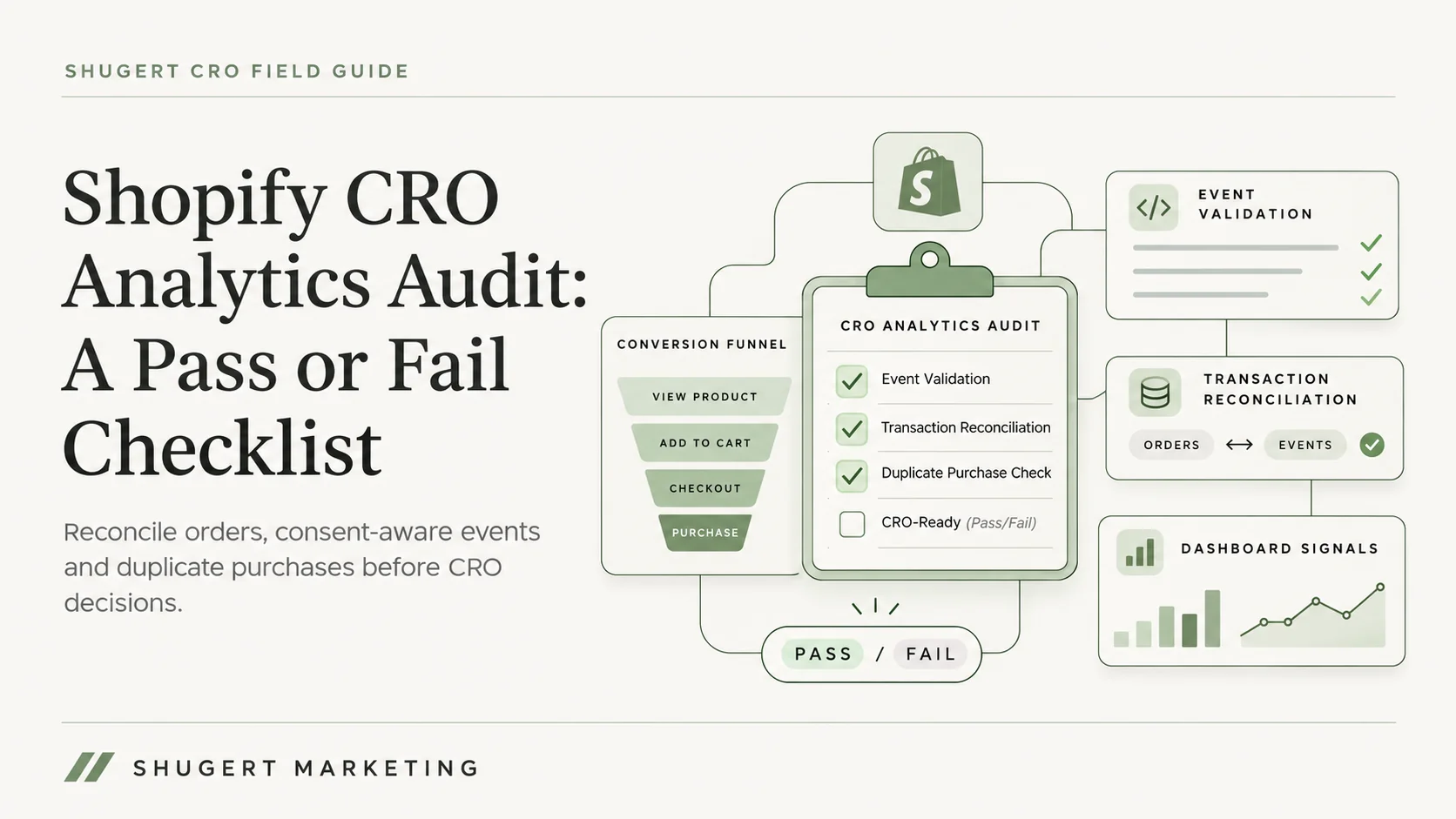
The most common advice about a Shopify CRO audit is to start with heatmaps, session recordings and a checkout redesign. That advice is backwards for any store that has just replatformed, changed themes or swapped its tracking stack. A dashboard can look perfectly healthy while it double-counts purchases, drops checkout events on one browser, or reports fewer observable sessions because of consent choices and blocking. Teams then spend a quarter redesigning a product page whose conversion rate was never measured correctly in the first place.
A Shopify CRO analytics audit should prove the measurement layer before it judges the storefront. The order matters: reconcile orders against events, test the funnel on real devices with consent accepted and declined, isolate duplicates and non-human traffic, then set a baseline. Only after those checks pass does a funnel drop-off become evidence of a user experience problem rather than an instrumentation problem.
Want the tests run for you? Our Shopify CRO agency connects analytics, research and senior theme implementation.
Table of Contents
- The Pass or Fail Evidence Sheet to Complete First
- Reconciling Shopify Orders With Analytics Purchases
- Testing the Consent-Aware Funnel on Real Journeys
- Isolating Duplicate Purchases, Bots and Internal Traffic
- Recording a Baseline and Monitoring the First 30 Days
- Telling a Tracking Defect From Real Conversion Loss
- Deciding Your Next Fix Before Touching the Storefront
The Pass or Fail Evidence Sheet to Complete First
Start with the sheet, not the analysis. Seven rows, each with a threshold that either passes or fails, and each with a defined next action. Nothing downstream gets interpreted until every row is green.
Pass or fail checks before trusting conversion data
| Check | Pass threshold | If it fails |
|---|---|---|
| Order ID coverage | Every observed purchase has a valid transaction ID; controlled eligible orders reconcile | Fix purchase event parameters before any CRO reading |
| Duplicate purchases | Zero duplicate order IDs in the matched period | Isolate the duplicate source before using revenue data |
| Currency and value | One currency per purchase, revenue matches orders after documented rules | Reconcile line by line before using revenue |
| Revenue variance | Every material gap has a written cause | Treat the gap as unexplained and hold conclusions |
| Consent-aware funnel | Each step fires in order for accepted and declined consent | Check pixel and consent configuration |
| Internal and bot traffic | Staff, test and bot sessions filtered with a documented rule | Exclude before computing any rate |
| Segmentation | Funnel rates calculated by device, source and market | Do not use blended store averages for CRO decisions |
The four rows that gate revenue data
Require a valid transaction ID and currency on every collected purchase event and investigate duplicates and material variance. Controlled orders eligible for measurement should reconcile; total Shopify orders need not equal GA4 purchases because of consent, blockers and reporting differences. An external GA4 measurement audit illustrates the general topic; Shugert validates the actual Shopify implementation and transaction evidence before recommending CRO work.
Currency and value pass only when each purchase carries a single currency code and the revenue basis is written down. Gross versus net, tax in or out, shipping in or out, discounts applied before or after: pick one convention and apply it to both systems. Revenue variance passes when someone has written the cause next to the number, not when the gap looks small enough to ignore.
The three rows teams skip
Consent, traffic filtering and segmentation get skipped because they don't break a dashboard visibly. They just change what the dashboard means.
- Consent-aware funnel: each step must fire in the expected order in both consent states, and the declined state should be documented rather than assumed to be silent.
- Internal and bot traffic: staff sessions, QA orders and automated crawlers inflate denominators and deflate conversion rate. Write the exclusion rule down and record how many sessions it removes.
- Segmentation: a blended store average hides a broken mobile checkout inside a healthy desktop number. Calculate rates by device, source and market from the start.
Practical rule: a failed row stops all conclusions about conversion rate until the fix is confirmed on a repeat test, not until the tag "looks right" in the theme.
General conversion audit frameworks can help organize hypotheses. Shugert combines measurement reconciliation, Shopify theme engineering and checkout QA in one engagement, so findings become testable implementation tickets rather than speculative redesigns.
Reconciling Shopify Orders With Analytics Purchases
Reconciliation is a routine, and the sequence is what makes each gap traceable. Run it on a matched period, ideally a full week without a promotion or a launch day inside it.
The five-step match
- Export Shopify orders for the matched period in the store time zone. The store time zone is the reference, because analytics properties and ad accounts frequently default to something else. Export order ID, created date, currency, subtotal, tax, shipping, discounts, refunds and financial status.
- Pull analytics purchase events for the same dates with transaction IDs and currency. Use raw event data or a BigQuery export where available rather than a summary report, because reporting surfaces may use different aggregation, attribution or modeling.
- Match on order ID and list both sides of the failure. Every Shopify order with no event, and every event with no order. The second list is where duplicates, test orders and stale confirmation-page reloads show up.
- Compare revenue on one basis. Gross versus net of refunds, with tax, shipping and discounts handled identically in both systems. Most "revenue doesn't match" escalations dissolve at this step.
- Classify each remaining gap as explainable or unexplained. Explainable means it traces to a documented rule you can name in one sentence. Unexplained means it stays open with an owner and a date.
Shopify's analytics are grounded in completed checkout orders, while GA4 is grounded in user behavior and traffic sources, and although both use sessions they apply different tracking and attribution logic, as Shopify explains in its retail conversion rate guidance. The target is an explained difference, not forced equality. A reported conversion rate that falls after a replatform can reflect measurement loss or attribution redistribution rather than worse customer behavior, which is exactly why the reconciliation has to precede the redesign conversation.
Adding ad platforms to the match
Run the same exercise against Google Ads and Meta for the identical dates, comparing conversion counts back to the same Shopify order IDs. Ad platforms count conversions inside their own attribution windows and credit touchpoints that analytics may assign elsewhere, so a gap is expected. What isn't acceptable is an unclassified gap. Apply the same explainable or unexplained test, and confirm how Shopify's current attribution documentation describes customer events and consent-aware measurement before publishing any internal benchmark, since plan capabilities and event coverage change.
Common sources of Shopify and analytics variance
| Variance source | How to test it | Explainable when |
|---|---|---|
| Time zone | Compare both systems in the same store time zone | Daily totals match after alignment |
| Refunds and cancellations | Compare gross revenue against net revenue | Gap equals refunds issued in the period |
| Taxes and shipping | Compare subtotal and total fields on each order | Gap matches the documented tax or shipping rule |
| Discounts and gift cards | Compare discount codes on orders with purchase events | Gap matches discounted orders missing a parameter |
| Attribution window | Compare sessions and last-click credit by channel | Differences reflect the platform's attribution rules |
| Currency | Check the currency code on each transaction | One currency per record, converted consistently |
| Duplicate or missing events | Count events against unique order IDs | Zero duplicates and every missing ID is explained |
When a gap traces to the cutover itself, the problem is usually record mapping rather than tags. Order IDs, customer identifiers, product IDs and historical revenue need a documented mapping, which is what a proper Shopify data migration process establishes before launch day.
Reconciliation isn't finished when the totals are close. It's finished when every remaining difference has a named cause.
Testing the Consent-Aware Funnel on Real Journeys
Build the event inventory before running a single test. Pixel migration is an implementation change, not a copy-and-paste job: Shopify's pixel migration documentation identifies legacy tracking code sitting in theme.liquid, checkout.liquid on Shopify Plus, checkout Additional Scripts and the store Preferences page, and its procedure is to create a custom pixel subscribing to the required standard and custom customer events, remove or replace the legacy code, then connect the new pixel. Shopify also warns that event counts can differ after moving to web pixels.
What the inventory has to cover
Write one row per event for both the old setup and the new one: page views, product views, add-to-cart, checkout steps, purchases, refunds, customer identifiers, consent behavior and revenue. Mark where each fires (browser, server, native pixel, custom pixel) and which parameters it must carry. Anything without an owner and a location is a candidate for the duplicate problem later.
Running the journeys
Test on real hardware, not only a desktop browser with a mobile viewport. Cover four traffic paths (direct, paid, organic, returning visitor) across desktop and mobile, each with consent accepted and consent declined.
- Record three layers per journey: the events observed in the browser network panel, the events received in the analytics platform's debug view, and the order placed in Shopify.
- Check sequence, not just presence. Add-to-cart before checkout start, checkout start before payment info, payment info before purchase. Out-of-order events break funnel reports even when totals look fine.
- Inspect parameters on every purchase: currency, value, tax, shipping, discount, product IDs and quantities. A purchase with the right total and no product IDs is still a failed row for merchandising analysis.
- Note where counts differ between layers. A change in event volume after a pixel migration isn't a change in customer behavior, and it shouldn't trigger a budget shift.
Event timing matters here as much as event existence. Google's web.dev guidance on interaction responsiveness makes the same point from the performance side: work that blocks the main thread delays what gets measured, so a slow confirmation step can lose an event that the user completed. Where server-side delivery is part of the design, treat it as a separate implementation with its own consent handling, covered in the Shopify Conversions API setup guide.
Keep the evidence, not just the verdict. Screenshots of debug view, timestamps, device and OS, browser version, consent state and the test order number belong in the sheet. Pass this section before any funnel rate informs a CRO decision, and re-run the affected journeys whenever the theme, an app embed or the consent banner changes.
Isolating Duplicate Purchases, Bots and Internal Traffic
Consider a hypothetical case: a store launches on Shopify Plus, and the confirmation page reports roughly twice the purchase events it should, because a native pixel and a leftover custom script both fire a purchase tag. Revenue looks strong, conversion rate looks strong, and every downstream test is now measuring a fiction.
The reproduction is short and it's the only part that matters.
- Place a controlled order with a unique test customer and write down the order number before touching any tooling.
- Open the browser network panel and the analytics debug view, then list every purchase request triggered by that single order, including requests fired after a page reload.
- Compare transaction IDs across the native and custom sources. If both requests carry the same ID, the duplicate is confirmed and the count is provably wrong rather than a reporting nuance.
- Disable one source at a time in a test environment. Changing two things at once produces a fix nobody can attribute.
- Verify on a repeat visit to the confirmation page, then again with consent declined, and confirm that browser and server events share one deduplication key so the same order can't be counted twice across paths.
That last step is where most "fixed" duplicates come back. A deduplication key that only exists on one path isn't deduplication, and server-side delivery doesn't bypass consent or ad blockers. Consent state and blocker rules still apply to each path independently, which is why the server-side tracking implementation has to be validated with the same controlled orders as the browser layer.
Filtering non-customer sessions
Once purchases are clean, fix the denominator. Staff sessions, agency QA, load tests and crawlers all land in the same property as customers, and on a store with a small daily order count they move conversion rate meaningfully.
- Known IP ranges: exclude office and agency addresses, and record the rule with the date it was applied.
- Internal email domains and test customer tags: identify QA orders so they can be removed from both order exports and event data.
- Automated traffic: apply the analytics platform's bot filtering and note what it doesn't catch, particularly headless browsers used by monitoring tools.
Write down how many sessions each rule removes. If a filter strips a suspiciously large share of traffic, investigate the rule before accepting the new conversion rate. An exclusion that deletes real customers is worse than the noise it was meant to remove, and it's the kind of change that makes a post-launch comparison meaningless.
Recording a Baseline and Monitoring the First 30 Days
A healthy dashboard can still hide an unusable baseline. Define which sessions, markets and product types belong in the comparison before recording results. Keep retail, subscription and wholesale funnels separate where buying conditions differ. B2B account-specific pricing and DTC impulse purchases shouldn't share a denominator that describes neither.
Record a matched period across sessions, product views, add-to-cart, checkout starts, purchases, revenue and refunds, segmented by device, market and channel. Use consistent denominators, as the conversion rate calculation guide explains. Revenue alone cannot identify where the funnel changed.
Keep purchase-data validation separate from conversion performance. A higher conversion rate does not make an unresolved analytics discrepancy a pass.
Performance field data belongs in the baseline
Capture Core Web Vitals field data for the old and new platforms, split by mobile and desktop. At the 75th percentile, Google's good thresholds are Largest Contentful Paint at 2.5 seconds or less, Interaction to Next Paint at 200 milliseconds or less, and Cumulative Layout Shift at 0.1 or less; poor thresholds are LCP above 4 seconds, INP above 500 milliseconds and CLS above 0.25, per its Core Web Vitals documentation.
Record each metric's classification rather than treating every result outside “good” as “poor.” Test representative home, collection, product, cart and checkout journeys, then compare Shopify field data once traffic stabilizes.
If performance regressed at launch, isolate theme assets, third-party scripts, app embeds and image delivery before attributing conversion changes to the storefront experience.
The monitoring window
Record the exposure window, meaning the dates a change was live. Log promotions, paid spend changes, stock outages, seasonal demand and catalog edits as they happen.
Before-and-after conversion differences alone don't establish causation. Compare matched cohorts and report revenue per session and refund rate alongside conversion rate, keeping tracking discrepancies visible rather than folding them into a storefront verdict.
After a migration cutover, Shugert monitors Search Console, analytics and orders through the first 30 days. Use that window for ongoing checks, rather than treating a healthy launch-week dashboard as proof that measurement and conversion remain stable.
Telling a Tracking Defect From Real Conversion Loss
The verdict rule is narrow: a UX hypothesis is stronger only after tracking passes controlled-order and reconciliation checks and a user demonstrably hits a reproducible interaction problem. Both conditions. Clean events alone don't prove a UX problem, and an observed usability annoyance doesn't excuse unverified purchase data.
Work the alternatives in diagnostic order rather than jumping to a redesign.
What to rule out on the storefront
Start with stock, variant eligibility, product compatibility and unexpected shipping costs. Cart abandonment research identifies checkout costs and complexity as possible sources of friction. Shugert tests those paths on the actual storefront rather than treating an industry average as a merchant-specific diagnosis.
Then accessibility and interaction quality: unlabeled controls, buttons unreachable by keyboard, focus traps in a cart drawer, delayed responses and layout shifts on mobile. These are reproducible with a keyboard and a throttled device, and they don't require an opinion about design taste. Where the evidence points at speed rather than layout, the fix belongs in a Shopify performance engagement measured against the recorded baseline.
Symptoms, likely causes and first actions
| Symptom | Tracking evidence | Likely action |
|---|---|---|
| Conversion rate drops while orders stay steady | Events duplicated or missing after a release | Fix instrumentation and rerun controlled orders |
| Checkout starts fall while orders match | Checkout event fires late or drops on one device | Check event timing and device coverage |
| Product page converts low with clean events | Add-to-cart failures tied to one variant | Check variant eligibility, stock and shipping display |
| Mobile conversion gap with clean events | Interaction delays or layout shifts on mobile | Measure Core Web Vitals, then fix performance |
| Sessions rise while conversion falls | Traffic mix shifted toward one source or market | Segment by source and market before judging UX |
When both defects coexist
Measurement and interface problems aren't mutually exclusive, and on a replatform they frequently arrive together. Fix instrumentation first regardless, because a missing or duplicated event invalidates any redesign test run on top of it. Record which checks passed and which failed, then re-open the UX question with clean data.
A paid campaign reaching a colder audience or a new market can lower blended conversion rate while individual segments remain stable. Compare like-for-like cohorts before redesigning checkout. General checkout usability research provides context, but Shugert prioritizes findings based on observed behavior, controlled orders and reproducible defects.
Deciding Your Next Fix Before Touching the Storefront
The evidence sheet decides this one, not the dashboard and not the loudest stakeholder. If every row passes, the funnel data is trustworthy enough for CRO decisions: rank changes by the segments carrying the largest revenue gap. If any row fails, stop. No page redesigns, no budget shifts, no test launches. Fix the instrumentation, rerun the controlled orders and reconcile again. A redesign built on broken purchase data produces a winner you cannot trust.
Three closing steps keep the audit alive:
- Name an owner and a release date for every open fix, so a failed row can't sit unassigned across two releases.
- Save the completed sheet with its dates and rerun it after every theme, app or checkout release.
- Confirm each fix on a repeat visit with consent declined before closing its row.
Stores that fail rows and need hands-on diagnosis can hand the sheet to a scoped engagement. CRO Fix is built for stores with a conversion rate under 2%, cart abandonment above 70%, checkout drop-off they can't explain, a cluttered or slow PDP, no post-purchase capture, or paid traffic with weak ROAS. In the audit week, Shugert pulls the client's analytics, recordings and funnel data and surfaces the top 5 to 10 leaks ranked by revenue impact, with implementation beyond the audit handled through the Shopify CRO agency service.
Stores still deciding whether to move platforms can scope a Shopify migration covering the storefront rebuild, data migration, redirects, technical SEO, analytics and integrations in one launch plan. The migration planning guide sets out what that scope should include.
Request a migration scope at Shugert's quote page and attach the completed evidence sheet: the matched period, the open rows and the reconciliation notes. Starting from verified purchase data means the scope addresses the actual gaps in tracking, checkout and storefront behavior instead of guessing at them.
Turn more of your existing traffic into orders
Milas Keeper came out of the engagement with cleaner product pages and a more usable mobile shopping experience. Read the case study
Most quotes returned within 1 business day