Shopify Checkout Extensibility: What It Is and How to Use It
Shopify Checkout Extensibility explained for Plus and DTC teams: UI extensions, Functions, pixels, plan limits, migration from checkout.liquid, and testing.
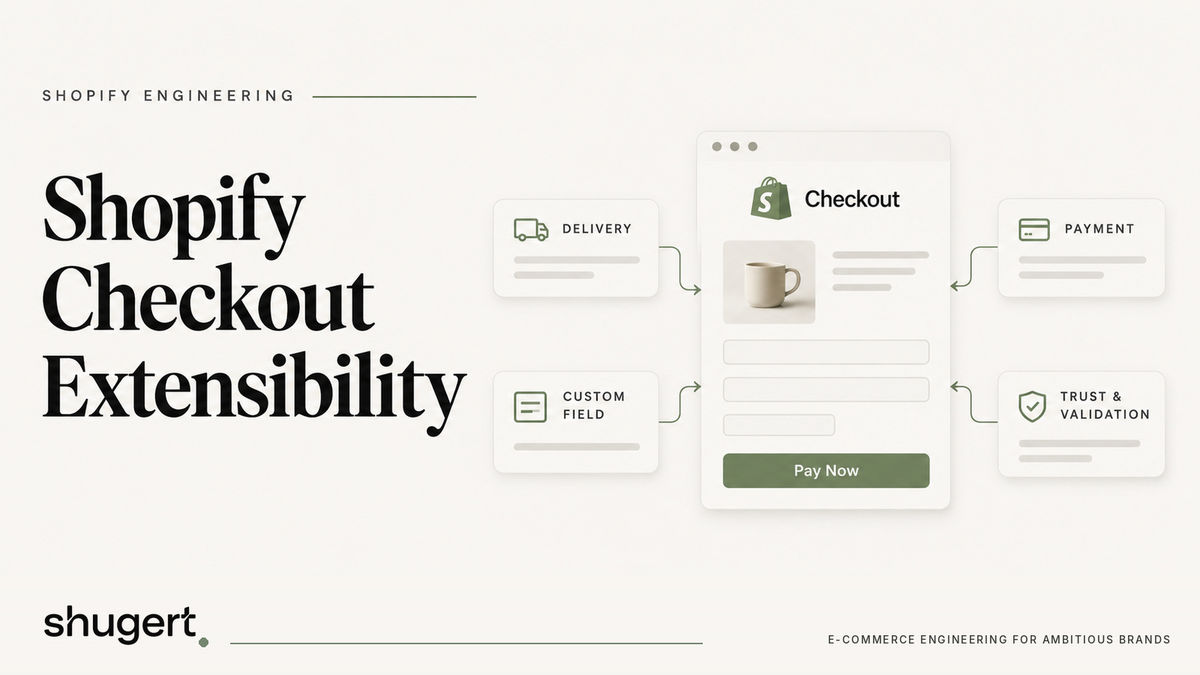
Checkout Extensibility is Shopify’s app-based way to customize checkout. It replaces the old practice of editing checkout.liquid. Instead of changing template code, you combine checkout branding settings, UI extensions, Shopify Functions and web pixels. Each runs in a sandbox that Shopify maintains, so your customizations survive platform upgrades. This guide covers what each piece does, which plans can use which surface, where the limits are, how to move off legacy code, and what to test before release.
Need this built properly? Our custom Shopify development team designs themes, apps and integrations as maintainable systems.
Key Takeaways
- Checkout Extensibility is a set of four tools: branding settings, Checkout UI extensions (front end), Shopify Functions (backend logic) and web pixels (tracking). Most checkout work needs a mix of them.
- Plan matters. Thank you and Order status page extensions and web pixels are available below Plus, while extensions on the Information, Shipping and Payment steps require Shopify Plus.
- checkout.liquid and Scripts are gone. Anything still depending on them is already unsupported and needs a rebuild on extensions and Functions.
- Extensions are sandboxed by design. They cannot read checkout HTML or payment data, so third-party testing and tracking tools work through pixels and apps, not injected scripts.
- Test Functions against their resource limits and your real order mixes before release, in a staging environment, with before-and-after measurement.
Table of Contents
- What Checkout Extensibility actually is
- Which plans can use which checkout surfaces
- Checkout UI extensions: what they can and cannot do
- Shopify Functions: the backend half
- Web pixels, analytics and third-party testing tools
- Migrating from checkout.liquid: a working sequence
- What to test before and after release
- Choosing what to build
- Our perspective
- Work with Shugert on your checkout
- FAQ
- Sources
What Checkout Extensibility actually is
Shopify describes Checkout Extensibility as an app-based framework for customizing checkout branding and functionality without manual code edits. It is sandboxed, secure, upgrade-safe and compatible with Shop Pay, according to Shopify’s own explanation of the framework. The older approach was different in kind: checkout.liquid let developers run JavaScript outside a browser sandbox, which created security risk and made every Shopify checkout upgrade a potential breakage.
The practical shift for an engineering team is that you no longer “edit checkout.” You pick the right tool for each requirement:
| Requirement | Tool | Where it runs |
|---|---|---|
| Colors, fonts, logo, layout styling | Checkout branding settings | Checkout editor |
| Custom fields, upsells, messages, surveys | Checkout UI extensions | Sandboxed front end |
| Discounts, delivery options, validation, payment logic | Shopify Functions | Shopify’s backend |
| Behavior tracking and analytics events | Web pixel extensions | Sandboxed pixel environment |
If you remember one rule, make it this: UI extensions change what the buyer sees, Functions change what the checkout does. Confusing the two is the most common reason a scoping conversation goes sideways.
Which plans can use which checkout surfaces
The plan question is where most search traffic for this topic lands, and the answer is split by checkout step. Per Shopify’s Help Center, businesses on the Basic plan or higher can use web pixel apps and UI extensions on the Thank you and Order status pages. UI extensions on the Information, Shipping and Payment pages are available only to Shopify Plus stores.
Payments follow a similar line. In the United States and Canada, stores on Basic or higher plans other than Plus are limited to customizing non-credit-card payment methods. Credit-card field customization requires Shopify Plus.
Web pixels are broader: web pixel extensions support behavior tracking on all plans except Shopify Starter.
What this means commercially:
- Plus brands can place extensions inside the checkout steps themselves, which is where most conversion-relevant changes (shipping messaging, B2B fields, upsell placement) live.
- Non-Plus brands still get post-purchase surfaces, pixels and Functions-powered logic, which cover a lot of ground: surveys, reorder prompts, order-status content and tracking.
- Plan upgrades should be justified by a specific checkout requirement, not by general curiosity. Write the requirement first, then check which surface it needs.
Checkout UI extensions: what they can and cannot do
UI extensions add custom interface or logic to checkout steps. Shopify’s documentation gives examples such as personalized messages during cart review, custom payment options, and a survey on the Thank you page.
They are limited on purpose. They run in an isolated sandbox, cannot reach sensitive payment information or the underlying checkout HTML and assets, and are restricted to a defined set of Polaris UI components. For a team that used to patch checkout with DOM manipulation, three consequences follow.

No DOM hacks. Selectors, injected CSS and script-based element moves do not carry over. Requirements have to be restated as “what should the buyer see and when,” then built from approved components and extension targets.
Placement is constrained. Extensions render at defined targets. Shopify also caps the number of apps per highlighted area in the checkout and accounts editor at three, according to the same Help Center page. If your roadmap includes five different promotional modules above the order summary, you will need to consolidate them into fewer, better-designed ones.
Design discipline improves. The constraint is not all downside for conversion work. A checkout with two or three purposeful modules is easier to test and debug than one carrying ten script-injected widgets. That is a design position, and we hold it as one, not a promise about results.
Developers build these with the Shopify CLI, which scaffolds, builds and previews both Checkout UI extensions and Functions. Extension-only apps, a pattern raised often by developers asking about this topic, let you ship custom checkout work without a full hosted app, which suits merchants who want an owned, private customization.
Shopify Functions: the backend half
Where UI extensions handle presentation, Shopify Functions add custom backend logic for features Shopify does not offer natively: custom delivery options, new discount types, and cart or checkout validation. A few examples of how that plays out for established stores:
- B2B purchasing rules. Block checkout when a company location orders below a minimum quantity for a restricted product, using cart and checkout validation.
- Delivery logic. Hide, rename or reorder shipping options based on cart contents, customer tags or destination.
- Discount structures. Tiered or bundled discounts that the standard discount types cannot express.
Functions run under strict resource limits, including a 256 kB binary size limit, per Shopify’s Functions documentation. The same page warns that slow or resource-intensive Functions can negatively affect customers and may prevent purchases. That is the reason performance testing belongs in the scope of any Functions project, not after it.
Scripts are already retired
Shopify Scripts were fully deprecated as of June 30, 2026, and Shopify’s transition guide directs merchants to Shopify Functions. If any discount, shipping or payment customization on your store still came from a Ruby Script, treat it as a rebuild, not a port. Functions are written differently, tested differently and have different limits, so each Script’s business rule should be rewritten as a requirement and then re-implemented.
Web pixels, analytics and third-party testing tools
The sandbox changes how tracking and experimentation tools reach checkout. Instead of dropping a tag into checkout.liquid, tools subscribe to customer events through web pixels. For measurement teams, that means auditing every legacy tag and mapping it to a standard Shopify customer event, such as checkout started or checkout completed.
Experimentation vendors illustrate the boundary. VWO’s Shopify integration, for instance, transfers Shopify standard events and supports checkout tracking through pixels. Its documentation also says that, because of Shopify’s security-based limitations, the SmartCode is not placed on the Checkout, Post Purchase and Order Status pages, so those pages cannot be included in VWO campaigns. In plain terms: you can measure checkout events through the pixel, but you cannot run a visual A/B test inside checkout the way you would on a product page. Tests that change checkout behavior need to be built as extensions or Functions and compared with controlled releases. Our VWO vs Optimizely comparison goes deeper on how each platform handles these checkout limits.
This is also where an implementation partner and a testing platform play different roles. The testing tool reads events and runs experiments on the storefront. The engineering work of building the extension, wiring the events and QAing the release sits on the Shopify side.
Migrating from checkout.liquid: a working sequence
The timeline is behind you. Customizations made through checkout.liquid for in-checkout pages became unsupported after August 13, 2024. Shopify then began shutting down checkout.liquid, additional scripts and apps using script tags on Thank you and Order status pages, starting August 28, 2025. If your checkout still looks right, it is likely because the migration was done. If anything is missing, such as a tracking tag, a gift message field or a discount rule, here is the order of work we would follow.
- Inventory every customization. List each checkout.liquid edit, additional-scripts snippet, script-tag app and Ruby Script. Record what it does for the business, not how it was coded.
- Classify each item. Is it styling (branding settings), interface (UI extension), logic (Function), or tracking (web pixel)? Many legacy hacks turn out to be unnecessary now that native features exist.
- Rank by revenue and risk. Items touching discounts, shipping rates, tax, B2B ordering rules or purchase tracking go first. Cosmetic items go last.
- Build in a development store or staging environment. Our guide to a Shopify staging environment covers the setup for safe testing and deployment.
- QA against real order shapes. Test guest and logged-in buyers, B2B companies, discount stacking, multiple currencies, subscriptions and mixed carts.
- Release in a controlled way, then measure. Compare checkout completion, error rates and event counts before and after, over a period long enough to cover normal weekly variation.
One piece of guidance from Shopify’s older checkout.liquid documentation still applies in spirit: it recommends minimizing DOM dependency and using data and name attributes, which are less likely to change across upgrades. Build on supported interfaces and you inherit that stability.
For the Plus-specific release path, see our walkthrough of Shopify Plus checkout extensibility from checkout.liquid to release.
What to test before and after release
A checkout change touches the highest-value page on your store, so test it as a release, not as a tweak.
Functions under load. Check each Function against its resource limits using representative carts, including your largest. Because slow Functions can block purchases, a Function that works on a three-item test cart but times out on a 60-line B2B order is a revenue incident.
Mixed fulfillment orders. Shopify advises Plus and Enterprise merchants to test customizations when an order combines shipped and pickup items, because they might not display or behave as expected. Add that case to your test plan if you run local pickup or retail locations.
Analytics parity. Compare purchase and checkout-started counts between Shopify admin, your analytics platform and any ad platform pixels before and after. A gap that appears only after release usually points to a pixel mapping problem.
Extension count and page weight. Every extension adds work to the checkout. Keep modules purposeful and watch checkout load behavior, particularly on mobile. If checkout speed is part of your concern, our Shopify performance optimization work covers storefront and checkout-adjacent bottlenecks.
Edge states. Failed payments, address validation errors, expired discount codes and out-of-stock items at checkout all need to render properly with your custom elements present.
Rollback plan. Know how you will disable an extension or Function quickly. Write down who owns that decision.

Choosing what to build
Not every idea is worth an extension. A useful filter for senior teams:
- Does a native setting already do it? Checkout branding, shipping and discount settings cover more than they did a few years ago.
- Is the benefit measurable? If you cannot name the metric, such as average order value, completion rate or support tickets, defer it.
- Does it need Plus? If the design depends on Information, Shipping or Payment step placement, confirm your plan first.
- Who maintains it? Extensions and Functions are code. Someone must own updates when Shopify changes an API version.
- Is the downside bounded? A Function failure can block orders. A UI extension failure usually degrades gracefully. Weigh them accordingly.
Our perspective
Most checkout projects that come to us start with a tool name. The better starting point is the constraint: an order-value rule that finance needs enforced, a shipping message that support keeps explaining by email, a tracking gap that makes paid reporting unreliable.
Once the constraint is clear, Checkout Extensibility is a good fit for senior engineering work. The sandbox removes the fragility that made old checkout customizations expensive, but it also removes shortcuts. That favors teams who define scope and acceptance criteria first, build in a controlled environment, QA the release and measure before and after.
That is how we work at Shugert: senior implementation, no junior handoffs, no offshore subcontracting, and no guaranteed ranking or conversion claims. We can say what we will build, how we will verify it and what we will measure. We do not promise a lift, because checkout results depend on your traffic, offer and buyers.
Samuel Noriega
Work with Shugert on your checkout
If you have legacy checkout customizations to replace, or a Functions project you want scoped before it ships, we work as a senior-led Shopify engineering partner for established U.S. DTC and B2B brands. Published fixed-price engagements include the Scoped Shopify Intervention from $2,500 and Custom Development and Replatforming from $5,000, and ongoing engineering support starts at $1,495 per month with the Starter plan. Shopify Plus Engineering starts at $9,000 per month. Details are on our pricing page.

If you would rather talk through scope first, you can request a fixed-price Shopify quote, or review our case studies to see how we document work.
Ship complex Shopify builds without breaking the store
Fashionable Inc. has relied on us for more than six years across three Shopify Plus stores. Read the case study
Most quotes returned within 1 business day
FAQ
Do I need Shopify Plus to use Checkout Extensibility?
Not for everything. Stores on Basic or higher can use web pixels and UI extensions on the Thank you and Order status pages. Extensions on the Information, Shipping and Payment steps are limited to Shopify Plus, per Shopify’s Help Center. Confirm which surface your requirement needs before deciding on a plan.
What is the difference between Checkout UI extensions and Shopify Functions?
UI extensions change what buyers see at checkout, such as messages, fields or upsell modules. Functions change backend behavior, such as discounts, delivery options and validation. Many projects use both: a Function enforces a rule, and a UI extension explains it to the buyer.
Can I still use checkout.liquid or Shopify Scripts?
No. Shopify stopped supporting checkout.liquid customizations on in-checkout pages after August 13, 2024, and began shutting it down on Thank you and Order status pages in August 2025. Scripts were fully deprecated as of June 30, 2026. Rebuild those customizations with extensions and Functions.
Can I run A/B tests inside Shopify checkout?
Not with page-level testing scripts. Tools like VWO track checkout events through Shopify pixels, but their SmartCode is not placed on Checkout, Post Purchase or Order Status pages. Checkout behavior changes are usually built as extensions or Functions and evaluated through controlled releases and before-and-after measurement.
How do developers build checkout extensions?
They use the Shopify CLI to scaffold, build and preview Checkout UI extensions and Functions. The extensions can ship in an extension-only app. Test in a development store or staging environment before release, and keep a documented rollback step.
Sources
- Checkout Extensibility: Customize Shopify Checkout (Shopify)
- Customizing your checkout and accounts with apps (Shopify Help Center)
- Customizing payment methods and checkout (Shopify Help Center)
- Technologies for customizing Shopify checkout (Shopify.dev)
- Checkout UI extensions (Shopify.dev)
- Start building for checkout (Shopify.dev)
- Function APIs (Shopify.dev)
- Transitioning from Shopify Scripts to Functions (Shopify Help Center)
- Set Up the Wingify Shopify App (VWO Help)
- The checkout.liquid theme file is being deprecated (Shopify Changelog)
- Upgrading and replacing checkout.liquid (Shopify Help Center)
- Best practices for editing checkout.liquid (Shopify.dev)