Best Platform for Ecommerce Website: Technical SEO Fixes
Compare the best platform for ecommerce website options for U.S. brands at $1M to $10M, with the technical SEO risks each creates and fixes to prioritize.
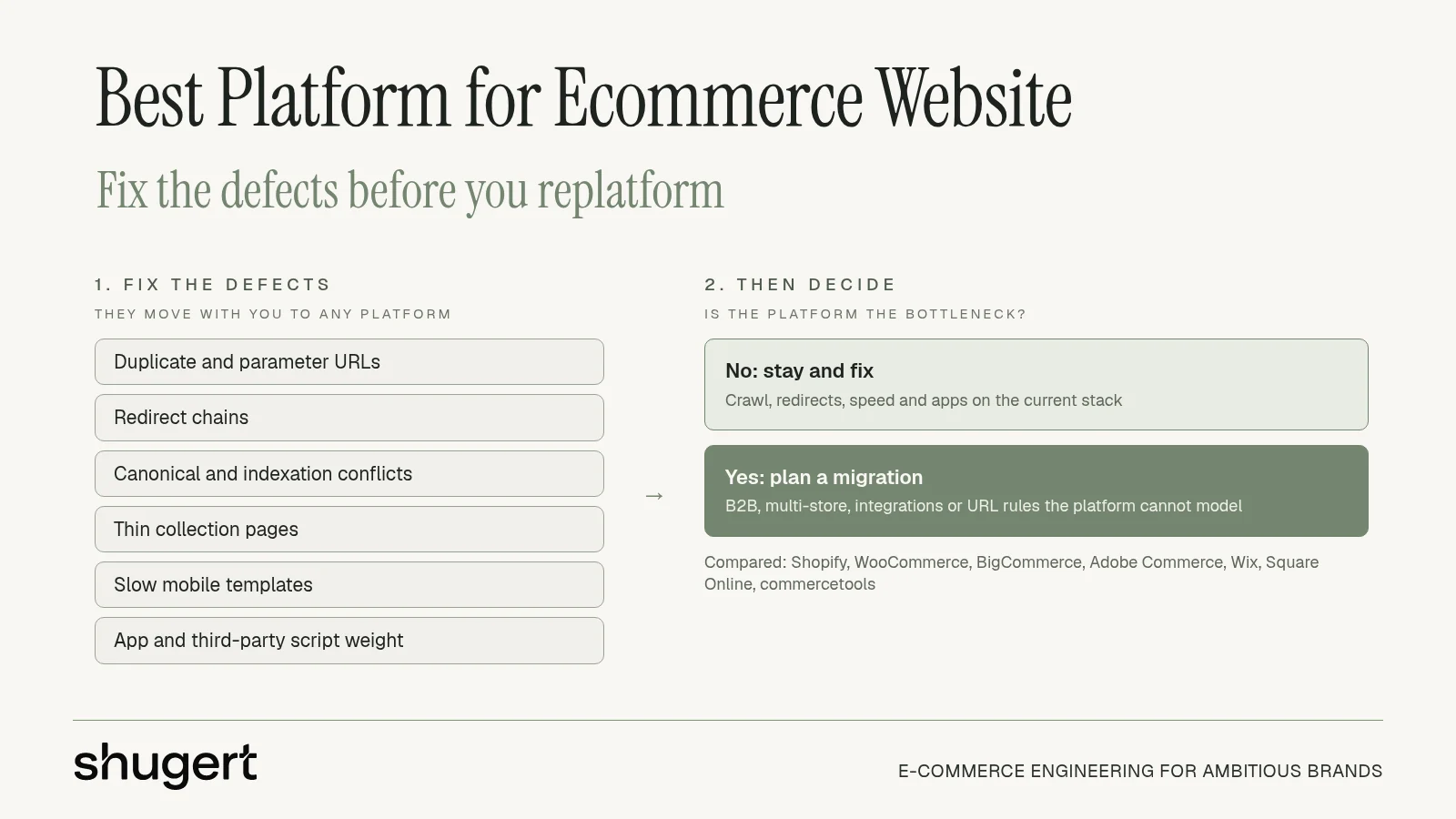
Most organic losses on ecommerce sites are not a platform verdict. They come from a short list of technical defects: duplicate and parameter URLs, broken or chained redirects, canonical and indexation conflicts, thin collection pages, slow mobile templates, and scripts that apps inject after launch. Picking the best platform for ecommerce website before you name those defects just moves the same mess onto a new stack.
Start in Google Search Console, not a sales demo. Open the Pages report and separate "Crawled, currently not indexed" from true coverage errors. Export landing pages that lost clicks, then match them to a full crawl in Screaming Frog or Sitebulb so redirect chains, canonical mismatches, and parameter traps sit in one file. Run mobile PageSpeed on the homepage, a collection, and a product template. Our working rule of thumb: a store needs deeper technical work when mobile PageSpeed sits below 50, Core Web Vitals fail in Search Console, or 10 or more third-party apps are installed.
A migration only fixes what the platform itself causes. URL rules, checkout ownership, hosting, and how apps attach scripts can change. A heavy theme, a bloated tag manager, and a homepage full of faceted links will not. Teams that find causes of organic traffic loss before they pick a vendor spend the budget on the bottleneck, not on a rebuild that recreates it.
Planning a replatform? Our Shopify migration service moves products, customers, orders and redirects as one SEO-safe scope.
Key Takeaways
- Most organic losses come from fixable defects, such as redirect chains, canonical conflicts, thin collections and script weight, that follow you to any platform.
- Shopify fits most U.S. DTC and B2B brands at $1M to $10M that want hosted infrastructure; WooCommerce can stay the right choice for content-led stores with a maintained stack.
- BigCommerce, Adobe Commerce, Wix, Square Online and commercetools each fit a narrower profile, compared in the table below.
- Replatform only when B2B logic, multi-store structure, integrations or URL governance are true platform limits.
Table of Contents
- 1. Shopify
- 2. WooCommerce
- 3. BigCommerce
- 4. Adobe Commerce
- 5. Wix eCommerce
- 6. Square Online
- 7. commercetools
- How the seven platforms compare on fit, hosting responsibility, pricing model and the SEO risk to plan for
- Fix the Defects First, Then Decide Whether the Platform Is the Bottleneck
1. Shopify
Shopify is the shortlist default for most U.S. DTC and B2B brands between $1M and $10M that want a hosted storefront, payments, inventory, and a team that can change merchandising without a developer on every ticket. Hosting and core security stay with Shopify. Online, in-person, social, and marketplace selling share one admin, and Shopify Markets covers regional selling. The SEO exposure is template quality and app weight, not server patching.
The storefront itself is straightforward to inspect before anyone debates a move.

The 2025 Web Almanac ecommerce chapter found that 76% of sampled Shopify origins passed all three Core Web Vitals, compared with 33% for WooCommerce and 36% for Magento. That is a baseline, not a promise. Theme quality, apps, third-party scripts, and media still decide field data on real mobile networks.
Redirect capacity and script weight
- URL redirects: Standard Shopify stores support up to 100,000 URL redirects, while Shopify Plus stores support up to 20,000,000, per Shopify's URL redirect documentation. A Magento or headless catalog with years of campaign URLs can blow the standard cap. Count the live redirect file in discovery.
- App weight: If PageSpeed is already under 50 with a short app list, the theme is the problem. A new platform will not delete a heavy hero or a tag that fires on every template.
- Tier fit: Plus is the right conversation when several storefronts, company accounts, price lists, payment terms, Checkout Extensibility, or a large ERP sync are the actual requirement. Standard Shopify is enough when one DTC catalog and a clean theme will do the job.
Practical rule: Move to Shopify when hosting, plugin conflicts, or checkout ownership are the bottleneck. Stay when the crawl report is the bottleneck and the current stack is stable.
A scalable ecommerce platform review should map each workflow to a native feature, an extension, or middleware before anyone prices a theme. If you are already on Shopify, cut unused apps, fix collection canonicals, and send every old URL to its final page with one 301. Details live at Shopify.
2. WooCommerce
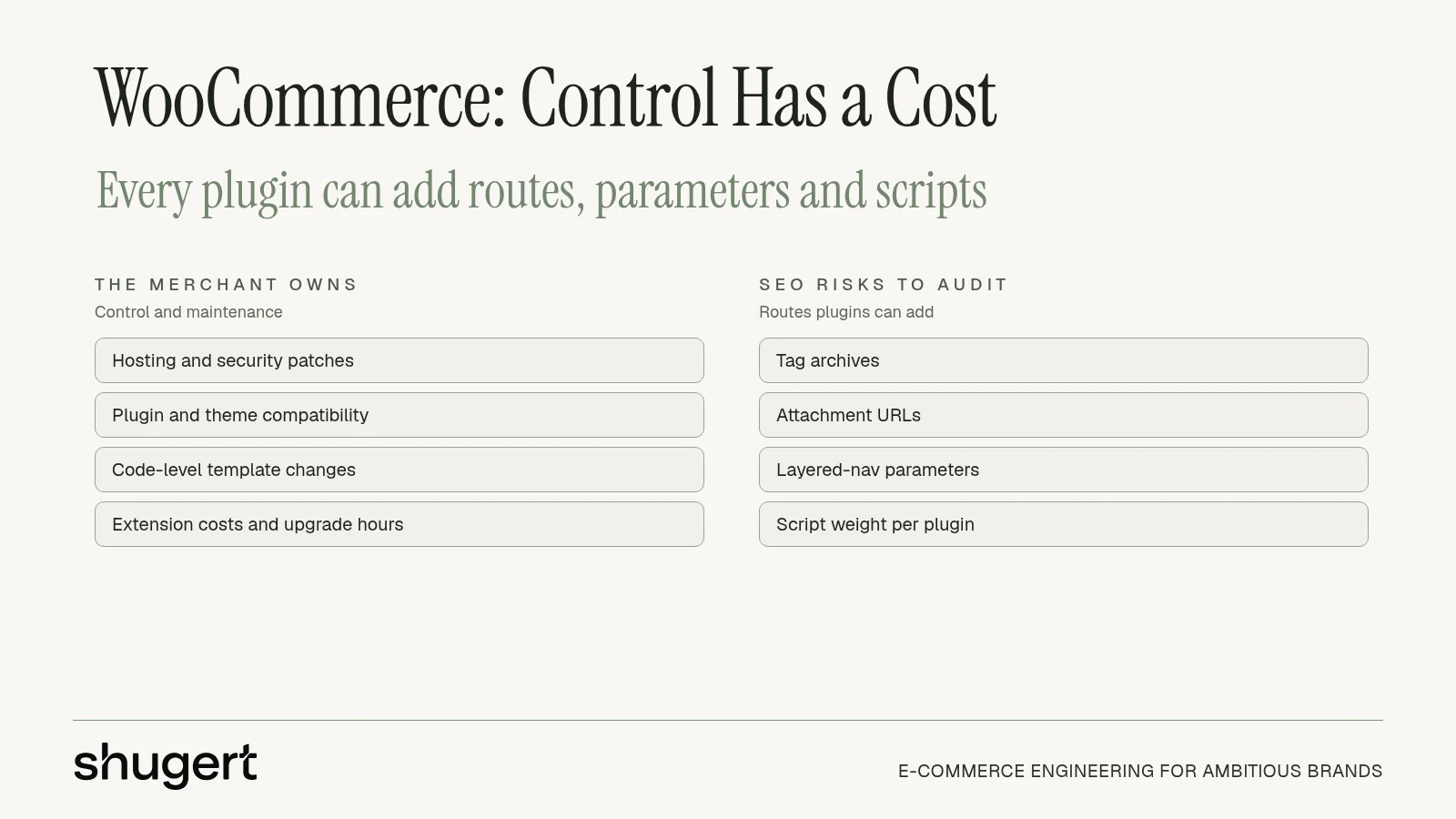
Say a brand's revenue sits on a large WordPress content library, stable custom templates, and a developer who already owns hosting, patches, and plugin updates. WooCommerce is often the right place to stay. The open-source core gives full control of store data, code, and hosting, and it fits physical goods, downloads, subscriptions, and services when the build is maintained. There is no platform subscription on the core product. The merchant pays hosting, extensions, and the hours that keep those extensions compatible.
That control is also the SEO risk. Every plugin can add routes, query parameters, and scripts. A crawler will show tag archives, attachment URLs, and layered-nav parameters competing with real product and collection pages.
Fix the stack before you blame it
- Index bloat: In Search Console, filter pages that include
?and compare them with the XML sitemap. Noindex or block parameter combinations that do not deserve a ranking URL. - Canonicals: Product URLs that resolve with and without a trailing slash, or through a category path and a flat path, split signals. Pick one pattern and 301 the rest.
- Script debt: Disable plugins on templates that do not need them. A page builder plus three review widgets plus a heatmap is a performance project, not a replatform.
A stable WooCommerce store whose organic demand depends on well-maintained content usually gains more from speed, conversion, and technical SEO work than from a migration.
Move when plugin conflicts, security patching, or checkout failures are a standing engineering cost and the content model can be rebuilt without fragile workarounds. Do not move into peak season. A WooCommerce to Shopify migration plan only earns its cost when those conditions are true. Platform home: WooCommerce.
3. BigCommerce
BigCommerce suits catalog-heavy B2B or multi-storefront brands that want more commerce features in the platform and fewer apps glued on later. Hosting is included. Public lower-tier plans make a first cost comparison easier than a quote-only suite, and enterprise pricing can be shaped for larger requirements. Sales thresholds can still push a growing brand up a plan, so payment-provider fees and GMV limits belong in the same spreadsheet as the subscription.
The SEO question is not "hosted or not." It is whether product and category URLs stay stable while merchandisers add options, and whether faceted navigation creates indexable duplicates.
Teams comparing templates should compare BigCommerce product performance on real product templates, not on a marketing homepage.
Identification checks
- Faceted URLs: Crawl a filtered category. If each filter combination returns 200 with a self-canonical, you have an indexation problem whether you stay or leave.
- Variant templates: Thin variant pages that share one description and one image set should canonicalize to the parent or carry unique content. Quantity of SKUs is not the same as quantity of indexable URLs.
- App drift: Built-in features reduce plugin weight only if the team stops installing overlapping search, reviews, and analytics apps. Check the network waterfall in PageSpeed after a staging theme, not after launch week.
Stay on BigCommerce when those defects are fixable in the current theme and the B2B workflows already match how buyers order. Consider a move when plan thresholds, checkout limits, or a required ERP pattern cannot be met without a custom layer that costs as much as a replatform. Advanced needs still mean integrations. The vendor site is BigCommerce.
4. Adobe Commerce
Adobe Commerce, the Magento line, belongs on a shortlist only when catalogs, brands, or B2B processes are custom and a dedicated engineering budget is already funded. At $1M to $10M, the usual pattern is the opposite. Hosting, security patches, version upgrades, paid extensions, and compatibility work become a standing project the brand has to staff. SaaS and cloud options exist, and B2B accounts, approvals, quotes, and requisition lists are core product capabilities. Pricing is quote-based. Flexibility is real, and so is the operating cost.
Legacy URL footprint
SEO risk on these stacks concentrates in URL history. Faceted navigation, old campaign paths, and a prior redesign often leave tens of thousands of live and redirected URLs. Google's site-move guidance says to prepare a complete old-to-new map, use server-side 301 or 308 redirects, and send each old URL straight to its final destination. Googlebot can follow up to 10 hops, but Google recommends keeping chains short: ideally no more than three and fewer than five.
Prioritized fixes if you stay:
- Export indexable URLs for products, categories, and content, then drop duplicates before anyone discusses a new platform.
- Collapse chains so each legacy path hits the current page in one hop.
- Retire thin filters with a deliberate noindex or a canonical, not a soft 404 to the homepage.
Leave when upgrade projects and custom modules are the bottleneck and the replacement can be native or a stable API. Stay when the custom logic would only survive on Shopify as a fragile workaround. Editions and pricing come through Adobe sales.
5. Wix eCommerce
Wix pairs a visual editor with ecommerce on paid plans, plus marketing and care tools that depend on the plan you buy. It is a fit for a straightforward store a nontechnical team can publish and edit. It is a weak fit for a $1M to $10M DTC or B2B operation that needs ERP, custom pricing, or deep control of templates and crawl rules.
The editor-first model is the SEO constraint. Design changes are fast. Indexation control, template-level performance, and unusual checkout logic are not. If a required workflow needs a workaround, that workaround becomes the maintenance burden you were trying to avoid.
What to verify on the current plan
- Sales features versus the plan: Confirm the paid plan includes the checkout, catalog size, and marketing tools the business uses. A demo store is not the contract.
- Collection thinness: Template pages that repeat the same intro under every category will not rank because the editor looks modern.
- Script control: Analytics, chat, and popups still count toward Core Web Vitals. If you cannot defer them, PageSpeed will not move.
For this revenue band, Wix is rarely the platform to move to. It can be the platform to leave when custom commerce logic and technical SEO cannot be expressed in the editor. It can be the platform to keep when the catalog is small, the team will not staff engineering, and Search Console is already clean. Check the offer at Wix eCommerce.
6. Square Online
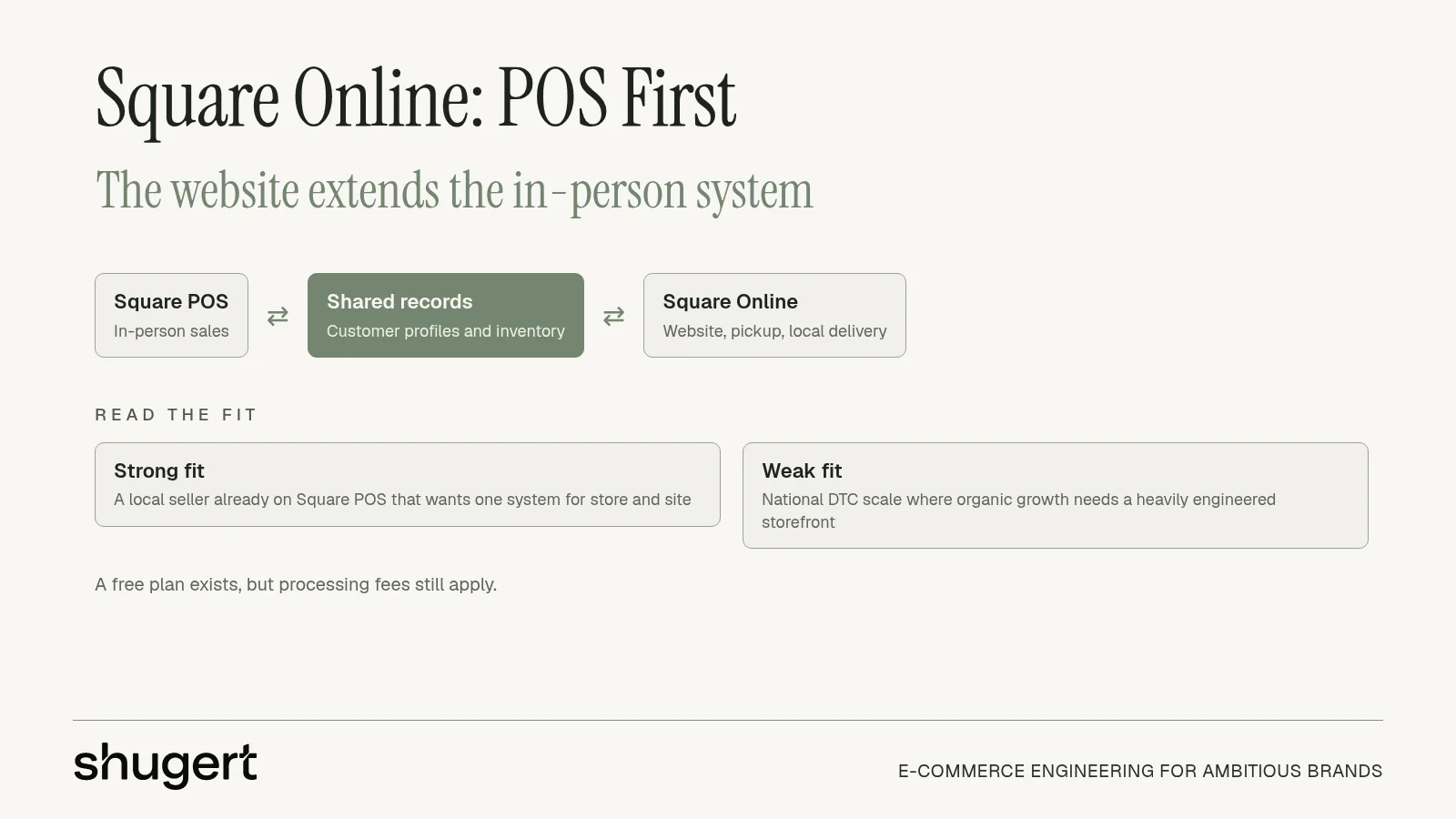
Square Online matters when the business already runs Square POS and needs the website, payments, pickup, and local delivery in that same system. Online and in-person sales can share customer profiles and inventory. A free plan lowers the subscription hurdle. Processing fees still apply on that free plan, and the builder is not aimed at a heavily engineered storefront.
For a director comparing the best platform for ecommerce website at national DTC scale, Square is usually a channel tool, not the system of record for organic growth.
Practical limits
- Catalog complexity: Fitment data, large variant matrices, and B2B price lists need a check against what the site builder can model. If the answer is an export spreadsheet every week, the platform is the bottleneck.
- Reporting: Confirm order, tax, and inventory reports match what finance already closes. A shared POS view is useful only if the numbers reconcile.
- SEO surface: Local landing pages and pickup flows can rank. A deep content and collection architecture usually cannot, because template control is limited.
Stay on Square when in-person volume, pickup, and one inventory file are the business. Do not replatform a Square retailer onto a heavier suite just to chase a theme. Move off Square when organic landing pages, ERP, or multi-market checkout are now the growth path and the builder cannot express them. Product site: Square Online.
7. commercetools
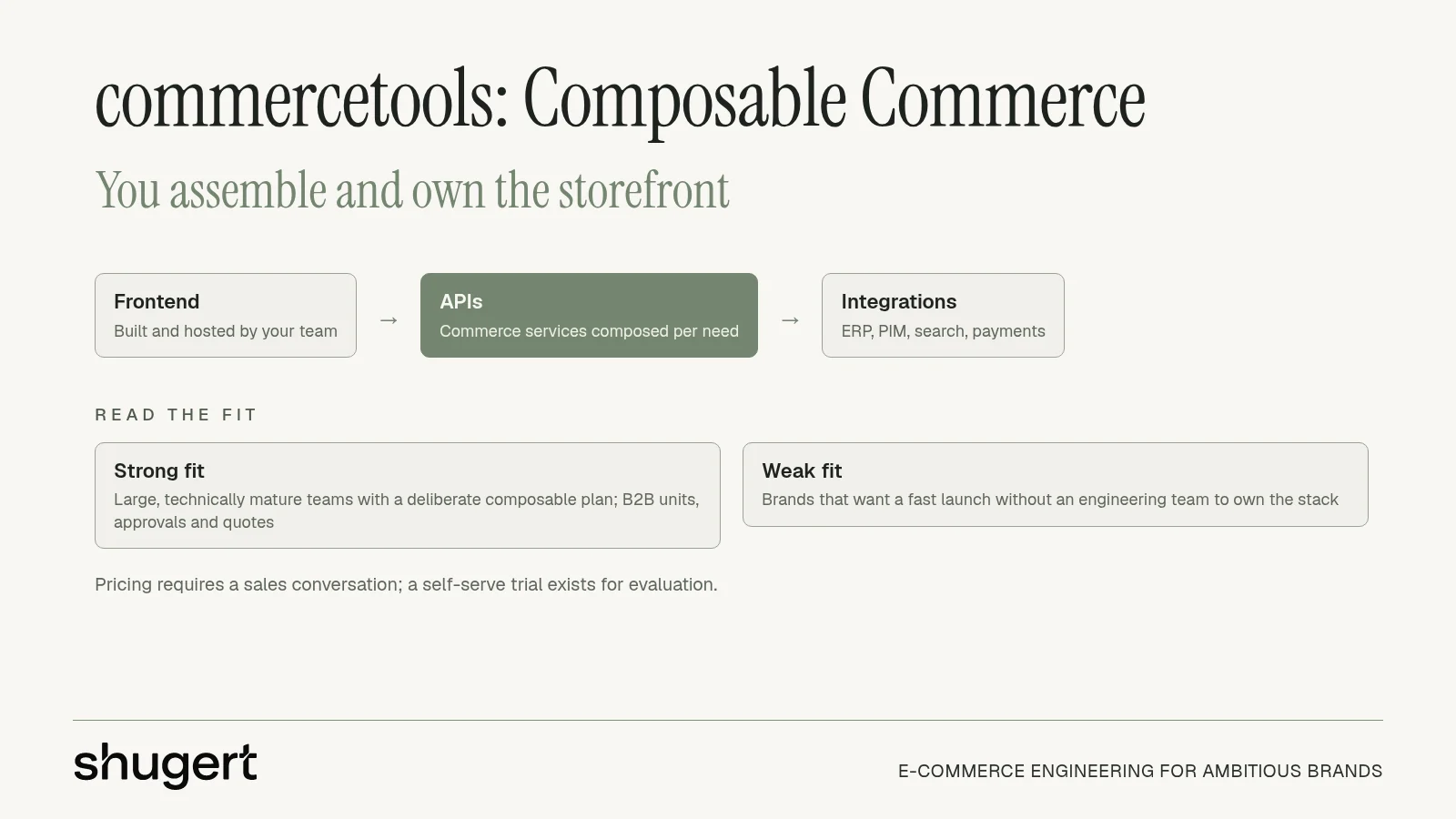
commercetools is an API-first commerce layer, not a turnkey site. Technical teams assemble storefronts, channels, and services around modular commerce, including B2B units, buyer permissions, approval flows, and quotes. Pricing means a sales conversation. A self-serve trial exists for evaluation. It fits a large, technically mature organization with a deliberate composable plan. It does not fit a brand that wants a fast launch and a merchandiser who can ship a landing page without a release train.
The SEO exposure sits entirely in the storefront you build. The API will not choose canonicals, sitemaps, or how fast the largest image paints.
When composable creates the defect
- Two systems, one URL: If the frontend and the commerce API disagree on product slugs, you will ship redirects forever. Lock the URL contract before the first template.
- Rendering choice: A headless layer that adds engineering cost without a real UX, content, or channel gain is the wrong architecture. Native storefronts are cheaper to keep fast.
- Launch QA: Crawl staging as if it were production. Indexation, hreflang, and structured data are frontend bugs, and they will not show up in an API test.
Choose commercetools when custom channels and buyer workflows cannot live in a conventional platform and the team can own the storefront indefinitely. Skip it when the goal is less maintenance. Details are at commercetools.
How the seven platforms compare on fit, hosting responsibility, pricing model and the SEO risk to plan for
| Item | Best for | Who runs hosting and updates | Pricing model | Main SEO risk to plan for |
|---|---|---|---|---|
| Shopify | Direct-to-consumer brands and growing online stores | Shopify manages hosting and security; merchant manages apps and customizations | Tiered plans; apps and customizations may add recurring costs | Plan redirects and preserve SEO data during migration |
| WooCommerce | WordPress users who want control over their store and code | Merchant manages hosting, updates, security, and performance | No core platform subscription; hosting, extensions, and development add costs | Plugin conflicts or poor performance can affect site quality |
| BigCommerce | Established merchants seeking hosted commerce with built-in features | BigCommerce manages hosted infrastructure | Tiered plans; sales thresholds and payment terms affect costs | Plan migrations carefully if sales thresholds trigger plan changes |
| Adobe Commerce | Complex, multi-brand, multi-market, and B2B businesses | SaaS includes automatic updates; cloud/PaaS operations require more technical resources | Quote-based | Complex implementations and customizations can make SEO changes harder to manage |
| Wix eCommerce | Smaller stores seeking an accessible visual site builder | Wix manages hosting and platform updates | Paid plans; pricing and included features vary by plan | Editor and platform constraints may limit advanced SEO customization |
| Square Online | Retailers and local businesses already using Square | Square manages the hosted platform | Free plan available; payment processing fees apply | Limited storefront customization may constrain SEO needs |
| commercetools | Technically mature businesses building custom, multi-channel commerce | Technical team manages the composed storefront and connected services | Sales-quoted pricing with modular capabilities | Custom architecture can create complexity for SEO implementation and maintenance |
Fix the Defects First, Then Decide Whether the Platform Is the Bottleneck
Resolve crawl, indexation, and redirect defects before you debate vendors. Then fix Core Web Vitals and app or script bloat. Both mimic platform failure: third-party app weight drags PageSpeed on any platform, and redirect chains lose link equity on Shopify just as on Magento. Fix what moves independently, then measure what remains. If that work needs an ongoing owner, our Shopify SEO services cover crawl, indexation and redirect governance after the first cleanup.
Replatform only when the remaining problems trace to platform limits:
- B2B logic or multi-store, multi-region structure the current platform cannot model
- ERP, PIM, WMS or 3PL integrations that need a deliberate replacement plan
- A legacy URL footprint the platform cannot govern with native redirect rules
Sometimes staying put beats moving. A migration landing in peak season should wait. Speed, conversion, and technical SEO work on a stable WooCommerce store return more than a cutover when its revenue depends on a well-maintained content library. The same test applies to headless: keep a native Shopify theme when the added layer brings engineering cost without a meaningful UX, content, or channel advantage.
Treat data and URLs as separate workstreams. Shopify's Plus launch checklist recommends migrating at least the historical orders still inside the return-policy window, and considering two to five years of order history. Products, customers, and orders need their own exports, field maps, dry runs, and reconciliation. Llantas Cavazos, a tire retailer with 8,000+ SKUs, shows why fitment data and SEO continuity must be mapped before cutover. If the audit says to stay, a fixed-scope technical SEO cleanup addresses crawl, canonical and redirect defects on the current Shopify store.
Shugert Marketing scopes that work as one launch plan: storefront, data, redirects, technical SEO, analytics, and integrations. A Shopify Performance Fix runs $2,500 to $4,000 with before-and-after PageSpeed benchmarks. Migration and custom development projects start at $5,000, with timelines of 4 to 24 weeks. Even on a hosted platform, LCP optimization for growth teams stays a template and media problem after launch. The Shopify migration guide covers the planning sequence, and the Shopify migration page shows how the work runs.
Request a migration scope at Shugert Marketing's quote page if the crawl, the app list, or the URL inventory says the platform is now the bottleneck.
Migrate without losing rankings
Llantas Cavazos moved 8,000+ SKUs in under 7.5 weeks and kept 90%+ of organic traffic in week one. Read the case study
Most quotes returned within 1 business day