Shopify EDI Integration: 850, 855, 856 & Retailer QA
How to connect EDI to Shopify: 850, 810 and 856 workflows, ERP and middleware architecture, native vs. custom API, error handling, testing and a checklist.
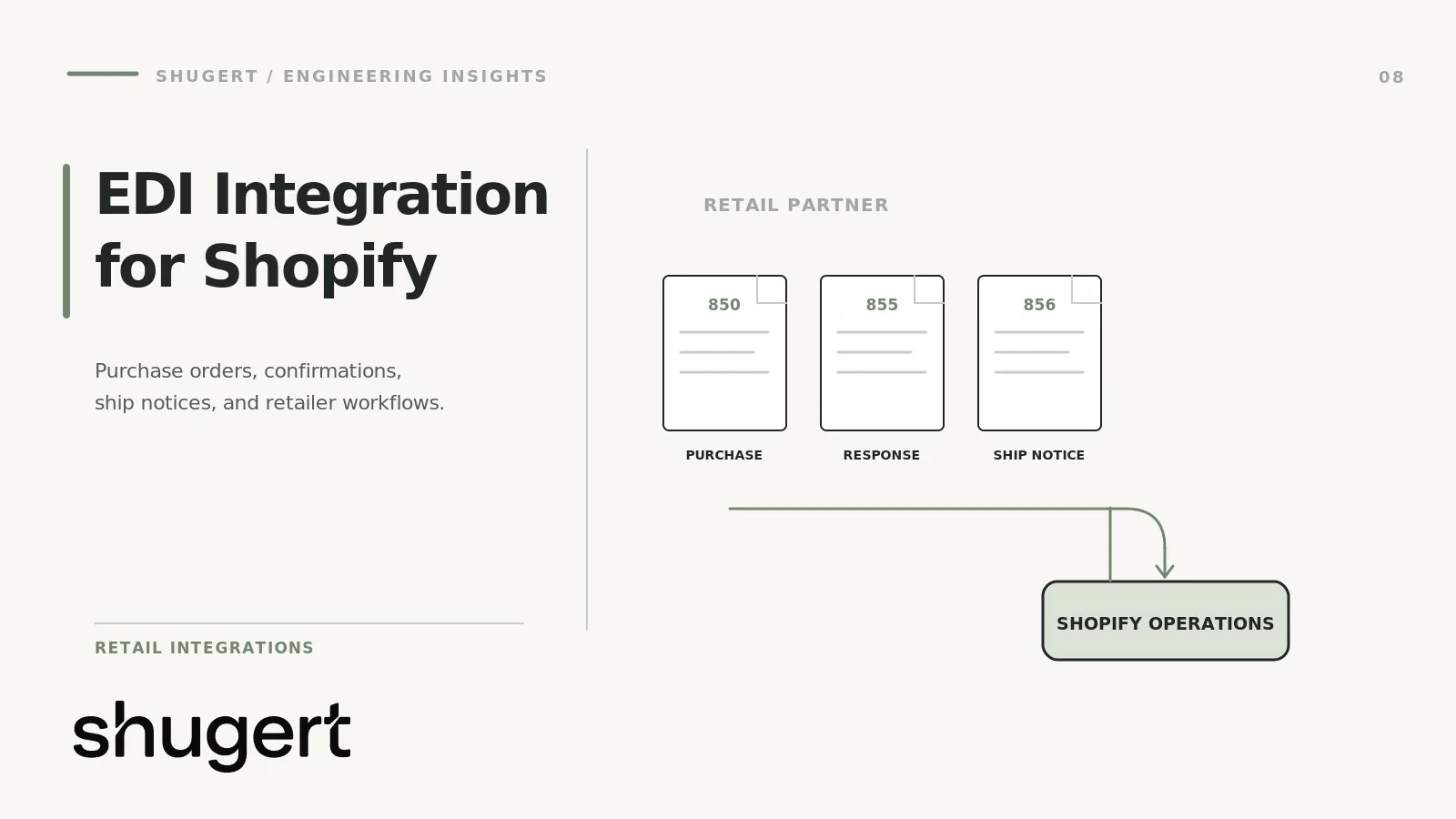
Retailer-compliance guide: The central deliverable is not a generic ERP sync. It is a repeatable, testable exchange of the purchase orders, acknowledgments, advance ship notices and invoices required by each trading partner. Treat the retailer's mapping guide and certification tests as the acceptance criteria.
Shopify's Winter '26 B2B updates introduced EDI purchase orders from supported partners such as SPS Commerce and Crstl that can sync into Shopify as draft orders. That does not mean Shopify natively handles every retailer's 850, 855, 856 and 810 requirements. Confirm trading-partner document coverage, mappings and certification; Crstl’s integration guide describes one partner-led approach. See Shopify's B2B update for the native scope. A working EDI integration puts a translation and transport layer between your trading partners and Shopify’s Admin API, then maps documents to orders, fulfillments, invoices and inventory. This guide covers that architecture, the workflows, the native-versus-custom decision, and a checklist you can hand to your engineers.
It is written for ecommerce, operations and technology leaders at U.S. B2B and wholesale brands on Shopify or Shopify Plus who have just been told by a retailer that EDI is now a condition of doing business.
Key takeaways
- EDI on Shopify is a three-part system: a transport and translation layer, a mapping layer, and Shopify’s order, fulfillment and inventory objects. Shopify stores commerce records but the ERP or OMS may own the system of record; Shopify itself is not the EDI transport or translation engine.
- Retailer requirements are partner-specific. Transaction versions, ASN timing and chargeback rules differ by trading partner, so compliance cannot be assumed from generic EDI support.
- Use a direct app or iPaaS connector when one meets your requirements. Reach for custom API work when your ERP, pricing, B2B company structure or retailer rules do not fit a connector.
- Most failures come from data mapping, missing exception handling and thin testing, not from the EDI standard itself.
Table of Contents
- What EDI integration means for a Shopify store
- The core documents and how they map to Shopify
- Architecture patterns that work in production
- Native Shopify capability versus custom API integration
- Data mapping: where integrations succeed or fail
- Synchronization and error handling
- Security
- Testing before go-live
- Implementation cost drivers
- Perspective: what we see in integration projects
- Technical checklist
- How Shugert fits
- FAQ
- Sources
What EDI integration means for a Shopify store
EDI (electronic data interchange) is a standardized way for businesses to exchange documents such as purchase orders and invoices without email or manual keying. Shopify’s enterprise team describes it as a tool for exchanging business documents and shows how, with a cloud order-management layer, EDI documents can become updates on a Shopify order record.
For a Shopify merchant, “EDI integration” usually means one of three things:
- A retailer or distributor sends you 850 purchase orders and expects 856 ship notices and 810 invoices back.
- Your ERP or warehouse already speaks EDI and you need Shopify to participate in the same flow.
- You are consolidating wholesale, self-serve B2B and retailer orders into one operating record.
Cleo’s guide breaks an EDI system into four components: a translator, mapping tables, a secure transaction network, and support and maintenance. Each has a Shopify counterpart, and each is where projects tend to stall:
| EDI component | What it does | Shopify-side concern |
|---|---|---|
| Translator | Converts X12 to JSON/XML and back | Which system owns translation: provider, middleware or your code |
| Mapping tables | Links partner fields to your fields | SKUs, locations, company records, price lists, metafields |
| Transaction network | AS2, SFTP or VAN delivery | Credentials, certificates, retries, acknowledgments |
| Support and maintenance | Handles partner spec changes | Who owns the exception queue and the remap work |
The core documents and how they map to Shopify
The transaction sets differ by partner, but a Shopify-based B2B flow almost always includes the same core set. Crstl lists 850, 855, 856, 810, 846, 860 and 997 as the common ones for Shopify EDI. AAFES’s published map requirements confirm the basic definitions: 810 is an invoice, 850 a purchase order, 855 a purchase-order acknowledgment and 856 a ship notice/manifest.
| Document | Direction | Shopify object it touches |
|---|---|---|
| 850 Purchase order | Partner to you | Order or draft order, with PO number, line items, ship-to |
| 855 PO acknowledgment | You to partner | Order status after validation or acceptance |
| 860 PO change | Partner to you | Order edit or cancellation |
| 856 Advance ship notice | You to partner | Fulfillment, tracking, carton and pallet detail |
| 810 Invoice | You to partner | Order totals, taxes, payment terms |
| 846 Inventory advice | You to partner | Inventory levels by location |
| 997 Functional acknowledgment | Both | Transport-level receipt, not stored on the order |
Shopify’s Order API exposes purchase-order numbers, line items, shipping addresses, financial and fulfillment status, and fulfillments. That is why the 850-to-order and fulfillment-to-856 legs are straightforward in principle. The hard parts are the fields Shopify does not model natively: carton hierarchies, retailer-specific identifiers, shipping container codes and routing details. Those usually live in metafields, in the middleware, or in your WMS.
Inbound 850 to Shopify order
The translator validates the 850 against the partner’s rules, then middleware calls the Admin API to create an order or draft order. Match the buying entity to a Shopify company and location, resolve each partner item number to a variant, and apply the correct price. Then return a 997, and an 855 if the partner requires one.
Shopify’s Winter '26 announcement describes EDI purchase orders from SPS Commerce and Crstl syncing into Shopify as draft orders, which teams can approve and ship from the admin. It also says this gives visibility into self-serve, sales-assisted and EDI orders in one place. If your retailer is covered by one of those providers, evaluate that path before you scope custom work.
Outbound 856 and 810
When a fulfillment is created, a webhook triggers the middleware to build the 856. Crstl describes the typical flow: fulfillment produces the 856, shipment produces the 810, and 846 can synchronize inventory where supported. Designer Brands’ vendor requirements, for example, say an 856 must correspond to the related 850 or 860, that ASN timing rules apply before delivery, and that failed or late transmissions may trigger chargebacks. So the 856 needs real carton data, not a placeholder, and it must be sent on time.
Inventory updates
The 846 is where many integrations get fragile. Decide which system is authoritative for available-to-promise: Shopify, the ERP or the WMS. Then decide whether the 846 reflects available inventory or on-hand minus allocations. Reserve retailer-allocated stock deliberately, or your DTC storefront and your wholesale partners will oversell the same units.
Architecture patterns that work in production
There are three practical patterns. The right one depends on who must see the data and where your ERP sits.
Pattern 1: EDI provider with a Shopify connector
Retailer <-AS2/SFTP/VAN-> EDI provider <-connector-> Shopify (Admin API)
The provider owns translation, partner onboarding and the transport. Shopify gets orders and sends fulfillment data back. This is the fastest route for a brand whose main need is retailer compliance and whose back office is Shopify-centric.
Pattern 2: EDI through the ERP, Shopify as a channel
Retailer <-> EDI provider <-> ERP/WMS <-> middleware/iPaaS <-> Shopify
Here the ERP is the system of record for orders, pricing and inventory. Shopify holds the storefront and B2B portal. Shopify’s ERP guide says EDI can exchange purchase orders, invoices and shipping notices, and that native connectors, middleware or iPaaS, and API-based integrations can connect EDI to an ERP. If you already run an ERP, our guide to Shopify ERP integration with webhooks versus batch sync covers the sync-timing tradeoffs, and our Dynamics 365 and Shopify write-up covers one common ERP pairing. We won’t repeat that material here.
Pattern 3: Custom middleware on the Admin API
EDI provider <-> your integration service (queue + mapping + audit log) <-> Shopify APIs + ERP/WMS
You own a service that consumes provider webhooks or files, applies mapping rules, calls Shopify’s APIs and writes an audit log. It costs more to build, and it handles cases that connectors cannot: multi-entity pricing, multiple ship-from locations, retailer-specific ASN logic, or order splits across the ERP and Shopify.
A sound custom design includes a durable message queue, idempotency keys on every write, a dead-letter queue for failures, a correlation ID that ties the 850, order, fulfillment, 856 and 810 together, and a dashboard that shows document status by partner.
Native Shopify capability versus custom API integration
Shopify’s Help Center lists three integration routes: direct App Store integrations, iPaaS, and custom APIs. It says custom B2B API integration is appropriate when no direct or iPaaS option meets your requirement, and recommends technical help with setup and launch. It also warns that some integrations may not correctly map B2B company, pricing and customer data unless they use the B2B APIs or Customer Accounts.
Orderful separates manual portals, web EDI and fully integrated EDI: portals suit low volume, web EDI favors quick onboarding with limited deep integration, and fully integrated systems suit high-volume businesses connected to ERP, WMS or OMS. Use that as a starting frame.
| Situation | Likely fit |
|---|---|
| One or two retailers, low PO volume, Shopify as the back office | Retailer portal or web EDI plus a direct app |
| Several retailers, covered by a provider with a Shopify connector | Direct provider connector, tested against each partner’s spec |
| ERP is system of record, multiple channels | iPaaS or ERP-side EDI with a Shopify sync |
| Custom pricing, split shipments, multi-warehouse, retailer-specific ASN logic | Custom integration service on the Admin API |
| High volume, multiple Shopify stores or entities | Shopify Plus with custom engineering |
When Shopify Plus is the right call
Plus matters when your integration depends on capabilities such as B2B on Shopify, higher operational complexity, or multiple stores that share one back office. Check Shopify’s current plan documentation for the specific API and B2B features your design relies on before you commit. If EDI orders must live in the same admin as your portal and sales-assisted B2B orders, the Winter '26 workflow above is the thing to verify against your plan.
When custom engineering is the right call
Go custom when at least two of these are true:
- Your pricing logic (contract prices, tiers, per-retailer costs) cannot be expressed by a connector.
- The ERP, not Shopify, must calculate tax, terms or allocation.
- Retailers require ASN structures a connector cannot generate.
- You need unified reporting on EDI, portal and DTC orders.
- Error volumes or SLAs demand your own monitoring and replay.
Data mapping: where integrations succeed or fail
Shopify’s ERP guide notes that EDI fields must be mapped between standardized formats, the ERP’s data model, and each trading partner’s standards, custom fields and validation rules. It also says EDI depends on accurate pricing, product codes and addresses, and mismatches can cause transactions to fail.
Build a mapping specification before any code:
- Item identity: retailer item number, UPC/GTIN, your SKU and Shopify variant ID, with one cross-reference table and one owner.
- Ship-to: the partner’s store or DC number to a Shopify company location, with address validation.
- Pricing: which system holds the contract price, and what happens when the 850 price disagrees with it.
- Units of measure: each, case, inner pack and pallet conversions.
- Terms and tax: payment terms, tax exemption and freight terms on the 810.
- Identifiers: PO number, order ID, shipment ID and invoice number carried through every document.
Celigo’s documentation shows how much variation exists: it lists generic X12 templates for 810, 846, 850, 855, 856 and 997, plus retailer-specific templates. Treat any generic template as a starting point.
Retailer variation is real. AAFES supports four different revisions of the 850, and Designer Brands specifies X12 version 4010 with its own timing, validation and chargeback rules. Keep the partner specification as a versioned artifact in your repository.
Synchronization and error handling
Pick sync patterns per object, not for the whole integration:
- Orders and fulfillments: event-driven via webhooks, with a polling reconciliation job as a safety net.
- Inventory: scheduled batches or event-driven deltas, depending on the partner’s 846 cadence and how fast your stock moves.
- Catalog and price lists: batch, with change detection.
Error handling is where a reliable integration separates from a demo. Classify failures:
- Validation errors (bad SKU, unknown ship-to): route to a human queue with the exact reason, and send a rejection or 855 if the partner requires it.
- Transient errors (API throttling, timeouts): retry with backoff, using idempotency keys so a retry never creates a duplicate order.
- Transport failures (AS2 or SFTP): alert on missing 997s and late-sent documents.
- Business-rule exceptions (partial ship, backorder, price mismatch): produce the correct 855, 860 response or 856 with the right status.
Assign an owner and an escalation path to the exception queue before go-live. Assign trained internal or external operators clear exception-handling ownership and an escalation SLA. Unowned exceptions can lead to missed acknowledgments, late ASNs and retailer chargebacks.
Security
- Store Shopify API tokens, AS2 certificates and SFTP keys in a secrets manager, never in code or exports.
- Grant the Shopify app only the scopes it needs, and review them when the integration changes.
- Encrypt documents in transit and at rest, and restrict who can read PO and pricing data.
- Keep an audit trail for every document: received, validated, mapped, sent, acknowledged.
- Rotate credentials and certificates on a schedule, and track expiry dates on partner AS2 certificates.
Cleo’s point stands: translation alone is not enough. Reliable EDI also needs partner-specific mappings, secure and traceable communications, and ongoing maintenance as partner specifications change.
Testing before go-live
Testing is the step teams compress, and the one that costs them in chargebacks. Run it in layers:
- Unit tests on each mapping rule, with fixtures built from real partner samples.
- Partner certification: exchange test documents with each trading partner and get their sign-off before production.
- End-to-end scenarios: a clean order, a partial shipment, a cancellation (860), a price mismatch, an unknown SKU, a duplicate 850, and a late ASN.
- Load tests at your peak order volume, including Shopify API rate limits.
- Parallel run: process a limited set of real orders with manual verification before cutting over.
- Rollback plan: know how to pause the connector and process orders manually.
This is the same discipline we apply to any storefront release: controlled environment, QA, then before-and-after measurement.
Retailer certification evidence to capture
Each trading partner may require different document versions, mandatory segments, identifiers and timing rules. Build a partner-specific test packet rather than relying on a successful generic Shopify order sync.
- 850 purchase order: Validate partner identifiers, item cross-references, units of measure, quantities, prices and ship-to data; confirm the order is mapped to the intended Shopify or ERP record.
- 855 acknowledgment: Where required, verify acceptance, rejection, substitutions or backorder status against the retailer's permitted codes and response deadline.
- 856 advance ship notice: Where required, validate shipment and carton hierarchy, tracking, item quantities and association with the original purchase order before transmission.
- 810 invoice: Where required, reconcile invoice lines, freight, allowances and totals to the retailer's specification and the financial system of record.
- 997 or other functional acknowledgment: When used by the partner, capture receipt and rejection evidence; distinguish transport success from business acceptance.
- Exceptions: Save raw documents, mapping errors, retry history, partner acknowledgments and a named owner for each unresolved failure.
Implementation cost drivers
No honest number applies to every EDI project, so here is what moves the cost:
- Number of trading partners. Each one means mapping, certification and ongoing maintenance.
- Provider fees. Connectors and EDI networks usually charge setup, subscription or per-document fees. Get these from the provider directly.
- ERP and WMS complexity. Two-way sync with custom fields costs more than a one-way order feed.
- Custom logic. Contract pricing, split shipments and ASN generation are the usual budget drivers.
- Monitoring and support. Specs change, partners are added, and Shopify’s APIs are versioned, so budget for ongoing engineering.
On our side, custom development and replatforming is published from $5,000 as a one-off project, and ongoing engineering plans on the same page start at $1,495 per month. Your EDI scope is fixed after a diagnostic, not before.
Perspective: what we see in integration projects
We treat EDI on Shopify as an engineering and operations problem first and a document-format problem second. The X12 standard is stable. What moves are your pricing rules, your ERP’s data model, your retailers’ scorecards and Shopify’s API versions. So we start with the constraint: which documents, which partners, which system owns each field. Then we define scope and acceptance criteria, build in a controlled environment, QA the release and measure before and after.
Our view is that most brands should buy the transport and translation layer and build only the part that is specific to their business. Build the mapping, the pricing logic, the exception handling and the monitoring around a proven connector rather than writing an X12 parser. And we would rather tell you a connector is enough than sell you custom middleware you do not need.
Technical checklist
Scoping
- [ ] List every trading partner, the documents each requires and the X12 version.
- [ ] Get each partner’s EDI specification, scorecard and chargeback terms.
- [ ] Name the system of record for orders, pricing, inventory and customers.
Architecture
- [ ] Choose provider connector, iPaaS or custom middleware, with a written reason.
- [ ] Confirm B2B company, location and price-list handling through Shopify’s B2B APIs.
- [ ] Design queue, retries, idempotency and a dead-letter process.
Mapping
- [ ] Build the item, ship-to, unit-of-measure and terms cross-references.
- [ ] Define where retailer-specific fields live (metafields, middleware, WMS).
- [ ] Version the mapping specs.
Operations
- [ ] Set alerts for missing 997s, failed 856s and late ASNs.
- [ ] Assign an exception-queue owner and an SLA.
- [ ] Store secrets securely and track certificate expiry.
Release
- [ ] Complete partner certification and the edge-case test suite.
- [ ] Run a parallel period and document the rollback path.
- [ ] Measure order cycle time, error rate and chargebacks before and after.
How Shugert fits
We are a senior-led Shopify and Shopify Plus engineering partner, working with established U.S. DTC and B2B brands. For EDI, that means scoping the architecture, building the Shopify-side integration and mapping layer, and QA before release. If you want a fixed scope, see our custom Shopify development work, review our published pricing, or request a fixed-price quote and tell us your trading partners, ERP and order volume. You can also browse our case studies.
FAQ
Does Shopify support EDI natively?
Not as a standalone capability to send and receive X12 documents. You connect through a provider, an app, an iPaaS or custom API work. Shopify has been moving EDI-originated orders into the admin, such as the Winter '26 draft-order workflow for supported providers.
Which EDI documents do Shopify B2B brands need most?
The 850 purchase order, 856 ship notice and 810 invoice are the core, often with the 855, 860, 846 and 997. Your retailers decide the exact list and version, so get each partner’s specification first.
Do I need Shopify Plus for EDI?
Not automatically. The need depends on your B2B features, store structure and integration design. Verify the specific features your connector or custom build uses against Shopify’s current plan documentation.
When should I build a custom integration instead of using a connector?
Build custom when a connector cannot express your pricing, ERP ownership, ASN rules or reporting needs. Shopify’s own guidance points to custom B2B API integration when no direct or iPaaS option fits.
How do I reduce EDI chargebacks?
Send accurate, timely ASNs that match the original PO, keep your item and ship-to mapping clean, and alert on failures. Retailers publish their rules, so test against each one before go-live.
Sources
- Modernizing B2B: Operationalizing EDI Using Cloud OMS, Shopify Enterprise
- Shopify Winter '26 Edition: B2B roundup
- ERP Integration: Methods, Benefits, and Examples, Shopify Enterprise
- Integrating external systems with Shopify B2B, Shopify Help Center
- Order object, Shopify API 2026-07
- Shopify EDI Integration: 2026 Guide, Crstl
- Shopify EDI Integration: How to Become Retailer-Compliant, Orderful
- EDI Map Requirements, AAFES
- EDI Requirements, Designer Brands
- Supported EDI and fixed-width templates, Celigo Help Center
- What is EDI? Complete Guide, Cleo
- Offshore staffing for ecommerce businesses, Ramp Remote