Shopify Cart Drawer: How to Build, Fix and Measure One
How a Shopify cart drawer works, when it beats a cart page, how to build it fast and accessibly, fix it when it won't open, and measure its impact.
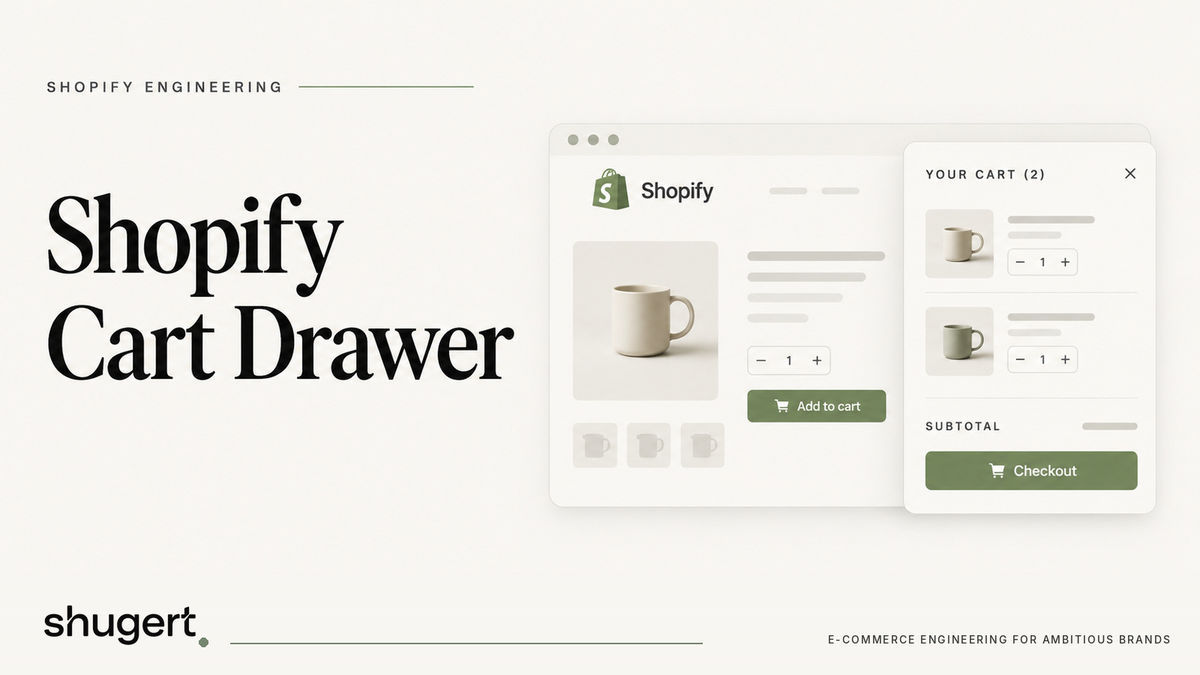
A Shopify cart drawer is a slide-out panel that opens on the current page when a shopper adds an item. It lets them review and change the cart without a page load, then closes so they can keep browsing. For most established stores it is a sound default, but only if it is fast, accessible, and measured against your cart-to-checkout rate. A drawer that is heavy, buggy or poorly tested can cost more than the reload it replaces.
This guide is written for ecommerce, marketing and engineering leads on Shopify and Shopify Plus. It covers how a slide-out cart works, how it compares with a cart page, what a clean implementation looks like, why drawers stop opening, and how to prove the change helped.
Need this built properly? Our custom Shopify development team designs themes, apps and integrations as maintainable systems.
Key Takeaways
- A drawer keeps shoppers in context and removes a navigation step. A cart page offers a dedicated route, which can support more complex B2B workflows, but sharing cart contents requires additional functionality.
- Performance is the main risk. Heavy scripts, animated layout properties and always-rendered markup can hurt interaction responsiveness.
- Accessibility is not optional: focus containment, Escape to close and focus return are baseline behaviors.
- Most “drawer not opening” bugs come from script conflicts, duplicate add-to-cart handlers, or an app replacing the theme drawer.
- Judge the result on cart-to-checkout rate, checkout-to-purchase rate, average order value and revenue per visitor, split by device.
Table of Contents
- What a Shopify cart drawer actually is
- Cart drawer vs. cart page
- Building the drawer without slowing the store
- Accessibility requirements
- Why a cart drawer doesn’t open, and how to fix it
- Shopify Plus and checkout considerations
- How to measure whether the drawer helped
- Our perspective: treat the drawer as an engineering project
- Working with Shugert on your cart
- FAQ
- Sources
What a Shopify cart drawer actually is
The cart drawer, also called a slide cart, side cart or slide-out cart, is a panel that opens in place instead of sending the shopper to /cart. Shopify’s Hydrogen documentation describes it as a way for customers to review and change the cart without leaving the page, and its reference build uses a native dialog opened with showModal().
In practice the pattern has three parts:
- A trigger. Either the header cart icon or a successful add-to-cart action.
- Markup and data. The drawer’s HTML plus the current cart state.
- Behavior. Open, close, update quantities, remove lines, and send the shopper to checkout.
On themes built from Dawn, the cart-drawer snippet renders the drawer markup. Shopify’s storefront actions documentation notes that on Dawn-based themes, updateCart recognizes cart elements through getSectionsToRender() and refreshes them in place, and openCart opens a drawer it finds. That detail matters when you add third-party cart apps, because they either plug into these hooks or compete with them.
The Shopify theme editor typically exposes a cart-type choice (drawer or page) in theme settings, though the exact label varies by theme. Check your theme’s settings before writing any code.
Cart drawer vs. cart page
The choice is not about which looks more modern. It is about what your shoppers do after they add something.
| Factor | Cart drawer | Cart page |
|---|---|---|
| Shopper context | Stays on the product or collection page | Leaves the browsing flow |
| Steps to checkout | Fewer, no extra navigation | One additional page load |
| Shareable URL | None | Dedicated /cart route; cart contents are not inherently shareable |
| B2B and saved-cart workflows | Constrained | Easier to extend |
| Mobile | Fast if designed well; can feel like a full-screen takeover | Familiar, predictable |
| Performance risk | Scripts and markup load on every page | Isolated to one template |
| Upsell space | Limited by panel size | Room for richer modules |
Two points from the research are worth keeping in mind. First, Cartylabs notes that a drawer has no shareable or indexable URL, which can constrain B2B or saved-cart workflows. If your buyers build large orders, forward carts to a purchasing manager, or need quote-style flows, a cart page or a hybrid is often the better fit.
Second, the same source frames cart type as a starting point rather than the whole game. A drawer keeps shoppers browsing and reduces steps to checkout, but what sits inside it (upsells, shipping thresholds, discount fields) determines whether it helps or clutters.
Mobile behavior
Mobile is where drawers are won or lost. Cartylabs recommends a full-width drawer, swipe-to-close and a sticky checkout button on small screens. A drawer that hides the checkout button below a long upsell list undoes the point of having one.
A hybrid is legitimate
Shopify’s own guidance treats the drawer as progressive enhancement over the cart page. Before hydration, or with JavaScript off, the cart link should navigate to /cart. After hydration it opens the drawer. That is a good model for any theme: the page stays a working fallback, and the drawer is the fast path.

Building the drawer without slowing the store
A cart drawer lives on every template, so its cost is paid on every page view. Most performance problems come from three places.
Render the hidden markup only when needed
Shopify’s performance guidance recommends lazy DOM rendering: build the HTML of hidden components only when the user opens them. For a drawer, that means fetching and building its contents on first interaction instead of on every initial load. The payoff is a smaller initial DOM and less style-recalculation work.
Animate with transforms
Shopify’s INP guidance says poor drawer responsiveness can come from JavaScript competing for the main thread, or from animations that use width, height or top. Its recommendation is transform: translateX() instead. A slide-in built on transforms avoids layout work on each frame.
Keep third-party scripts out of the click path
The same INP page notes that third-party scripts running synchronous code in click handlers add processing time to interactions and can contribute to poor INP. Add-to-cart is the most important click on your store. If an upsell app, a reviews widget and a tracking pixel all hook it, the drawer feels slow even when your own code is clean.
A practical audit:
- List every script that listens to add-to-cart or cart-icon clicks.
- Remove duplicates, especially a theme drawer running alongside an app drawer.
- Defer anything that does not need to run before the drawer opens.
- Test on a mid-range Android phone, not just a developer laptop.
There is a commercial reason to care. Cartylabs cites a Deloitte study of 37 brands finding that a 0.1-second improvement in mobile load time lifted retail conversion rates by 8.4%, via its cart page versus drawer analysis. Treat it as a reason to keep the drawer lightweight, not as a forecast for your store. If you want a fixed-scope look at where your theme loses time, see our Shopify performance optimization engagements.
Accessibility requirements
A drawer is a modal interaction, and it has to behave like one. Shopify’s accessibility best practices for themes call for the following:
- Keyboard focus is trapped inside the drawer while it is open.
- The Escape key closes it.
- Focus returns to the element that opened it.
Shopify’s drawer documentation adds a nuance: backdrop dismissal depends on browser support for the closedby attribute, so Escape and the close button remain the fallback where that support is missing. Never make backdrop click the only way out.
For QA, use Shopify’s own checklist as your acceptance criteria. It covers the no-JavaScript /cart fallback, drawer opening after hydration, window.Shopify.actions.openCart in the browser console, Escape and close-button dismissal, backdrop dismissal, focus return, keyboard focus containment, and screen-reader announcement. Write those into your ticket as pass or fail items before a developer starts.
Why a cart drawer doesn’t open, and how to fix it
“I add an item and land on the cart page instead” is one of the most common drawer complaints. The causes are usually boring.
Settings and destinations
If you use a cart app, check its own configuration first. Vitals’ troubleshooting page says to confirm that the drawer is active, that its open-on-add setting is enabled, and that the add-to-cart destination is not configured to send shoppers to the cart or checkout instead. Also check your theme’s cart-type setting, because the theme and an app can disagree.
Two drawers fighting
RevenueHunt’s documentation says a cart update can fail to refresh the visible drawer when the theme supports neither Shopify’s standard cart events nor section rendering, or when another cart app has replaced or hidden the theme drawer. If you have run more than one cart app over the years, leftover code in theme.liquid or a snippet is a likely suspect.
Handler and timing problems
A Shopify Community thread on a drawer not opening after add-to-cart lists likely causes: AJAX-cart and theme-script conflicts, disabled AJAX settings, JavaScript console errors, duplicate app or custom add-to-cart handlers, missing drawer-open calls, and cart state or listeners that load too late.
Incomplete responses on custom builds
On Refresh-based themes, a developer discussion describes the drawer failing to update when renderContents receives a manually assembled, incomplete response object. The suggested fix is to use bundled section rendering on /cart/add.js and pass its response to renderContents. Bundled section rendering lets the add request ask Shopify for rendered section HTML, so the server returns the updated markup instead of the client guessing at it, as freeCodeCamp’s AJAX drawer tutorial explains.
A short triage order
- Open the browser console and look for JavaScript errors on add-to-cart.
- Disable cart apps one at a time on a duplicate theme.
- Confirm only one add-to-cart handler fires.
- Check the theme cart-type setting and any app-level “open on add” toggle.
- Verify the drawer-open call runs after the cart request resolves.
- Run Shopify’s test checklist above on desktop and mobile.
If you build custom flows, the AJAX Cart API endpoints you will touch are cart/add.js to add items, cart/change.js for quantity changes, cart/update.js for cart updates and cart.js for current cart state, as RevenueHunt documents. Do all of this on a duplicate theme, not the live one.
Shopify Plus and checkout considerations
The drawer ends where checkout begins, and on Plus that boundary has its own rules. Customization at checkout runs through Checkout Extensibility rather than the old checkout.liquid approach, so anything you want to carry from the drawer into checkout (a gift message, a discount, an attribute) needs a plan on both sides. We cover that transition in our guide to Shopify Plus checkout extensibility. Treat the drawer as the cart UI, and the checkout as a separate surface with its own extension points and restrictions.
How to measure whether the drawer helped
Shipping a drawer and watching overall conversion is not a test. Too many things move at once. A cleaner approach:
- Set the baseline. Capture cart-to-checkout rate, checkout-to-purchase rate, average order value and items per cart, by device. UnfoldCRO recommends these metrics, split by device.
- Split traffic. Atlas recommends splitting traffic between variants, running the test for at least one full week, waiting for statistical significance and judging revenue per visitor.
- Watch speed alongside conversion. Cartylabs warns that a bloated drawer can erase the speed advantage of avoiding a reload. Track INP and cart interaction timing during the test, not just revenue.
- Review by segment. Mobile and desktop, new and returning, and for B2B stores, buyers who build large orders.
A test that moves revenue per visitor but degrades INP deserves a second look. For test design details, see our piece on Shopify A/B testing.
Our perspective: treat the drawer as an engineering project
We see the cart drawer as a small piece of storefront architecture that touches speed, accessibility, analytics and checkout all at once. That is why it goes wrong when it is installed as a quick app and never revisited.
Our approach is the one we use on any storefront change: diagnose the constraint, define scope and acceptance criteria, implement in a controlled environment, QA the release, and measure before and after. For a drawer, the constraint might be slow interactions on mobile, a leaky handoff to checkout, or two cart apps fighting over one panel. Each needs a different fix.
Senior implementation matters here because the bugs live in the seams: event timing, section rendering, third-party scripts and focus management. We do not promise a conversion lift from a drawer, and neither should anyone else. We do promise a defined scope, a tested release and a before-and-after comparison you can take to your leadership team.
Samuel Noriega
Working with Shugert on your cart
If your drawer is slow, unreliable or tangled with a stack of apps, a fixed-scope fix is usually the fastest route. Our Shopify Performance Fix runs $2,500 to $5,000 one-off, and our CRO and Technical SEO Fix runs $3,000 to $5,000 one-off, as listed on our pricing page. If you want ongoing engineering and testing instead, the Starter plan is $1,495 per month.

We work with established U.S. DTC and B2B brands on Shopify and Shopify Plus. Tell us what the cart is doing, and we will scope it: get a fixed-price Shopify quote. If testing is the priority, our Shopify CRO agency page explains how we run it.
Ship complex Shopify builds without breaking the store
Fashionable Inc. has relied on us for more than six years across three Shopify Plus stores. Read the case study
Most quotes returned within 1 business day
FAQ
Is a cart drawer better than a cart page on Shopify?
Not automatically. A drawer keeps shoppers on the page and removes a navigation step, which suits browse-heavy DTC catalogs. A cart page gives you a URL, which helps B2B and saved-cart workflows. Test both against cart-to-checkout rate and revenue per visitor.
Can I keep /cart working if I add a drawer?
Yes, and you should. Shopify’s guidance treats the drawer as progressive enhancement: the cart link falls back to /cart without JavaScript or before hydration, then opens the drawer afterward. That also gives you a safe fallback when scripts fail.
Does a cart drawer hurt page speed?
It can if it renders hidden markup on every page, animates layout properties, or relies on synchronous third-party scripts in click handlers. Shopify recommends lazy DOM rendering and transform-based animation to reduce that cost.
Why does my add-to-cart button send shoppers to the cart page instead of opening the drawer?
Common causes are a disabled open-on-add setting, an add-to-cart destination set to the cart or checkout, duplicate handlers, or another app replacing the theme drawer. Check the console for errors and disable apps one at a time on a duplicate theme.
How long should I run a cart drawer test?
Atlas recommends at least one full week, a true traffic split, statistical significance and revenue per visitor as the deciding metric. Longer is better if your traffic is low or your buying cycle is weekly.
Sources
- Build a cart drawer, Shopify Hydrogen documentation
- snippets/cart-drawer.liquid, Shopify Dawn
- Configure actions, Shopify storefront events and actions
- Shopify Cart Page vs Cart Drawer, Cartylabs
- Shopify Cart Drawer: Complete Guide, Cartylabs
- Build DOM for hidden components only when opened, Shopify
- Optimizing for Interaction to Next Paint, Shopify
- Accessibility best practices for Shopify themes
- Cart Drawer troubleshooting, Vitals
- Update Shopify Cart Drawer, RevenueHunt Documentation
- Add to cart drawer not opening, Shopify Community
- Refresh theme side cart not showing items, Shopify Community
- How to Build an AJAX Cart Drawer in Shopify, freeCodeCamp
- A/B testing your cart drawer, Atlas Help Center
- Cart Drawer vs Cart Page, UnfoldCRO