Migration Timing: Choosing a Safe Shopify Launch Window
How to pick a Shopify migration launch date: go/no-go gates, release calendar risks, Shopify platform limits and the recovery runway before your next peak.
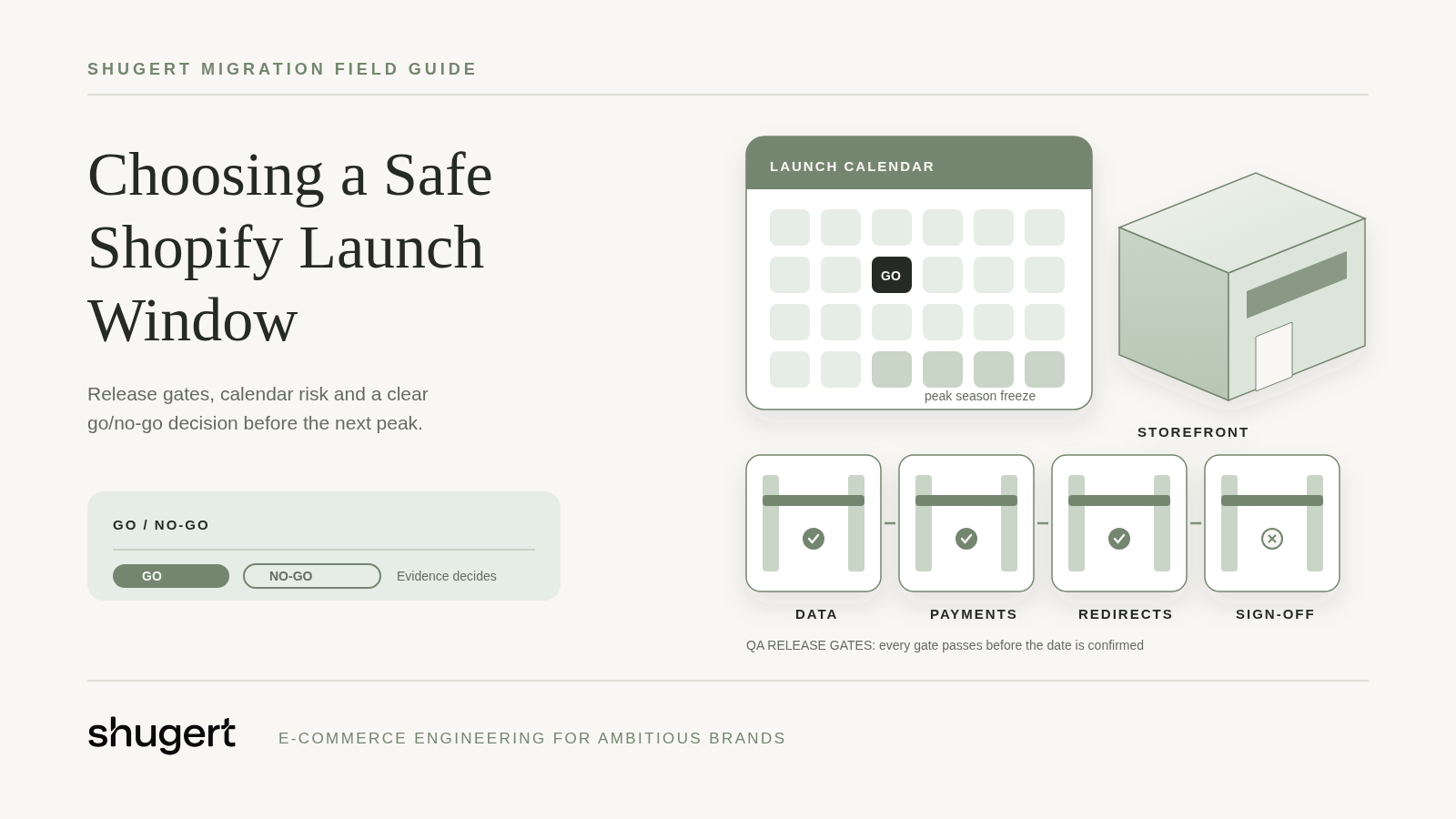
A DTC brand on WooCommerce schedules an early-November launch because that week looks quiet. Then the redirect map falls behind, holiday campaigns go live, and customers reach a checkout that has only been partially tested. The team hasn't chosen a safe window. It has chosen a low-traffic week immediately before a high-consequence failure.
Planning a replatform? Our Shopify migration service moves products, customers, orders and redirects as one SEO-safe scope.
Table of Contents
- Why Timing Decides Whether a Replatform Pays Off
- Work Backward From Your Launch Window
- Readiness Signals That Say Move Now
- Platform Limits and Launch Risks That Shift the Date
- Seasonal Cycles and the Recovery Runway
- Post-Launch Recovery and the 90-Day Checkpoints
- What a Replatform Costs and What to Budget
- Confirm Your Window Before You Commit
Why Timing Decides Whether a Replatform Pays Off
A safe launch date leaves measurable recovery runway before the next revenue-critical event. Low traffic helps a cutover team manage immediate exposure, but it doesn't prove that search visibility, fulfillment, pricing and analytics will settle before the next campaign.
Deadline pressure makes that distinction easy to miss. A board date, a contract renewal or an agency's availability can fix the launch before anyone has proven the store is ready. A leadership deadline isn't evidence of operational readiness.
This article is about one decision: when to launch, and what has to be true for a go decision on that date. It isn't a step-by-step migration manual. For the full process, see the Shopify migration guide; for the blocker list used on launch day itself, see the Shopify migration launch QA checklist.
For directors, founders and technical leads at U.S. DTC and B2B brands doing $1M to $10M+ annually, the decision goes beyond replacing WooCommerce, Magento, BigCommerce or a headless storefront with Shopify or Shopify Plus. It determines when the business can absorb uncertainty without exposing its most valuable trading period.
A quiet cutover is useful. A stable store before peak demand is the actual objective.
A checkout can accept payment while an ERP rejects orders. Imported wholesale accounts can exist while buyers receive incorrect prices. Neither problem becomes acceptable because launch happened during a slow week.
Great migration timing means choosing the latest defensible launch window that still allows the team to prove readiness, resolve defects and operate normally before revenue depends on it.
Work Backward From Your Launch Window
Start with the next event the business can't afford to disrupt. Subtract the stabilization allowance, cutover preparation, rehearsal, implementation and discovery. The remaining date is the latest credible project start, not a promise that development can compress to fit.
Published timeline estimates vary widely because they describe different programs. A catalog-and-theme move, an enterprise B2B replacement with ERP rework and a headless storefront refresh aren't interchangeable benchmarks, so borrowed durations rarely survive contact with a specific store.
Build the schedule around release gates
The following is an illustrative planning schedule, not a universal duration benchmark. Workstreams can overlap after their dependencies are approved, so adding every row together won't produce a reliable project estimate.
Replatform phases, typical durations and release gates
| Phase | Typical duration | Must be finished | Gate to next phase |
|---|---|---|---|
| Discovery and architecture | 2 to 4 weeks | Feature, app and integration inventory with keep, replace or retire decisions | Scope and acceptance criteria signed |
| Data and integration mapping | 3 to 6 weeks | Source-of-truth rules, record counts and a URL-level redirect map | Mapping approved by the business owner |
| Build, theme and redirects | 6 to 12 weeks | Storefront, templates and integrations built around the approved redirect map | Build passes QA in staging |
| Migration rehearsal | 2 to 3 weeks | Trial imports reconciled to source counts, plus test orders across payment, shipping and tax setups | Zero open blocking defects |
| Launch QA and cutover | 1 to 2 weeks | Runbook with launch owner, go and no-go criteria, and rollback steps | Go decision recorded |
| Stabilization | 30 to 90 days | Search Console, analytics and order flow monitored against baselines | Post-launch checkpoints passed |
Shugert Marketing's Shopify migrations usually take 4 to 24 weeks. That scoped delivery range shouldn't be treated as equivalent to a broader mid-market transformation that may include procurement, internal process redesign and extensive stakeholder approvals.
The useful comparison is scope against scope. The Shopify migration service brings data, storefront behavior, redirects, analytics and integrations into the same launch plan rather than treating the theme as the whole project.
Make uncertainty visible before announcing a date
Data reconciliation, integration testing, redirect mapping and approvals deserve explicit owners. For each ERP, PIM, warehouse, 3PL, tax and payment connection, the team should document what happens when records are created, updated, canceled, refunded or fulfilled.
- Rehearse with production-shaped data. Include awkward variants, historical orders, customer addresses and incomplete source records.
- Measure reconciliation errors. Compare imported records with source counts and inspect rejected or transformed records individually.
- Freeze high-risk changes. Stop catalog restructuring and promotion changes during the agreed cutover period.
- Protect the decision gate. Announce a fixed launch only after the dry run demonstrates that blocking defects can be closed.
A finished theme doesn't release the project. Accepted business behavior does.
Readiness Signals That Say Move Now
A migration becomes worth committing to when the business can explain both why the current platform must change and how essential behavior will survive the move. Dissatisfaction alone isn't enough.
Shugert Marketing's migration audit produces a feature, app and integration inventory with keep, replace or retire decisions, plus source record counts for products, variants, customers and orders. That gives leadership something more useful than a storefront redesign estimate.
Business signals
- A concrete constraint exists. Maintenance costs, an approaching Magento upgrade, support concerns or an expensive customization backlog has a named business consequence.
- Leadership agrees on trade-offs. The launch window, budget owner and minimum launch scope are settled.
- Success is testable. Requirements describe outcomes such as correct account pricing and reliable fulfillment, not vague requests for a better experience.
For Magento teams, the Magento-to-Shopify migration considerations help distinguish platform replacement from work that still requires integration engineering.
Technical and data signals
Shopify is a good fit when apps, ERP, fulfillment, subscriptions or other integrations need a deliberate replacement plan. That doesn't mean every dependency should move unchanged.
- Systems have owners. Someone can identify the authoritative system for products, customers, orders and inventory.
- Dependencies are documented. ERP jobs, 3PL connectors, subscription tools, webhooks and manual exports appear in the inventory.
- The catalog is migration-ready. Dead SKUs, inconsistent attributes and unused apps have explicit removal or correction decisions.
- URLs and pricing are understood. Valuable landing pages are inventoried, and wholesale pricing rules can be reproduced as test cases.
WooCommerce merchants can use the WooCommerce to Shopify migration breakdown to separate maintenance problems from requirements that will remain on either platform.
Score each signal as ready, partial or missing. Partial items need an owner and closure condition. A missing URL inventory, undocumented integration or unresolved wholesale pricing model blocks a fixed launch date.
A simple catalog with uncomplicated fulfillment may justify a smaller project. A store with undocumented dependencies needs discovery first, even when its visible storefront looks simple.
Platform Limits and Launch Risks That Shift the Date
A successful import proves records arrived. It does not prove the new store can reproduce the business's buying rules, and that gap is what pushes a launch date when the next revenue-critical event is fixed.
Shopify's URL redirect documentation sets a maximum of 100,000 redirects for standard stores and 20,000,000 for Shopify Plus, and restricts redirects beginning with /apps, /application, /cart, /carts, /orders, /services and /shop. Large archives, faceted navigation and historical campaign URLs therefore belong in architecture discovery, not final launch cleanup.
Check constraints before selecting the plan
Shopify's B2B catalog documentation allows up to three active catalog assignments across active B2B markets on the Basic, Grow and Advanced plans, and assigning the same catalog to two markets counts as two assignments. Plus removes that limit and adds direct catalog assignment to company locations. A wholesale model built on dozens of account-specific price lists therefore decides the plan before it decides the date.
Platform limits that affect migration scope
| Constraint | Standard Shopify | Shopify Plus |
|---|---|---|
| URL redirects per store | 100,000 | 20,000,000 |
| Blocked redirect path prefixes | /apps, /application, /cart, /carts, /orders, /services, /shop | Same restrictions |
| B2B catalog assignments | Up to three active across B2B markets | No three-assignment limit; direct assignment to company locations |
| Inventory and fulfillment locations | Varies by plan | Up to 200 |
Shopify's Plus plan documentation specifies support for up to 200 inventory locations. Warehouse locations and B2B company locations serve different purposes and should not be treated as interchangeable records.
Copying legacy price lists without modeling overlap can expose unintended prices even when the import finishes without errors. The safer sequence is to decide which catalog or market owns each buying rule, reproduce edge cases as test scenarios, then freeze only after those scenarios pass.
Test transactions, not just records
Shopify's B2B feature guide describes order-history migration to companies, quantity rules, volume pricing and payment terms. The engineering task is to prove those mechanics reproduce the intended purchasing experience under real checkout, tax and fulfillment conditions.
Scope changes with the number of source systems and integrations, including ERP, PIM, 3PL, subscriptions, reviews and loyalty. Each adds behavior that an import count alone cannot validate, and each failure mode consumes recovery runway after cutover.
Pre-cutover acceptance should include:
- Account access. Login, company-location assignment and catalog visibility.
- Commercial rules. Price precedence, minimum-order increments, quantity limits and volume breaks.
- Operational outcomes. Split fulfillment, inventory updates and order-status synchronization.
- Reconciliation. Trial imports checked against source counts, plus test orders across payment methods, shipping zones and tax setups.
Treat any failed item as a no-go signal unless it has an owner, a fix and a retest date inside the runway.
Seasonal Cycles and the Recovery Runway
The quietest month is the wrong test because demand calendars differ. A subscription brand, a wholesale supplier and a holiday-gifting business don't share the same operational risk window.
When other merchants tend to switch platforms says nothing about whether their launches succeeded. The calendar that matters is the merchant's own: order history by week, campaign dates, wholesale buying windows and the operational cut-offs of every partner in the order flow.
Calculate the available runway
The team needs separate allowances for migration delivery, the agreed data-freeze period, search and operational stabilization, and a complete promotional or operational cycle before peak demand. Some activities can overlap, but none should disappear from the calendar merely because implementation ran late.
For broader context, planning teams can browse seasonal retail sales data from Comredix, then compare those patterns with their own order history, merchandising calendar and wholesale commitments. General retail seasonality is a reference, not a substitute for merchant-specific demand.
Launch window by business situation
| Business situation | Window to target | Why it works |
|---|---|---|
| Q4 holiday peak | Launch in late Q1 or early Q2 | Leaves months of stabilization before the next peak |
| Subscription renewals or product drops | Launch after the largest drop cycle closes | Keeps renewal and inventory flows out of the cutover |
| B2B wholesale buying season | Launch before pre-season ordering opens, with validation completed | Gives buyers a stable account and pricing setup |
| Year-round demand with no clear peak | Any quarter with a full recovery window ahead | Timing is set by readiness, not by the calendar |
| Platform end-of-support deadline | Work back from the deadline and start discovery early | Protects the security and compliance date |
Release calendar risks that block a go decision
Before a date is approved, put these on the same calendar as the launch and check for collisions:
- Campaign and catalog commitments. Paid media flights, email sends, product drops and price changes that would land inside the cutover freeze or the first weeks of stabilization.
- Partner change windows. 3PL peak-season cut-offs, ERP release or month-end close periods, and payment or tax provider changes that would add a second moving part.
- Team availability. Public holidays, planned leave and on-call coverage for the launch owner, integration lead and SEO owner in the week after go-live.
- Hard external dates. Platform end-of-support, hosting contract expiry and domain or certificate renewals that make a slip more expensive than a reduced scope.
Any collision without a named mitigation is a no-go for that date. Moving the window is usually cheaper than running a cutover and a peak campaign at the same time.
Use the calendar as a constraint
These are target windows, not automatic approvals. A holiday brand with unfinished integration design shouldn't force an early-spring launch merely to satisfy the table.
Scheduling rule: If the remaining calendar can't accommodate stabilization and a representative operating cycle before peak, reduce launch scope or move the date.
For subscriptions, that cycle must exercise renewals, failed-payment handling and inventory allocation. For wholesale, it should include buyer access, ordering, payment terms and fulfillment. A storefront promotion alone won't validate either business.
An end-of-support deadline creates a different trade-off. When the original scope no longer fits, leadership should separate mandatory platform replacement from optional redesign work. Copying a generic January-to-March recommendation won't resolve a security deadline or an unusual buying season.
Post-Launch Recovery and the 90-Day Checkpoints
Go-live isn't project completion. Technical acceptance can happen at cutover, but organic recovery and operational confidence require continued observation.
Search engines need time to recrawl changed URLs and consolidate signals onto their new destinations, and that time isn't predictable for a specific store. Plan the stabilization window as an uncertain period that needs monitoring, not as a fixed recovery date.
Monitor against a useful baseline
Before cutover, preserve baselines for priority landing pages, organic traffic, checkout conversion and order reconciliation. Segment by page type and channel so an aggregate dashboard doesn't hide losses on commercially important collections.
SEO continuity requires a complete URL inventory, one-to-one permanent redirects for changed URLs, preserved indexable content and metadata, and validated canonicals and XML sitemaps. Daily monitoring should combine Search Console coverage, impressions, clicks and crawl errors with analytics revenue and order-system checks.
Post-launch review checkpoints
| Checkpoint | Timing | What to check | Action if off track |
|---|---|---|---|
| First review | 30 days | Impressions, clicks, crawl errors and order flow | Fix redirects or templates on high-value URLs |
| Second review | 60 days | Rankings on priority pages and landing-page revenue | Escalate losses against the rollback playbook |
| Third review | 90 days | Index coverage, conversion rate and integration reconciliation | Decide whether to close or extend stabilization |
These are recommended operating checkpoints, not promised recovery milestones. Each needs a named owner: an SEO lead for search diagnostics, an ecommerce owner for conversion and an integration lead for reconciliation.
Match the response to the failure
A high-value page losing impressions needs URL, canonical and indexability checks. Stable traffic with weaker conversion calls for checkout, pricing, device and payment analysis. Orders missing downstream require integration remediation, not more SEO work.
The Shopify performance workflow is relevant when theme behavior, apps, scripts or media create measurable storefront friction.
Avoid combining the platform move with unnecessary taxonomy, content, URL and template changes. Isolating variables makes diagnosis possible. Rollback also needs care: once new orders exist, reversing the storefront without reconciling transactions can create another operational problem.
What a Replatform Costs and What to Budget
A useful migration budget separates implementation from the capacity to resolve defects. A single headline price hides whether rehearsal, remediation and ongoing ownership are funded.
Shugert Marketing's published pricing provides these starting points: migration and custom development projects start at $5,000 with timelines of 4 to 24 weeks, and the Starter retainer is $1,495 per month for up to six months. These are service floors, not a total-cost estimate for every merchant.
Build budget layers
- Migration scope. Fund the approved storefront rebuild, data transfer, integrations, analytics and SEO deliverables as one launch plan.
- Rehearsal contingency. Reserve engineering capacity for what rehearsal exposes: rejected records, mismatched pricing, broken transaction paths across payment methods, shipping zones and tax setups.
- Post-launch fixes. Keep an allowance available for defects identified at the formal review checkpoints.
- Ongoing ownership. Assign internal capacity or support funding for monitoring and subsequent releases.
A broken template or a cluster of redirect errors can suit a discrete fix. Persistent integration exceptions or a continuing release backlog need ongoing ownership rather than repeated emergency purchases.
What moves the implementation number most is the count of source systems and integrations. ERP, PIM, 3PL, subscriptions, reviews and loyalty each add mapping, replacement and testing work, and custom features that need an app, a Shopify Function or custom development push scope further. Documented ERP behavior and wholesale pricing rules make estimation defensible. Unclear requirements call for paid discovery first: a feature, app and integration inventory with keep, replace or retire decisions, plus source record counts for products, variants, customers and orders, turns a confident-looking guess into a priced scope.
Leadership should compare that full budget against the business exposure of an unstable launch: support workload, fulfillment disruption and peak-period uncertainty. No universal revenue-loss multiplier is needed to make the comparison useful.
Confirm Your Window Before You Commit
A credible launch window starts with a short operational brief: the current platform, the target window and the systems that cannot break. Checkout, ERP, fulfillment, subscriptions and wholesale pricing belong on that list when the business depends on them.
The brief should also distinguish a hard deadline from a preferred date. An expiring platform-support arrangement creates a different decision from a leadership preference for a redesigned storefront before the next campaign.
Request the smallest credible scope
Shugert Marketing uses those inputs to recommend the smallest credible discovery and migration scope, documented before implementation begins. That can mean preserving familiar storefront behavior while replacing the platform, rather than attaching a full redesign and catalog restructuring to the same release.
- Separate mandatory changes. Identify what must exist at launch for orders to flow correctly.
- Defer optional complexity. Keep nonessential merchandising experiments and cosmetic changes outside the critical path.
- Resolve material uncertainty. Investigate unknown integrations and commercial rules before turning a preferred window into a commitment.
The Shopify migration guide linked above gives decision makers the broader process for evaluating that scope. The important output isn't a date on a project board. It's a defensible explanation of what the team can launch, what remains uncertain and how much operating time remains before the next revenue-critical event.
To validate a proposed window, request a migration scope with the current platform, target launch window and critical systems ready. Shugert Marketing can use those inputs to recommend the discovery and implementation work needed before a launch commitment.
Migrate without losing rankings
Llantas Cavazos moved 8,000+ SKUs in under 7.5 weeks and kept 90%+ of organic traffic in week one. Read the case study
Most quotes returned within 1 business day