Headless to Native Shopify Feature Parity Audit Guide
Run a headless to native Shopify feature parity audit: gap register fields, parity states, acceptance tests and the hidden server-side logic to check first.
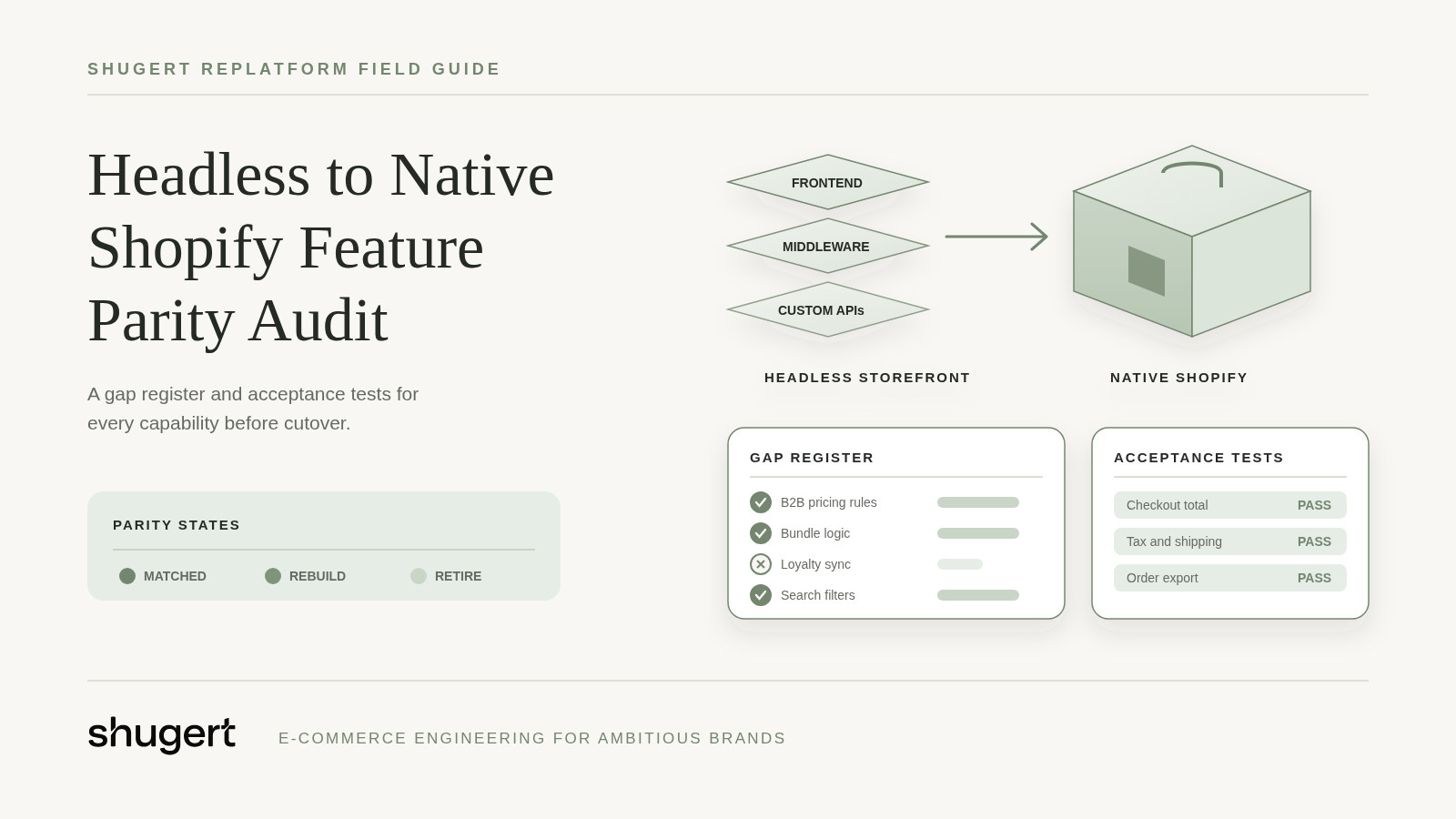
Rebuilding the visible storefront isn't enough. The common advice to match the old pages, reconnect checkout and compare screenshots misses the rules that determine prices, account permissions, tax treatment and fulfillment.
A headless to native Shopify feature parity audit starts with an evidence-backed gap register, not a design review. Once the return to native is approved, the team's job is to preserve required business outcomes, document intentional changes and prove that orders still move correctly through the operation.
Planning a replatform? Our Shopify migration service moves products, customers, orders and redirects as one SEO-safe scope.
Table of Contents
- Gap Register Fields and Parity States
- Where Custom Logic Hides Behind Rendered Journeys
- Mapping Each Gap to a Native Mechanism
- Acceptance Test for a Critical Workflow
- Performance Parity Against Field Thresholds
- Retire or Rebuild Decisions With Measured Usage
- What Rollback Cannot Undo After Cutover
- Approve the Register and Request a Migration Scope
Gap Register Fields and Parity States
The register needs a row for each capability, including rules that never appear on a page. “B2B pricing” is too broad if company assignment, location selection and discount eligibility can fail independently.
Each row records the business owner, inputs and outputs, upstream and downstream dependencies, native equivalent, known gap, priority and acceptance evidence. Priorities should distinguish must-have, should-have and retire, rather than treating every legacy behavior as equally valuable.
Parity states and what the register records
| Parity state | Meaning | What the register must record |
|---|---|---|
| Native | Shopify handles the capability with no added configuration | The native setting or default behavior and the test that proves it |
| Native with configuration | Requires settings in admin, Markets or B2B setup on the right plan | The plan, configuration owner and fixture used to verify it |
| App or extension required | Needs a supported app, checkout extension or Shopify Function | The app or extension, recurring cost, data path and removal plan |
| Custom build | No supported native or app equivalent exists for the rule | The owner, build estimate and expected maintenance cost after launch |
| Retire | Merchant approved removal of the feature with a replacement journey | Usage evidence, redirect plan and data-retention rule for stored records |
The state drives the estimate. Native rows still require implementation checks; configuration rows require setup and representative fixtures. Apps introduce subscriptions, permissions and integration tests, while custom builds require someone responsible for failures and platform changes after launch.
The evidence field should identify a test before development begins, then hold the actual result before cutover. Suitable evidence includes a fixture ID, expected totals, response payload, order record and downstream acknowledgment, not just a screenshot marked approved.
Build gate: No row moves into development without a defined acceptance test. No row closes without the resulting evidence.
Architecture selection is a prerequisite. Teams still weighing that decision should resolve the headless-versus-traditional trade-offs, platform scalability requirements and Shopify headless implementation considerations before approving the register.
This audit shouldn't become another architecture debate. Its purpose is to turn an approved direction into buildable requirements.
Where Custom Logic Hides Behind Rendered Journeys
Visible design doesn't reveal business rules. A correct-looking price might come from middleware that recognizes an authenticated company buyer, selects a negotiated price and applies a rounding rule before returning HTML.
The audit team should walk the live store logged out and logged in, then trace the code and configuration supporting each result. Browser network requests, application routes, environment configuration, CMS queries and integration mappings reveal dependencies that a page inventory misses.
Where custom logic hides in each journey
| Capability area | Server-side rule to find | Evidence to capture |
|---|---|---|
| Search | Ranking, synonyms, filters and hidden facets applied in the API layer | A query set with expected result IDs in order |
| Personalization | Segment rules and recommendation logic outside the theme | Sample customer profiles with expected output |
| Subscription purchase | Selling plan, renewal and billing interval logic | A subscription fixture with the expected next charge date |
| B2B pricing | Company, location and price-list resolution | An account-to-price matrix with expected line and order totals |
| Localization | Market, currency, language and tax rules by region | Market fixtures covering price, tax and content for each locale |
| Account state | Login session, saved addresses and order-history access | Test accounts covering guest, registered and company-buyer states |
| CMS composition | Content blocks assembled by middleware or query logic | A page-level content inventory with entry IDs |
| Redirects | Legacy URL rules, trailing-slash handling and parameter rules | A full legacy URL export mapped to destinations and status codes |
| Analytics | Event names, consent gating and server-side generation | An event schema listing each trigger and consent condition |
Trace the calculation, not just the displayed value
Hypothetical example: A wholesale storefront displays a 12% discount for an account group. A serverless function calculates the discount and rounds tax before handing the cart to checkout.
The native target must preserve the discount, rounding and tax behavior, or record each accepted change separately. Copying the displayed price into a theme doesn't preserve eligibility checks, refund allocation or the amount sent to accounting.
The same inspection applies to less visible behavior. A subscription widget might display the right interval while passing the wrong selling plan, and a localized page might show translated content while retaining the default market's price.
The final discovery exports should include every redirect rule and every analytics event name with its trigger condition. These rules often sit outside the storefront repository, so repository access alone doesn't establish a complete inventory.
Mapping Each Gap to a Native Mechanism
A useful mapping names the actual Shopify mechanism, not just “handled natively.” Theme Liquid, admin configuration, customer-account extensions, checkout extensions, Functions and external integrations operate on different surfaces.
Shopify's Plus plan documentation lists an allowance of up to 25 custom React storefronts built with Hydrogen and deployed on Oxygen. It also describes checkout branding, checkout extensions, separate B2B and DTC checkout experiences, and Shopify Functions support.
That allowance isn't proof that an existing multi-storefront implementation can become a single theme. The team must account for every domain, audience, content owner and release boundary.
Resolve the mechanism and its constraints
Each register row follows the same mapping sequence:
- Name the mechanism. The row identifies the setting, app, API or extension responsible for the behavior.
- Confirm eligibility. The technical owner checks the current plan documentation, API version, extension target and required access.
- Define the fallback. A missing capability requires a supported replacement, an approved behavior change or a custom-build estimate.
- Attach the proof. The row names the fixture and expected result that will establish parity.
Shopify's B2B feature documentation describes payment terms, deposits, price locking and inventory reservations on draft orders, quantity rules and volume pricing. The mapping should separately cover company and location assignment, negotiated pricing, quick ordering and ERP handoff.
A plan mismatch changes the parity state and estimate. A capability initially marked native with configuration may become app or extension required, rather than remaining an unresolved assumption.
Hypothetical configurator: A theme handles option presentation, but compatibility validation, price calculations, line-item properties and fulfillment instructions may require an app, Functions or an integration. Browser-only validation isn't sufficient for a rule that controls what the merchant agrees to sell. Rows like this usually land in the custom-build state and belong in a Shopify development estimate, not a theme ticket.
Promotions, shipping zones, tax settings, theme, navigation and merchandising rules are rebuilt on Shopify. For analytics integration discovery, ELECTE's Shopify integration write-ups can supplement the inventory, but vendor descriptions don't replace tests against the merchant's actual data paths.
Acceptance Test for a Critical Workflow
Hypothetical acceptance scenario: An eligible company buyer selects a localized variant, receives the agreed account price, places an order, reaches the intended fulfillment system and receives a partial refund. The acceptance record should prove the complete transaction, not stop at the order-confirmation page.
- Fix the inputs. QA records the product ID, variant ID, SKU, market, currency, company location, price list, shipping destination and expected totals. The fixture includes discount eligibility, tax treatment and inventory location.
- Establish account state. The tester signs in with an eligible account and verifies company and location scope. Product, cart and checkout prices must match the fixture.
- Place the order. QA captures the order ID, line-item data, selling-plan information where applicable, discount allocation, tax lines, shipping charge and payment state.
- Verify the handoff. The integration owner confirms that the ERP or 3PL received the correct SKU, quantity, address and fulfillment rule. A successful webhook delivery alone isn't evidence that the receiving system accepted the order.
- Process the partial refund. The tester refunds a selected line and checks tax, discount allocation, payment adjustment and the intended inventory reversal. Restocking should follow the merchant's refund policy, not an assumed default.
- Compare both implementations. The same controlled fixture runs against the legacy storefront and native build. QA compares monetary amounts to the cent and records source-to-target identifiers where migration changes IDs.
Tests involving payment capture, fulfillment or stock adjustment need controlled execution. Sandbox gateways, test orders and isolated integration destinations should be used where supported, with cleanup responsibilities assigned before execution.
Checks surrounding the transaction
Headless Shopify storefronts typically already hand off to Shopify checkout. Returning to native doesn't automatically change the hosted checkout provider, so the test must isolate what changed: storefront orchestration, extensions, account context or configuration.
- Accessibility: Keyboard navigation, focus visibility, validation messages and screen-reader announcements work on variant selectors, prices, cart updates and checkout controls.
- Consent: Analytics remains gated until the relevant consent state permits collection. Tests cover denied, accepted and changed consent.
- Search signals: Canonical and hreflang values match the intended localized pages, including pages reached through redirects.
- Event QA: Purchase and refund events carry the expected identifiers, currency and amounts without duplicate browser and server events.
- Recovery: Integration retries don't duplicate orders, refunds or inventory movements.
Load testing should distinguish human journeys from automated traffic and respect Shopify's traffic policies. Checkout-creation fixtures should include throttling conditions inside successful HTTP responses, interrupted requests and repeated submissions, rather than treating HTTP success as business success.
The API owner must confirm current Storefront API restrictions before setting load targets. Tests should exercise the surviving integration paths, not recreate headless API traffic that the native build removes.
A checkout screenshot proves presentation. A reconciled order and refund prove the workflow.
The broader Shopify migration launch QA checklist should carry these scenarios into launch approval, with an owner attached to every failed assertion.
Performance Parity Against Field Thresholds
Speed claims fail in both directions. A headless storefront measured on quiet staging traffic looks faster than it is, and a native theme measured before apps, consent tooling and media load looks slower than it will be. Parity needs a field baseline captured before the native build changes the measurement conditions, taken on the home page, the most visited product page and the most visited collection page, split by mobile and desktop.
Shopify's web performance reports rank each Core Web Vital as Good, Moderate or Poor from real user data at the 75th percentile, using the thresholds below. Data can be delayed by up to 36 hours, and the summary covers the past 30 days.
Core Web Vitals thresholds for a parity baseline
| Metric | Good threshold | How it is judged |
|---|---|---|
| Largest Contentful Paint | 2.5 seconds or less | Measured at the 75th percentile of real user loads |
| Interaction to Next Paint | 200 milliseconds or less | Measured at the 75th percentile of real user loads |
| Cumulative Layout Shift | 0.1 or less | Measured at the 75th percentile of real user loads |
These are the thresholds Google documents in its Web Vitals guidance. Each metric is ranked separately, so a strong LCP doesn't offset poor interaction response; parity should require every metric to hold. Where a template lacks the traffic for a meaningful field read, the register should mark it unverifiable rather than passed.
Compare equivalent operating conditions
The performance owner tests native templates with production-like apps, consent controls, scripts, media and catalog content. A clean theme preview says nothing about a fully instrumented storefront.
Lab runs compare LCP, interaction behavior and layout stability under fixed device and network settings. Field monitoring then validates the deployed experience, since staging traffic cannot reproduce the production audience. Every result lands in the register with a parity state:
- After additions: Each app, script or media change triggers a retest before approval.
- For each miss: The register row records the affected template and device, the diagnostic trace, the likely cause and the engineering owner.
- Before attribution: The team separates theme implementation, app weight, media delivery and integration latency before naming anything a platform limitation.
Going native removes the headless layer's hosting and middleware overhead. It does not make a heavy app stack light, so regressions need budgeted remediation instead of an assumption that the platform closes the gap on its own.
The Core Web Vitals benchmark guidance frames the comparison, and Shopify performance optimization covers the remediation work when a register row needs one. Keep technical speed separate from search outcomes on the post-launch dashboard; teams building the organic view can find the right SEO performance indicators for that side of the report.
No parity exercise guarantees a perfect score on every page. Approval rests on agreed budgets across representative journeys, with every regression carrying a register row, a parity state and an owner.
Retire or Rebuild Decisions With Measured Usage
A custom headless feature doesn't justify its rebuild merely because engineers invested heavily in it. With the return to native already approved, the remaining decision is which behaviors deserve preservation and which can be removed safely.
A hypothetical scoring exercise can use a 90-day observation window. The merchant should extend that window when seasonality or infrequent wholesale purchasing would distort the result.
The scoring sheet captures:
- Usage and conversion: How customers enter the feature and whether they complete the intended task.
- Revenue dependence: Orders that require the capability, separated from orders merely exposed to it.
- Accessibility and support: Barriers, complaints and support tickets associated with the journey.
- Ownership cost: Hosting, middleware, search, previews, observability and release engineering.
- Migration risk: Unresolved dependencies and the consequence of changing behavior.
Three 24-month options compared
These are economic reference cases, not a reason to reopen the approved architecture decision.
| Option | Main cost drivers | Break-even signal | Main risk |
|---|---|---|---|
| Keep headless | Frontend hosting, search, previews, observability, release engineering and duplicated commerce logic | Measured conversion or channel gain exceeds total run cost | Commerce rules drift between storefront and platform |
| Simplify to native | Theme build, apps, configuration, migration and post-launch support | Register closes with no open custom-build rows, and avoided run costs repay transition costs | Apps add recurring cost and plan constraints |
| Run hybrid | Retained storefront hosting, integration layers, identity and data synchronization | Savings exceed added synchronization and support effort | Systems require separate maintenance and cross-system regression testing |
Vendor surveys of large enterprises are a poor input here. Their reported gains shouldn't become forecast assumptions for a mid-market merchant; the merchant's own run costs and usage data should.
A native theme can be the better option when headless adds engineering cost without a meaningful UX, content or channel advantage. ERP, fulfillment, subscription and app dependencies still need deliberate replacement plans and separate scores.
Retirement requires merchant approval, a replacement journey, redirects where relevant and a retention rule for stored records. Low usage alone doesn't justify deleting a capability required by an important buyer or operational obligation.
What Rollback Cannot Undo After Cutover
A theme rollback restores theme code, not the store's previous data state. Product, customer, order, redirect, metafield, Markets and tax-configuration changes remain unless the team explicitly reverses or reconciles them.
Returning traffic to a headless route also doesn't retract orders already accepted downstream. The rollback plan therefore needs recovery actions for data and integrations, not just storefront routing.
Cutover sequence and recovery ownership
- Freeze catalog and price changes. Merchandising and operations agree on the freeze boundary, including upstream systems.
- Run the final delta import. The migration owner records the extraction boundary and prevents repeated writes from creating duplicates.
- Reconcile results. QA confirms record counts, rejected records, representative relationships and sample order totals.
- Switch the storefront route. The release owner verifies customer access and the intended production configuration.
- Validate legacy URLs. The SEO owner checks the exported URL inventory against expected destinations and status codes.
The Shopify data migration sequence supports import planning. Streamkap's guidance on how to migrate data safely is useful for structuring validation and recovery responsibilities, while the Shopify migration guide covers the wider cutover checklist.
The watch list needs named people, not department labels:
- SEO owner: Search Console indexing coverage, crawl errors and unexpected destination changes.
- Analytics owner: Event volume, consent behavior and purchase-event reconciliation against the baseline.
- Operations owner: Shopify orders reconciled with ERP acknowledgments, inventory and fulfillment status.
Plan to monitor Search Console, analytics and orders daily through at least the first 30 days after cutover. The merchant should approve escalation ranges before launch, accounting for campaign changes and normal trading patterns.
A rollback decision should identify which state will be restored and which records will still need reconciliation.
If order or event volume falls outside the agreed range during the first week, the incident team should inspect the affected register rows before deciding whether rollback addresses the failure.
Approve the Register and Request a Migration Scope
A build can look nearly finished while one unresolved pricing or fulfillment rule still blocks launch. Approval should rest on the register's evidence, not on a percentage-complete status report.
The final approval check should confirm:
- Ownership and evidence: Every register row has an accountable owner and a defined test, with passing results required for launch-critical capabilities.
- Approved retirement: Every removed feature has merchant sign-off, plus the replacement and retention arrangements it depends on.
- Workflow fixtures: Critical transactions have controlled inputs, expected totals and downstream acceptance criteria.
- Comparable performance: Baselines cover the same templates and operating conditions used to assess the native build.
A missing owner or an undefined expected result is a scope gap. It should become an explicit exclusion, an approved change or funded work before development commitments are finalized.
Shugert Marketing scopes parity work through its Shopify migration service. One launch plan covers catalog and customer data, the storefront rebuild, apps and integrations, redirects, technical SEO, analytics and launch QA together.
Migration and custom development projects start at $5,000, with timelines of 4 to 24 weeks. Shopify Performance Fix engagements, for stores losing speed after theme and app changes, cost $2,500 to $4,000, and the actual estimate follows the register's dependencies and acceptance requirements.
Send the completed register and acceptance scenarios with a request for a migration scope. Scope, assumptions, pricing and acceptance criteria are documented before work starts.
Migrate without losing rankings
Llantas Cavazos moved 8,000+ SKUs in under 7.5 weeks and kept 90%+ of organic traffic in week one. Read the case study
Most quotes returned within 1 business day