Shopify Data Migration: What Moves, What Breaks, and How to Verify It
A practical guide to Shopify data migration: what data moves, import order, cleanup, redirects, cutover, verification and post-launch checks for established stores.
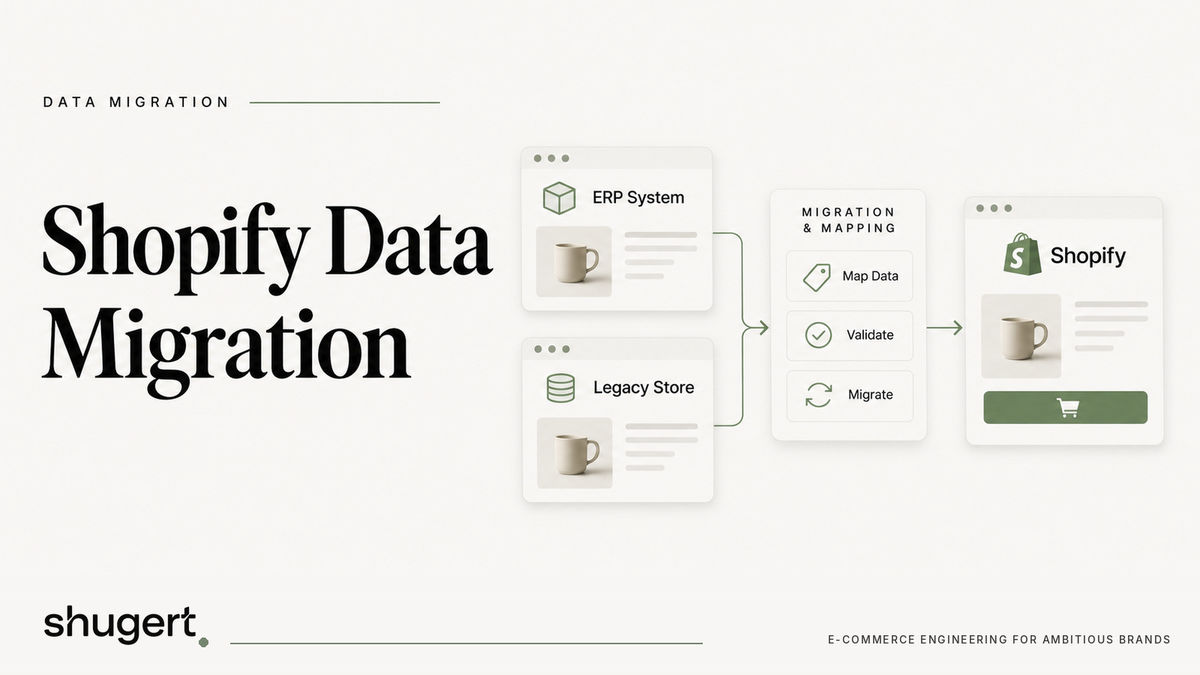
A Shopify data migration moves your products, customers, historical orders, content and URL equity from a legacy platform into Shopify without interrupting sales, reporting or organic traffic. The data export is the easy part. The risk sits in the mapping, the import order, the redirects and the cutover, and each of those can be planned and tested before launch day.
This guide is for ecommerce, marketing and technology leaders at established U.S. DTC and B2B brands who are replatforming to Shopify or Shopify Plus. It covers what moves, how to prepare, the main transfer methods, verification, SEO protection and what to watch after go-live.
Planning a replatform? Our Shopify migration service moves products, customers, orders and redirects as one SEO-safe scope.
Key Takeaways
- Most of a catalog moves cleanly. The failures come from poor source data, wrong import order, missing redirects and an untested cutover.
- Import products first, then customers, then historical orders, so records connect correctly inside Shopify.
- Treat URL mapping as part of the data migration. Redirect coverage is what protects organic traffic.
- Verify with record counts, field-level comparisons and live test orders, in a development store before launch and again at cutover.
- Method depends on complexity: CSV or the Store Migration app for simple catalogs, apps or API work for custom data, a partner for fully managed projects.
Table of Contents
- What a Shopify data migration actually involves
- What data can move to Shopify
- Prepare and clean the data first
- Choosing a transfer method
- Import in the right order
- Verify the data before you trust it
- Protect URLs, redirects and organic traffic
- Plan the cutover like a release
- How long it takes and what drives cost
- After launch: the first 14 days
- Our perspective
- Work with a senior team on your migration
- FAQ
- Sources
What a Shopify data migration actually involves
Data migration is the process of moving store data from a legacy platform to a new one while keeping sales, reporting and the customer experience continuous, as Shopify’s enterprise team describes it. You need one whenever you change platforms, typically to modernize infrastructure, reduce maintenance or improve performance.
It is also worth separating three jobs that often get bundled together:
- Data transfer: products, variants, customers, orders, gift cards, blog posts and pages.
- Configuration rebuild: payments, shipping, tax, discounts, apps, checkout logic and integrations. These are generally rebuilt on Shopify rather than copied.
- Search equity transfer: URLs, redirects, metadata, structured data and sitemaps.
Teams that scope only the first job tend to discover the other two in the final week. If your stack includes an ERP, EDI or a B2B catalog with company-specific pricing, those belong in the migration plan from the start. We cover the ERP integration tradeoffs and EDI requirements separately.
What data can move to Shopify
Shopify lists the common migrated data types as products, customers, historical orders, gift cards, blogs and content pages. How each one behaves differs.
| Data type | Typical approach | What to watch |
|---|---|---|
| Products and variants | CSV, migration app or API | Option limits, SKU uniqueness, image URLs, handles that become URLs |
| Inventory levels | CSV, app or API | Location mapping, stale counts at cutover |
| Customers | CSV, app or API | Duplicates, consent status, passwords (customers usually reset them) |
| Historical orders | App or API | How far back you need to go, tax and discount fields, customer linkage |
| B2B orders | GraphQL Admin API | Company locations and contacts must exist first |
| Gift cards | Manual or API | Balances and codes must reconcile exactly |
| Blog posts and pages | Copy, app or API | Internal links, images, URL structure |
| Redirects | Bulk upload | One-to-one mapping, no chains |
Order history deserves a decision rather than a default. One Shopify guide advises you to decide how far back you need to migrate order history. Customer service, returns, subscriptions and finance usually need the last one to three years visible. Older records can often live in an archive export. Bringing everything over adds time and mapping risk without always adding value.
For B2B brands, Shopify’s developer documentation explains that non-Shopify B2B orders can be imported through the GraphQL Admin API, so buyers keep historical order visibility. Imported orders can be associated with Shopify company locations and customer contacts, which means your company and location structure needs to be built before the orders arrive.
Prepare and clean the data first
Shopify’s migration guidance starts with backing up your current platform, taking stock of products, customers, order history and content, and setting aside time to archive old data and check what transferred. That is the minimum. In practice, the preparation work that pays off most is:
- Export a full backup of every table you can reach, including data you do not plan to migrate.
- Build a field map. For each source field, name the Shopify destination: product field, metafield, customer tag, order note or nothing. Anything with no destination is a decision, not an oversight.
- Deduplicate customers by email before import, and decide how to treat guest checkouts.
- Normalize SKUs, handles and option names. Inconsistent variant naming is the most common reason a clean-looking CSV imports badly.
- Retire dead products and orphaned collections rather than migrating them.
- Inventory your URLs. Pull the full list of indexed and linked URLs from your sitemap, analytics and Search Console, not just the catalog.
- Freeze a schema. Agree which source fields exist at the start so late changes do not invalidate your mapping.
For stores with custom attributes, such as technical specifications, compliance fields or wholesale tiers, plan metafields and metaobjects early. Retrofitting them after launch means a second migration.
Choosing a transfer method
Shopify’s help center describes the range as manual copy for pages, CSV imports, Shopify apps and custom development through the Shopify API, with many businesses hiring a Shopify Partner for fully managed migrations.
CSV import. Best for small catalogs with simple variants. One migration playbook estimates a DIY CSV move can finish in two to five days for under 200 SKUs, though that is a rule of thumb, not a guarantee. It gives you total control and total responsibility for formatting.
Shopify’s Store Migration app. The free Shopify-built app imports objects such as product variants, inventory levels and customer contact information from platforms including Square, WooCommerce and Etsy. It suits straightforward catalogs on supported platforms.
Third-party migration apps. Tools like Matrixify let you work with spreadsheet files, adjust values before import and handle larger or more varied datasets than the basic importer. They are well suited to teams with a clear field map and someone who can own QA.
Custom API migration. When you have custom objects, B2B structures, subscription data, multiple stores or millions of records, scripts using the Admin API and bulk operations give you repeatable runs, error logging and delta migrations. This is where engineering involvement stops being optional.
Fully managed migration. In a white glove model, a partner takes responsibility for the whole project, including catalog, customer data, historical orders, redirects and integration configuration. Scope clarity matters here: full redesigns and complex ERP logic are often outside a standard migration scope, so write down what is in and out.
A useful rule: if you cannot describe every field’s destination in a spreadsheet, you are not ready to choose a tool yet.
Import in the right order
Shopify’s help center says to import products first, followed by customers, then historical orders, because that order lets the records connect properly in the Shopify database. Orders reference products and customers, so importing them first produces orphaned or unlinked records.
A workable sequence for an established store:
- Collections, metafield definitions and metaobjects (the structure).
- Products, variants, media and inventory.
- Customers, with tags and consent status.
- Company and location structure for B2B accounts.
- Historical orders, linked to customers and, for B2B, to company locations.
- Content: pages, blog posts, navigation.
- Redirects, loaded last and tested first in staging.
Run the full sequence in a development or staging store several times before the real cutover. Every rehearsal exposes mapping errors and gives you a realistic timing for the final run. Our notes on a safe Shopify staging environment cover how to structure that testing.
Verify the data before you trust it
Verification is where migrations are won. Shopify’s guidance is to check product details and compare product, customer and order counts and fields in a development store, place test orders before launch, and at cutover place a live-card order and verify the tax and shipping pipelines.
A practical verification pass has three layers:
Counts. Products, variants, customers, orders and gift cards in the source versus Shopify. A mismatch is a defect to explain, not a rounding issue.
Fields. Sample records at random and compare them field by field: titles, descriptions, prices, compare-at prices, weights, barcodes, images, tags, order totals, tax lines and discounts. Add a deliberate sample of edge cases: products with the most variants, customers with the most orders, orders with partial refunds.
Behavior. Test as a customer would. Search, filter, add to cart, apply a discount, check out with each payment method, and confirm shipping rates and tax. Then check as operations would: does the order reach your fulfillment system, ERP or 3PL with the right fields?
Separate the data checks from the revenue-path checks and assign owners to each. When everything belongs to “the team,” nothing gets signed off.

Protect URLs, redirects and organic traffic
Data migration and SEO migration share the same inputs. Product and collection handles, page paths and blog URLs all change when the platform changes, and every changed URL needs a destination.
Shopify’s enterprise guidance calls for a master list of 301 redirects that maps legacy URLs to their new equivalents, plus sitemap submission to Google Search Console and 404 monitoring after launch. Google’s crawling documentation explains why: a 301 redirect is a strong signal that the destination is the permanent replacement, while URLs that return 4xx errors are not indexed and previously indexed ones are gradually removed.
The rules we apply on every replatform:
- Map one to one. Each old URL goes to the most relevant new URL, not to the homepage. Shopify’s SEO checklist stresses one-to-one mapping to preserve link equity, avoiding redirect chains and keeping redirects live for at least a year.
- Start from real traffic. Include URLs with backlinks, organic landing pages and revenue-driving pages, not only what the old platform lists.
- Keep what ranks. Where possible, preserve handles, titles, headings and internal linking for your best organic pages so the change in signals is small.
- Check Shopify’s constraints. Shopify enforces URL prefixes such as /products/ and /collections/, so some legacy structures cannot be kept as is. Plan redirects for those.
- Test the redirect file in staging before it goes live, including trailing slashes, parameters and uppercase variants.
Expect some turbulence. Shopify’s enterprise team says organic recovery can take a few weeks for smaller sites, and one to three months for sites with tens of thousands of pages. No agency can guarantee rankings through a migration, and we do not. What you can control is coverage, mapping accuracy and monitoring. For a deeper view of how cutover creates risk, see our write-up on BigCommerce to Shopify migration and SEO, and our guide to Shopify SEO audits for established stores for the pre-launch baseline.
Plan the cutover like a release
A cutover is a release with a data component. Shopify’s migration guidance describes a structured timeline, for example a final content freeze at T-7, followed by data validation, redirect uploads, checkout QA and DNS updates on go-live day.
A runbook for launch should include:
- A freeze window for products, content and, if needed, orders on the old platform.
- A final delta migration that moves orders, customers and inventory changes since the last full run.
- A sandbox or “swing” environment where teams validate data and configuration in parallel before the final flip, as Shopify’s enterprise guide describes.
- Live verification of payment and shipping pipelines with real test orders.
- A rollback decision point, with named people and criteria, defined before the night starts.
For complex catalogs, a phased approach can lower risk: data moves in stages by category, market or channel, and each slice is validated before the next. The tradeoff is running two systems longer, so it fits best when integrations or markets can be separated cleanly.
How long it takes and what drives cost
Shopify reports that most businesses complete migration in under three months. Your timeline depends on data volume, how clean the source is, how many integrations must be rebuilt and how many rehearsal cycles you run. Apps may be free or paid, and Shopify Partners set their own rates.
Cost drivers we see most often:
- Custom data structures that need metafield or metaobject design.
- B2B pricing, company accounts and order history.
- Integration rebuilds: ERP, EDI, OMS, subscriptions, reviews and loyalty.
- Theme and checkout work that the data depends on.
- The depth of SEO preservation and QA.
Set scope in writing early. Clear expectations up front prevent scope disputes, a point echoed in Shopify’s white glove guidance.
After launch: the first 14 days
Post-launch SEO monitoring should focus on the first 14 days: sitemap submission, 404 monitoring and verifying indexation of high-traffic and high-revenue pages. Add data and operations checks to that list:
- Daily 404 and soft-404 review in Search Console, with new redirects added in batches.
- Spot checks of recent orders against payment processor and fulfillment records.
- Reconciliation of inventory between Shopify and your source of truth.
- Analytics validation: purchase events, revenue totals and attribution against processor data.
- A watch on conversion rate and page speed for template-level regressions.
Keep the old platform readable for a defined period so finance and support can look things up, and keep your redirects live for at least a year.
Our perspective
Most migration failures we see are scoping failures, not tooling failures. The import tool worked. What nobody owned was the field map, the redirect file, the rehearsal schedule or the definition of done.
Our approach at Shugert is to diagnose the constraint first, define scope and acceptance criteria, build and rehearse in a controlled environment, QA the release and measure before and after. That discipline matters more than which importer you pick, and it is why we keep senior engineers on the work rather than handing it down.
We also do not promise ranking or conversion outcomes from a migration. We commit to the things a team can control: complete data mapping, one-to-one redirects, tested cutover and a monitoring plan you can read.
Samuel Noriega
Work with a senior team on your migration
If your migration involves custom data, B2B order history, redirect-heavy SEO or integrations, a partner who owns the whole sequence can remove most of the risk. Shugert is a senior-led Shopify Select Partner that has worked in the Shopify ecosystem since 2015. Our Shopify migration service covers SEO-safe replatforming with senior engineering oversight and documented QA.

Custom Development and Replatforming starts from $5,000 as a one-off project, and ongoing engineering plans start at $1,495 per month. See current pricing or talk to us through Shugert Marketing about your scope.
Migrate without losing rankings
Llantas Cavazos moved 8,000+ SKUs in under 7.5 weeks and kept 90%+ of organic traffic in week one. Read the case study
Most quotes returned within 1 business day
FAQ
How much does a Shopify data migration cost?
Costs range from free for app-based imports of simple catalogs to project fees for custom work. Shopify says apps may be free or paid and Partners set their own rates. At Shugert, Custom Development and Replatforming starts from $5,000 one-off, with final scope set after diagnosis.
In what order should I import data into Shopify?
Import products first, then customers, then historical orders. That sequence lets Shopify connect orders to the right products and customers. For B2B stores, create company locations and contacts before importing B2B orders.
Do I need to migrate all my order history?
Not necessarily. Decide how far back customer service, finance and returns need to see orders, and migrate that window. Older records can be archived in an export. Fewer records means less mapping risk and a shorter validation cycle.
Will a migration hurt my SEO?
It can if URLs are not mapped. A complete one-to-one 301 redirect map, sitemap submission and 404 monitoring reduce the risk, but temporary fluctuation is normal, and no one can guarantee rankings. Smaller sites may recover within weeks, larger ones in one to three months according to Shopify.
Can I migrate to Shopify myself?
For a small catalog with simple variants, CSV or the free Store Migration app can work. Custom data, B2B structures, large order histories and SEO-sensitive stores usually justify engineering help, because errors are costlier to fix after launch.
Sources
- Shopify Migration
- Shopify Help Center: Migrate to Shopify
- Ecommerce Data Migration Guide
- How to Migrate from BigCommerce to Shopify
- SEO Site Migration Checklist
- White Glove Migration guide
- Store Migration Shopify App
- Shopify developer docs: Import B2B orders
- Google: HTTP status codes and crawling
- Matrixify: Migrate to Shopify