Shopify SEO Remediation Acceptance Criteria: What to Test
Shopify SEO remediation acceptance criteria for redirects, canonicals, indexability and Core Web Vitals, with pass/fail tests, evidence and owners.
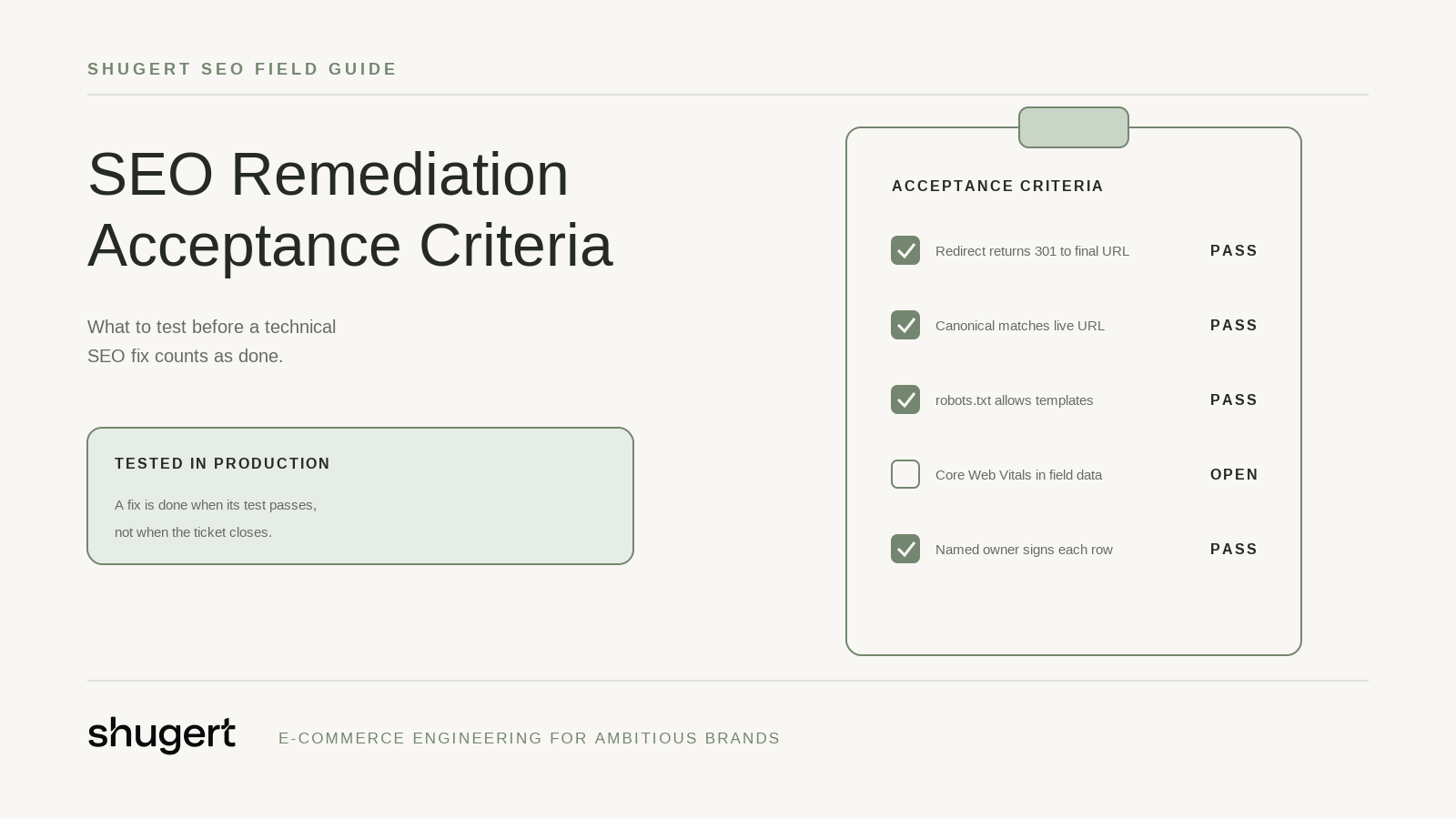
A Shopify page can return a successful response and still fail SEO acceptance because its rendered canonical points to staging. Deployment success isn't search readiness. Google's Core Web Vitals documentation likewise evaluates actual user experience, not whether a theme successfully published.
Shopify SEO remediation acceptance criteria should function as an engineering contract: a defined defect, an affected URL set, an observable production outcome and a named verifier. For established DTC and B2B merchants replatforming from WooCommerce, Magento, BigCommerce or headless builds, that contract separates completed implementation from unfinished SEO work.
Want this implemented, not just audited? Our Shopify SEO agency ships technical, collection and content fixes and measures them against revenue.
Table of Contents
- Acceptance Checklist for Shopify SEO Remediation
- Defining Each Defect Before Any Work Starts
- Redirect Pass Rules and Outcomes by URL Case
- Canonical, Robots and Sitemap Tests That Pass or Fail
- Core Web Vitals Thresholds for Priority Templates
- Evidence Pack and Production Retest for Each Fix
- Post-Launch Monitoring Windows and Escalation Triggers
- Confirm Ownership and Request a Migration Scope
Acceptance Checklist for Shopify SEO Remediation
| Check | Baseline | Pass rule | Evidence | Owner |
|---|---|---|---|---|
| Mapped priority redirects | Legacy URL list with status, traffic and inbound links | One 301 or 308 to the approved destination, with no chain or loop | Full-map crawl showing status and final URL per row | SEO lead |
| Destination response | Live Shopify pages receiving redirects | Final URL returns 200, with expected canonical and no unintended noindex | Response headers and rendered HTML for sampled URLs | Developer |
| Rendered canonical | Canonical deployed in template source | Approved production URL and locale, never staging, an unintended parameter URL or another product | Before-and-after rendered HTML by template | Developer |
| Indexability | Meta robots, X-Robots-Tag and robots.txt | No accidental noindex or robots block on priority URLs | Live robots.txt review, headers and rendered meta robots checks | Technical lead |
| Internal links | Internal-link crawl before the change | Navigation and content links resolve to new canonical URLs, without staging or legacy-domain links | Crawl export and approved exceptions | Developer |
| Sitemap eligibility | Submitted sitemap contents | Only indexable 200 URLs that are their own canonical | Sitemap compared with an indexability crawl | SEO lead |
| Structured data | Existing product and article markup | No critical errors on sampled templates where schema is used | Validator output with URL and date | Developer |
| Core Web Vitals | Pre-migration field data by template and device | Meets the field thresholds defined below, or has an approved exception | Field evidence and lab regression results with URL, device, date and template | Performance engineer |
| Retired pages | Approved list with no equivalent replacement | Intentional 404 or 410, absent from sitemaps and internal links | Approved status list compared with live responses | Merchant owner |
These response codes are acceptance rules, not traffic forecasts. Save the table against a specific release and replace role labels with actual names before implementation begins. A developer shouldn't have to infer which collection is the approved replacement or which locale owns a product URL.
Separate the acceptance decisions
Deployment acceptance concerns the production storefront immediately after release. The engineering team can demonstrate that the intended response, canonical, directives and links are live.
Search processing happens later. Google must recrawl and reprocess the changed URLs, and no engineer can guarantee immediate indexing or rankings. A checklist pass establishes readiness for monitoring, not proof that traffic has recovered.
Release rule: A completed ticket needs reproducible production evidence, not a screenshot of an admin setting.
The Shopify SEO audit deliverables guide addresses what an audit report contains. The technical SEO guide for Shopify covers the broader architecture. Acceptance should stay narrower: whether the agreed fix works.
The merchant's technical lead should copy this table into the remediation ticket template before any build begins.
Defining Each Defect Before Any Work Starts
A defect titled “fix canonicals” isn't ready for engineering. It doesn't establish which pages are wrong, what correct means or how another person will verify the result.
- Capture the baseline. Export affected URLs with status, canonical, indexing state and Search Console organic clicks. Record template and device segment so the verifier can distinguish a template defect from an isolated page issue.
- Bound the affected set. Specify the exact path pattern, locale or template assignment, and attach a counted URL inventory. A
/products/pattern alone may be too broad when only a particular product template is broken. - Write the intended state. Use a testable sentence, such as “The affected product template emits the approved production canonical for the selected locale.” Avoid subjective outcomes such as improved SEO.
- Specify the reproducible test. Name the tool, crawler configuration, URL sample count, device, test date and expected output. Screaming Frog with JavaScript rendering and saved rendered HTML can make the procedure repeatable.
- Assign implementation and verification. Name the person accountable for the fix and the person responsible for checking production. Independent verification helps prevent closure based only on the developer's local test.
- Define exceptions before release. Record the business justification, affected URLs, residual risk, approver and remediation deadline. An exception without an owner is deferred work without accountability.
A bounded defect is easier to accept
Hypothetical example: A product template emits a staging canonical for products in a particular locale. The ticket identifies that locale's affected product URLs, attaches the baseline HTML and defines the expected canonical for each sampled page.
The fix should target the faulty template logic, not manually overwrite scattered products. The verification set should include affected pages and unaffected locale controls so the change doesn't solve one problem while creating another.
For redirect inventories, platform capacity also belongs in scope. Shopify's URL redirect documentation sets limits of 100,000 URL redirects for Shopify stores and 20,000,000 for Shopify Plus stores. Compare the complete projected inventory, including existing redirects, against the applicable ceiling before importing; a successful CSV upload doesn't prove the total inventory is complete.
A defect without a count, a test and an owner is not ready for a sprint.
Redirect Pass Rules and Outcomes by URL Case
Each mapped priority legacy URL must permanently redirect directly to its approved, relevant destination, without an avoidable chain or loop. The destination must return a successful page response, the expected canonical and no unintended indexing restriction. Acceptance requires both server-response testing and rendered-page inspection.
Google's site-move guidance identifies 301 and 308 as permanent redirects, states that permanent redirects don't cause PageRank loss, and warns that sending unrelated URLs to the homepage can produce soft 404 treatment. The following outcome matrix translates that guidance into production tests.
| Legacy URL case | Expected response | Destination | Sign-off test |
|---|---|---|---|
| Mapped product with active Shopify equivalent | 301 or 308 | Matching product with the same purchase intent | Single hop to a 200 page with matching canonical |
| Renamed collection | 301 | Closest collection with the same products | Final page lists the expected product set |
| Discontinued product with replacement | 301 | Relevant replacement product | Replacement returns 200 and is indexable |
| Discontinued product without replacement | 404 or 410 | None, never the homepage | Live status matches the approved list; URL is absent from sitemap and internal links |
| Legacy blog or content page | 301 | Same-topic article in the new store | Final URL returns 200 without a chain |
| Faceted or parameter URLs | 200 with canonical to the clean URL, or noindex, under the approved rule | Appropriate clean collection or search URL | Crawl confirms the intended canonical/indexability treatment without chains |
| Legacy account or checkout URL | 301, or 404 without a public equivalent | Login page, or no destination | No loop; absent from sitemap; required customer access still works |
Relevance is part of the test
Hypothetical example: A merchant renames a collection during migration. The legacy URL reaches a live Shopify collection, but the new collection excludes the product category that attracted the original search demand.
That redirect fails acceptance even though the response sequence looks correct. The merchant owner must approve the destination's product set and commercial intent, while the SEO lead verifies the technical result.
Parameter rules need similar care. A canonical isn't interchangeable with noindex, and a crawl cannot prove Google's eventual indexing decision. The ticket should state whether the page is a useful filtered landing page, a duplicate view or an internal search result before engineering applies a rule.
At the scale of Llantas Cavazos's migration of 8,000+ SKUs, a crawl-based map should be mandatory rather than relying on browser spot checks. The catalog and URL mapping workflow should precede redirect implementation, with Magento-specific migration planning addressing inherited platform patterns where applicable.
A Shopify migration scope should identify who approves destinations and who resolves import exceptions before cutover.
Canonical, Robots and Sitemap Tests That Pass or Fail
A successful page response doesn't establish indexability. The verifier must inspect the headers, rendered document and crawl controls together, using the production domain rather than a theme preview.
Template signals and crawl controls
Canonicals fail when sampled product, collection, article or home templates emit an unapproved destination. Compare rendered HTML with the URL-level expected result, paying particular attention to staging hosts, locale selection, parameter handling and product identity.
Noindex fails when a priority URL carries an unintended directive in either rendered meta robots or the X-Robots-Tag response header. Checking only the page source can miss the complete deployed state.
Shopify's robots.txt documentation describes customization through robots.txt.liquid in the published theme, including allow/disallow patterns, crawler-specific controls, crawl-delay rules and additional sitemap references. Inspect the live root file on the primary domain, not merely the theme file in an editor.
Fail unintended blocks on important product, collection or content paths. Review staging and internal-path exposure separately, because robots.txt isn't access control; private environments require authentication or another appropriate restriction.
Eligibility and validation
- Sitemap failures: Compare submitted entries against the crawl. Reject redirected, noindexed or noncanonical entries, and assign upstream generation problems to the person who controls them.
- Schema failures: Run Google's Rich Results Test or Schema Markup Validator on templates using product or article markup. Save URL-specific output and resolve critical errors; distinguish those from optional-property warnings.
- Sample design: Record the sample count and why those URLs represent the implementation. Include different template assignments, locales, product states and relevant parameter cases rather than choosing only popular products.
- Expansion rule: When a sampled page fails, expand testing across the shared template or rule. Passing neighboring pages doesn't cancel the defect.
Test coverage should follow shared code paths, not whichever URLs are easiest to open.
Structured-data validity supports technical acceptance. It doesn't guarantee that Google will display a rich result.
Core Web Vitals Thresholds for Priority Templates
Google's Core Web Vitals guidance defines good performance at the 75th percentile as LCP of 2.5 seconds or less, INP of 200 milliseconds or less, and CLS of 0.1 or less. Use those as the field-performance acceptance thresholds, segmented by mobile and desktop.
For escalation, the same guidance identifies poor performance above 4 seconds LCP, 500 milliseconds INP or 0.25 CLS. A template in that category needs explicit prioritization, not a passing desktop screenshot used as a substitute.
Field evidence decides user-experience acceptance
Use Search Console or CrUX field data where available. Cover home, product, collection, blog or article, pagination, search and key landing pages, while recording whether the evidence represents an individual URL, a grouped set or the origin.
A storewide result can conceal a weak conversion template. Product-page responsiveness deserves separate attention when shoppers interact with variant selectors, fitment tools, subscriptions or other purchase-critical controls.
Lighthouse serves a different purpose: repeatable release-regression testing. Keep its device profile, throttling, consent state and test conditions consistent, but don't treat a favorable lab run as proof of field performance.
Exceptions need a remediation budget
Shopify Plus themes can carry app scripts, review widgets, personalization, consent tooling, oversized media and third-party tags. Removing them may improve performance while affecting merchandising, measurement or customer support, so the merchant must approve the trade-off.
- Passing outcome: The agreed field thresholds are met without regression against the accepted baseline.
- Conditional outcome: A failing template has a documented exception, quantified available impact, an owner and a remediation deadline.
- Insufficient-data outcome: Field evidence isn't yet adequate, so release regression can pass while field acceptance remains pending.
Set implementation budgets for scripts, images and third-party requests against the actual baseline rather than inventing universal limits. If a vendor-controlled widget is the main contributor, name the vendor dependency and the merchant decision required.
A scoped Shopify performance remediation assessment can help define that work. The acceptance deliverable should remain before-and-after measurement and a technical explanation, not a guaranteed score.
Evidence Pack and Production Retest for Each Fix
The handoff is an evidence pack, not a statement that the developer finished. Another technical reviewer should be able to reproduce the test without requesting missing URLs, release details or crawler settings.
- Before state: Save rendered HTML and response headers for the affected sample, with the incorrect signal clearly identified.
- Affected inventory: Attach the counted URL list, template assignments, locale and sample-selection rationale.
- Deployment reference: Record the release tag or commit, deployment time, environment and relevant theme or configuration reference.
- After state: Save equivalent HTML and response evidence for the same URLs using the same test configuration.
- Production recrawl: Attach the live crawl export, exceptions and verifier's decision after the deployment has propagated.
Apply the original test again
Hypothetical example: A product template points to staging for a particular locale. The before evidence shows the incorrect canonical, while the inventory establishes which products share the template logic.
The developer changes that logic and records the release reference. The verifier reruns the original sample on production, compares the rendered canonical with each approved destination and checks unaffected locale controls for regression.
Changing the sample after deployment can hide a failure. If a sampled product was legitimately removed, record the substitution and reason instead of replacing it with an easier page.
A production retest should reproduce the defect's original test, not introduce a weaker definition of success.
Close implementation separately from search processing
The technical fix is accepted when production demonstrates the intended state and the defect owner confirms the evidence. A staging pass, merged pull request or theme publication alone doesn't close the ticket.
Google's subsequent processing belongs in a separate follow-up record. URL Inspection can help confirm how representative URLs have been processed, but its reported state may not immediately reflect the deployed change.
The agency or internal team should hand over this evidence alongside release notes and the audit's remediation register. Ranking recovery isn't a valid condition for claiming the engineering defect was fixed, and engineering closure isn't evidence that rankings have recovered.
Post-Launch Monitoring Windows and Escalation Triggers
Unintended noindex, redirect loops and failed orders require immediate escalation. The team shouldn't wait for a scheduled traffic review to investigate a deterministic production failure.
Google's site-move monitoring guidance recommends monitoring old and new addresses as search systems process the move. The following checkpoints are an operational recommendation, not a promise about Google's processing time.
| Window | Checks | Cadence | Escalate when |
|---|---|---|---|
| Cutover, days 0 to 3 | Priority redirect sample, robots, noindex and order flow | Daily | Any unintended noindex, redirect loop or failed order |
| Days 4 to 14 | Priority URL outcomes, missing-page growth, indexed versus submitted URLs, Search Console errors | Twice-weekly cohort review | Sudden missing-page growth or chains above the agreed count |
| Days 15 to 30 | Landing-page clicks and impressions, including earlier 7- and 14-day checkpoints, against baseline | Weekly | Changed templates lose visibility outside the baseline-adjusted range |
| Days 31 to 60 | Canonical selection, high-value landing pages, query cohorts and organic revenue | Review at the 60-day checkpoint, with exception follow-up | Priority cohorts remain materially outside agreed tolerances |
| Days 61 to 90 | Outstanding indexing exceptions, rankings, revenue and remediation outcomes | Review at the 90-day checkpoint | Sustained losses remain concentrated in changed pages |
Compare cohorts, not isolated days
Capture the pre-launch baseline before URL ownership changes. Review organic clicks and impressions by landing page, branded and non-branded queries, top-product rankings, crawl errors, redirect-chain volume and organic revenue.
Indexed-versus-submitted counts provide context, not a standalone success score. The SEO lead should investigate whether missing URLs are approved exclusions, duplicate variants or valuable pages that should remain discoverable.
A broad decline affecting unchanged pages during a predictable seasonal slowdown calls for a different investigation than a decline confined to migrated collection templates. Compare equivalent trading periods, annotate campaigns and stock changes, and confirm analytics continuity before assigning every revenue change to SEO.
- Technical escalation: Reproduce the response, directive or canonical failure and route it to the implementation owner.
- Search-performance escalation: Identify the affected cohort and inspect intent continuity, content, internal links and Google-selected canonicals.
- Commercial escalation: Check stock, pricing and ordering alongside organic landing-page performance.
Frequent cohort reviews should continue for several weeks until priority URLs stabilize, with longer monitoring for large moves. Business-critical pages deserve more attention than a favorable aggregate redirect-pass rate.
Confirm Ownership and Request a Migration Scope
Sign-off requires a passing production test or a formally approved exception for every applicable row, attached evidence and named monitoring reviewers. A missing owner is enough to hold acceptance even when the code is deployed. Passing the production test confirms the fix shipped as specified; ranking recovery still depends on Google recrawling and reindexing the affected URLs on its own schedule.
Shugert Marketing confirms SEO engagement pricing in writing after reviewing Search Console, the catalog and templates, so the quote matches the work instead of a package. The engagement is not the right fit when the store cannot grant access to Search Console, analytics or the theme, or when the brief expects guaranteed rankings rather than testable acceptance criteria.
Match the scope to the remaining work
- Migration and custom development: Projects start at $5,000, with timelines of 4 to 24 weeks.
- Monthly support: Starts at $1,495.
Shugert Marketing monitors Search Console, analytics and orders through the first 30 days after migration cutover, with longer watching for large moves. The migration planning guide supports preparation; ongoing technical, catalog and content work belongs within Shopify SEO remediation planning.
A merchant also evaluating visibility in AI-generated answers can scope that work separately through Verbatim Digital's answer engine optimization services. That scope runs alongside the SEO engagement and stays outside production acceptance sign-off.
The merchant's technical lead can request an SEO remediation scope with the legacy URL export, affected templates and unresolved defect register attached, so the proposed work arrives with explicit production tests and a named owner for each row.
Grow organic revenue, not just rankings
Fashionable Canes recovered its rankings within 60 days of a 15,000+ SKU Shopify Plus theme migration. Read the case study
Most quotes returned within 1 business day