Shopify Multi-Store Architecture: When to Split Stores
When a U.S. brand should run multiple Shopify stores instead of Markets or B2B in one store, with a decision framework and architecture checklist.
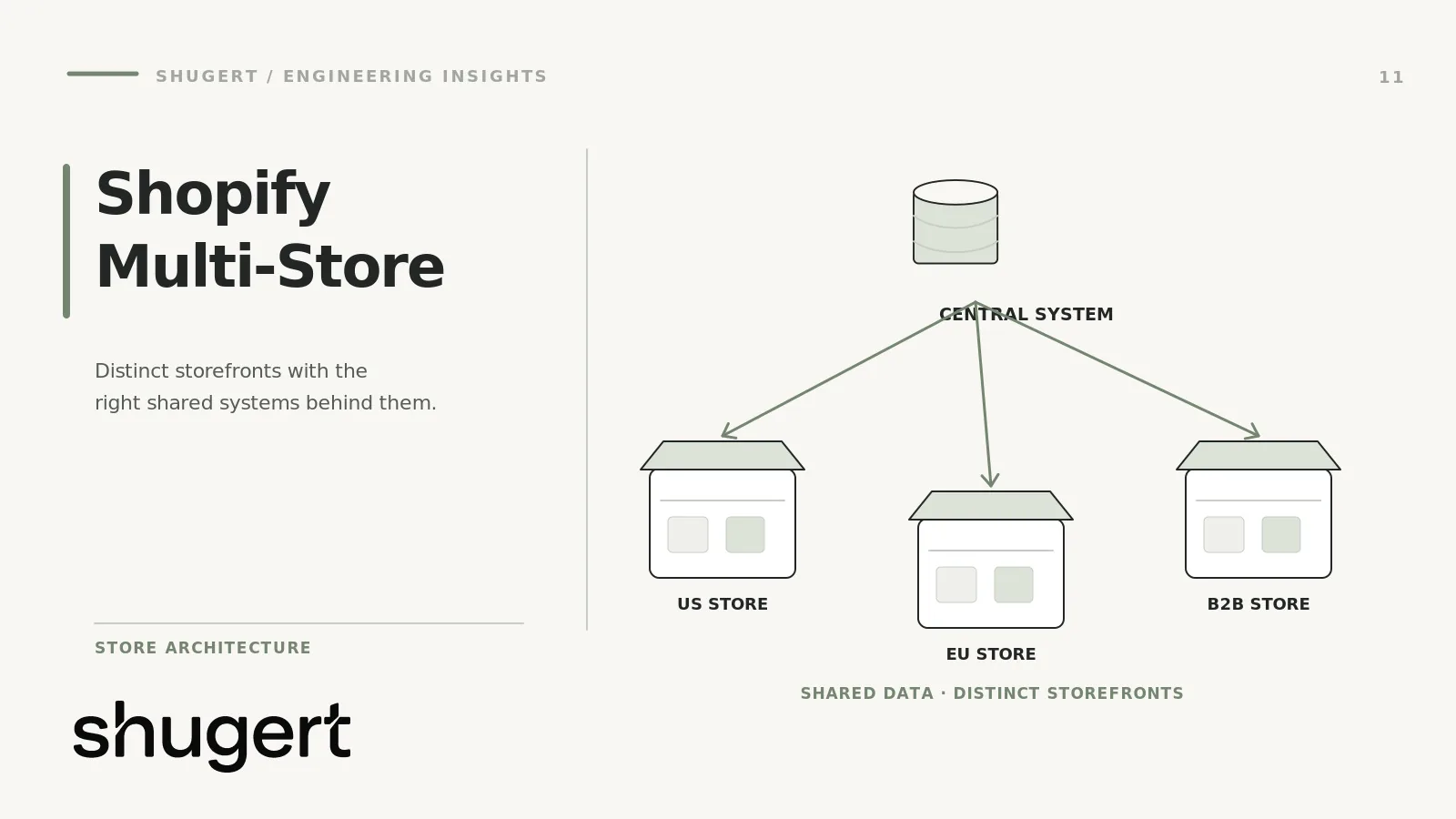
This is a store-architecture decision guide for merchants weighing one Shopify store against multiple independently operated stores. The central questions are who owns the checkout and customer relationship, whether legal entities or teams require genuine separation, how much catalog and inventory overlap exists, and who will maintain cross-store synchronization. Currency localization alone is not a reason to duplicate an entire commerce stack.
Start with one store where the operating requirements permit it. Consider a split only after documenting the constraints, alternatives and recurring cost of running more than one store. Shopify Markets and B2B can cover many regional and wholesale needs, subject to plan and configuration.
Key takeaways
- Start with one store and Shopify Markets for international, and with B2B features for wholesale. Split only when a constraint such as a separate legal entity, isolated staff access or an unrelated brand makes one store untenable.
- Shopify Plus expansion stores must meet Shopify's brand-eligibility rules; unrelated brands may require separate Plus subscriptions or a negotiated multi-brand agreement. Expansion stores do not sync products or inventory by default. Budget for an app, an ERP or a PIM as part of the architecture, not as a later fix.
- Multiple stores mean separate order lists, customer records, themes, apps and sitemaps. Reporting, analytics and SEO are the places where teams most often get hurt.
- Decide with criteria, not preference: run the framework below and finish the architecture checklist before you create the second store.
Table of Contents
- What “multiple Shopify stores” actually means
- Single store vs. multi-store: the comparison that matters
- When Markets is the right answer
- When separate stores earn their cost
- A decision framework
- Operational costs of running more than one store
- ERP, PIM and inventory synchronization
- SEO risks: hreflang, duplication and localization
- Cross-store data consistency, customers and reporting
- Architecture checklist
- Our perspective
- Planning a multi-store build or migration
- FAQ
- Sources
What “multiple Shopify stores” actually means
Three different things get called multi-store, and mixing them up leads to bad architecture decisions.
Expansion stores. On Shopify Plus, expansion stores are separate stores under the same organization and contract, each with its own settings, configuration, storefront and data. A Plus organization can have up to ten stores on its contract at no additional cost: one main store and nine expansion stores. Staging stores do not count toward that limit. Going beyond that requires Shopify Support. Shopify frames expansion stores as extensions of the main brand, for needs such as international expansion, product line extensions, B2B, employee or VIP stores and physical retail.
Markets. Shopify Markets lets one store sell to several markets with localized products, pricing, languages, currencies and domains or subfolders. A child market can inherit customizations from its parent, and how inheritance works depends on the customization.
Separate stores on separate accounts. Unrelated brands or businesses can run entirely independent stores. This is not a Plus expansion setup, and it carries no shared organization-level tooling.
The question for most established merchants is the first two: one store configured with Markets and B2B, or an organization of several stores.
Single store vs. multi-store: the comparison that matters
| Area | One store (Markets + B2B) | Multiple stores |
|---|---|---|
| International expansion | Localized pricing, languages, currencies and domains from one admin | Full separation per region, including legal entity, tax setup and staff access |
| Wholesale | B2B features inside the same store | A dedicated B2B store with its own theme, catalog, apps and customer base |
| Multiple brands | Hard when brands need different checkouts and identities | Separate branded stores may be appropriate, but distinct brands do not automatically qualify as Shopify Plus expansion stores; budget for separate subscriptions or a Shopify-approved multi-brand arrangement. |
| Currencies | Handled per market | Handled per store, which adds reconciliation work |
| Catalogs | Catalogs and market-specific publishing in one product database | Independent product databases, so you sync or duplicate |
| Inventory | One inventory record per location | Not synced by default; needs an app, ERP or custom integration |
| Customer accounts | One customer record | Separate records per store |
| Reporting | One set of reports | Separate order lists; Plus organizations add aggregated, multi-store reporting |
| Ongoing cost | One theme, one app set | Theme licenses, app licenses and QA multiplied by store count |
The pattern in this table is simple. A single store concentrates complexity inside configuration. Multiple stores spread it across integrations and people.
When Markets is the right answer
If you sell largely the same products to customers in different countries, start with Markets. The operating logic is consistent: one product database, one inventory model, one theme to maintain, one customer record. StoreFleet’s guidance follows the same order of operations: start with Markets for regional expansion and move to separate stores only when requirements like separate legal entities or strict team isolation make Markets untenable.
Markets also has a real SEO advantage. Shopify says that when you configure markets with domains, languages and localized content, hreflang tags, canonical URLs and sitemaps are handled automatically. You can choose subfolders, subdomains or country-code domains per market, and Shopify generates unique sitemap files for each international domain. A multi-store setup gives up that automation.
When separate stores earn their cost
These are situations where separate stores may earn their cost. A Shopify Plus expansion store is appropriate only when Shopify's brand and product eligibility criteria are satisfied; otherwise, consider a separate Plus subscription or a negotiated multi-brand agreement.
Different legal entities. If a subsidiary has its own books, tax registrations and payouts, one store becomes awkward. StoreFleet lists distinct legal entities per store as a common reason to split, along with region-specific staff permissions and brand identities that cannot share a checkout.
Strict team isolation. A regional team that should never see another region’s orders, customers or discounts is easier to enforce with separate stores than with permissions inside one.
A wholesale business that is a different business. B2B features inside one store work well when wholesale buyers browse a similar catalog with negotiated pricing. A separate B2B store fits better when wholesale has its own catalog structure, its own theme logic, its own ERP-driven ordering flow and a different release cadence from DTC. Putler makes the same distinction: multiple stores suit separate brands, catalogs or business models, while Markets handles localization of the same products.
Multiple brands. Unrelated brands do not automatically qualify as Shopify Plus expansion stores; they may require separate Plus subscriptions or a negotiated multi-brand agreement. Brands with different identities, audiences and checkout experiences usually belong in separate stores. The test is whether they share inventory and customers, not whether they share a parent company.
Divergent catalogs or compliance. If one region sells a materially different range, or has product restrictions that would otherwise leak into storefronts elsewhere, separation can lower risk.
Notice what is not on this list: “we want a different look in Canada” or “we want separate reports.” Those are solvable inside one store.
A decision framework
Score each question as a hard constraint, a preference or irrelevant. A hard constraint is a reason to evaluate a split, not automatic proof that two stores are required. Preferences alone rarely justify the added complexity.
- Legal and finance. Does a separate legal entity need to be the merchant of record, with its own payouts and books?
- Access. Must any team be technically prevented from seeing another team’s data?
- Brand and checkout. Can the storefronts share a checkout, policies and customer accounts without confusing buyers?
- Catalog overlap. What share of SKUs is identical across storefronts? High overlap favors one store.
- Inventory. Is there one pool of stock feeding every storefront? If yes, a single store removes a sync problem entirely.
- Release cadence. Do the storefronts need to ship changes independently, with different risk tolerance?
- Customer identity. Do you need a buyer to have one account across storefronts?
- Operating capacity. Can you staff the integration, QA and SEO work of N stores?
If your answers to 1 and 2 are no, and 4 and 5 are high overlap, one store with Markets is almost always the cleaner build. If 1, 2 or 3 is a hard yes, plan the multi-store architecture properly instead of treating it as a clone job.
The store-split decision record
Before approving a second storefront, create a one-page decision record that makes the tradeoff auditable. This prevents a regional preference from becoming an expensive architectural commitment.
- Constraint: Name the requirement that a single store cannot meet, such as independent merchant-of-record obligations, strict access separation or incompatible operating policies.
- Evidence: Identify the business owner and the documented requirement. Separate a legal or platform limitation from a preference for different storefront designs.
- Single-store alternative: Test whether Markets, B2B, catalogs, permissions or theme localization satisfy the requirement on the merchant's actual plan.
- Cross-store contract: Define ownership and synchronization for products, inventory, orders, customers, tax data and analytics before launch.
- Decision and cost: Record why the chosen architecture is justified, the integration and release responsibilities, and the conditions under which the decision should be revisited.
Operational costs of running more than one store
Published figures vary by plan and change over time, so confirm current numbers on Shopify’s own pricing pages before you budget. The cost structure itself is stable. Per Flair Commerce’s guide, costs include a subscription for each standard-plan store, individual theme licenses and app licenses billed per store. On Plus, the expansion stores are part of the organization contract, but the app, theme and labor multiplication still applies.
The largest cost is rarely the subscription. It is the recurring work:
- Every theme change is built, tested and released once per store.
- Every app is installed, configured and monitored once per store.
- Product data fixes are made once per store unless a PIM or sync layer does it for you.
- Customer service has more systems to check.
Flair also notes that managing product data across stores can lead to errors in titles, descriptions, images and prices, and that tracking inventory across stores is difficult. Those errors are the cost of an architecture without a data owner.
ERP, PIM and inventory synchronization
This is where multi-store projects succeed or stall. Shopify is explicit that products and inventory are not synced between expansion stores by default. Third-party apps or ERP systems can sync certain data, such as inventory.
Design the data flow before you pick tools:
- Source of truth. Decide which system owns each object: product master data in a PIM or ERP, inventory in the ERP or warehouse system, prices in the ERP or a pricing service. Shopify stores then receive data instead of originating it.
- Direction. Prefer one-way flows from the master system into each store. Two-way sync between stores creates conflicts and loops.
- Locations. Inventory in Shopify is tied to locations, and the maximum number of locations depends on your subscription plan. Check that your warehouse model fits before mapping it.
- Order flow. Decide whether each store’s orders go to the ERP individually or through a middleware layer that normalizes them.
- Failure handling. Define what happens when a sync fails: alerts, retries, and a reconciliation report. Overselling in one store because of a silent failure is the classic incident.
- API access to history. Apps see only the last 60 days of orders by default. Pulling older orders into a reporting or ERP layer requires the read_all_orders scope and Shopify’s approval process, so plan it early if you need historical data.
App-based sync tools are fine for simple stock mirroring. If you have bundles, multiple warehouses, regional pricing rules or wholesale terms, expect custom integration work.
SEO risks: hreflang, duplication and localization
Separate stores are separate sites to Google. Everything Markets does for you automatically becomes your job.
- Duplicate content. Flair flags that multiple stores can create SEO challenges when content is duplicated. Two regional stores with identical English copy need deliberate canonical, regional targeting and hreflang decisions; duplicate copy alone does not prove an SEO penalty.
- Hreflang. Markets generates hreflang tags automatically when set up within one store. Across stores, you must implement and maintain reciprocal hreflang annotations yourself, through the theme or a controlled app, and test them after every release.
- Canonicals. Each store’s canonicals point within that store. Decide deliberately which store is canonical for shared content, and avoid pointing canonicals across domains by accident.
- Sitemaps. Each store has its own sitemap and its own search console property. Submit and monitor each.
- Localization. Translate, do not clone. Adapt titles, units, spelling, shipping and returns language, and legal text for each audience.
- Authority split. A new store on a new domain starts without the link equity of the main one. A subfolder in Markets shares the primary domain’s authority, a point Shopify’s own SEO documentation makes in its comparison of subfolders, subdomains and country domains.
Before you launch a second store, run a technical crawl of both and fix indexation conflicts first. Our write-up on what a useful Shopify SEO audit includes covers how to separate real issues from noise.
Cross-store data consistency, customers and reporting
Separate stores have separate order lists and customer records, though Shopify Plus organizations offer aggregated analytics and multi-store reports. That helps for revenue rollups. It does not give you a unified customer.
Decide up front:
- Customer identity. If a buyer shops two stores, will they have two accounts? If that is unacceptable, you need an identity layer or a single store.
- Marketing data. Email and SMS platforms generally treat each store as its own integration, so plan list structure and suppression logic. Our guide to Klaviyo and Shopify integration covers the data model issues that matter.
- Analytics. Use consistent event naming, a shared warehouse and one reporting definition for revenue, returns and net sales across stores.
- Fraud and risk rules. Each store needs its own configuration. Our notes on Shopify fraud prevention apply per store.
- Experimentation. Test results from one store do not transfer automatically to another. See how we approach Shopify A/B testing.
Architecture checklist
Before creating the second store, confirm each item has an owner and a written answer.
- Hard constraint documented (legal, access, brand, catalog, release cadence).
- Single-store alternative evaluated and rejected for a stated reason.
- Source of truth defined for products, prices, inventory, customers and orders.
- Sync direction, frequency and failure alerts specified.
- Locations and warehouse mapping checked against plan limits.
- Theme strategy chosen: shared codebase with store-specific configuration, or independent themes.
- App inventory listed per store, with licensing counted.
- URL, domain, canonical and hreflang plan written, including sitemap and Search Console ownership.
- Localization scope defined: language, currency, units, tax, legal pages, shipping and returns.
- Customer account and email list strategy defined.
- Analytics taxonomy and a consolidated reporting layer designed.
- Release process: staging, QA checklist and rollback plan for every store.
- Redirect plan if any existing URLs move.
- Ownership of ongoing maintenance assigned.
Our perspective
We see the same mistake repeatedly in this kind of project: teams treat a second store as a copy of the first and discover the cost only when stock, prices and copy drift apart. Our default is to prove that one store cannot do the job before agreeing to build two. When a split is justified, the work is mostly architecture and release discipline, not storefront cloning. That means a named data owner, controlled releases, QA on every store and before-and-after measurement.
We do not promise ranking or revenue outcomes from any architecture. We can tell you which constraint is real and which one is a preference. That is usually the cheapest answer you will get.
Planning a multi-store build or migration
A multi-store launch has three phases: an architecture decision, a build with integration testing, and a controlled cutover with redirects and monitoring. If you are consolidating several stores or moving from another platform, the SEO-safe replatforming and migration service is where that work lives, and the Magento to Shopify migration guide shows the migration checklist in detail. For the broader B2B picture, our Shopify insights library has the engineering and SEO background so this article does not have to repeat it.
Ongoing work needs senior ownership too. Syncs break, themes drift and apps update. Our pricing page lists fixed-scope options, such as the Shopify Performance Fix at $2,500 to $4,000 and Scoped Shopify Intervention from $2,500, and monthly plans through Shopify Plus Engineering from $9,000 per month.
If you are weighing a split, book a consultation through Shugert Marketing. We will review your constraints against the framework above and tell you whether one store, Markets, B2B features or an expansion store fits. Our custom Shopify development team handles the build.
FAQ
Can one Shopify store have multiple stores?
Not literally. One Shopify Plus organization can hold several stores. A Plus organization can have up to ten on its contract: one main store and nine expansion stores. A single store, by contrast, can serve multiple markets, currencies and languages through Shopify Markets.
How do I set up multiple Shopify stores?
On Shopify Plus, create expansion stores from the Organization section of the admin. Without Plus, you create separate stores individually, each with its own plan. Settle the data ownership, theme and SEO plan before you create anything.
Do multiple Shopify stores share inventory?
No, not by default. Shopify says products and inventory are not synced between expansion stores. An app, an ERP or a custom integration has to do it, and you should define a single source of truth.
Is Markets or a second store better for international sales?
For the same products sold in different countries, Markets is usually simpler and keeps hreflang and sitemaps automatic. A second store is better when a country needs its own legal entity, isolated staff access or a distinct brand and checkout.
Sources
- Shopify Help Center: Overview of expansion stores
- Shopify Markets
- Shopify developer docs: About Shopify Markets
- Shopify Help Center: Locations
- Shopify Help Center: International SEO for markets
- Shopify Help Center: Finding and submitting your sitemap
- Shopify developer docs: Manage access scopes
- StoreFleet: Shopify Markets vs Multiple Stores
- Putler: Multiple Shopify Stores
- Flair Commerce: Managing Multiple Shopify Stores