Shopify Plus vs Advanced in 2026: Costs, Features, and Upgrade ROI
Compare Shopify Plus vs Advanced in 2026: U.S. pricing, B2B, checkout, API limits and a practical ROI model to decide whether to upgrade.
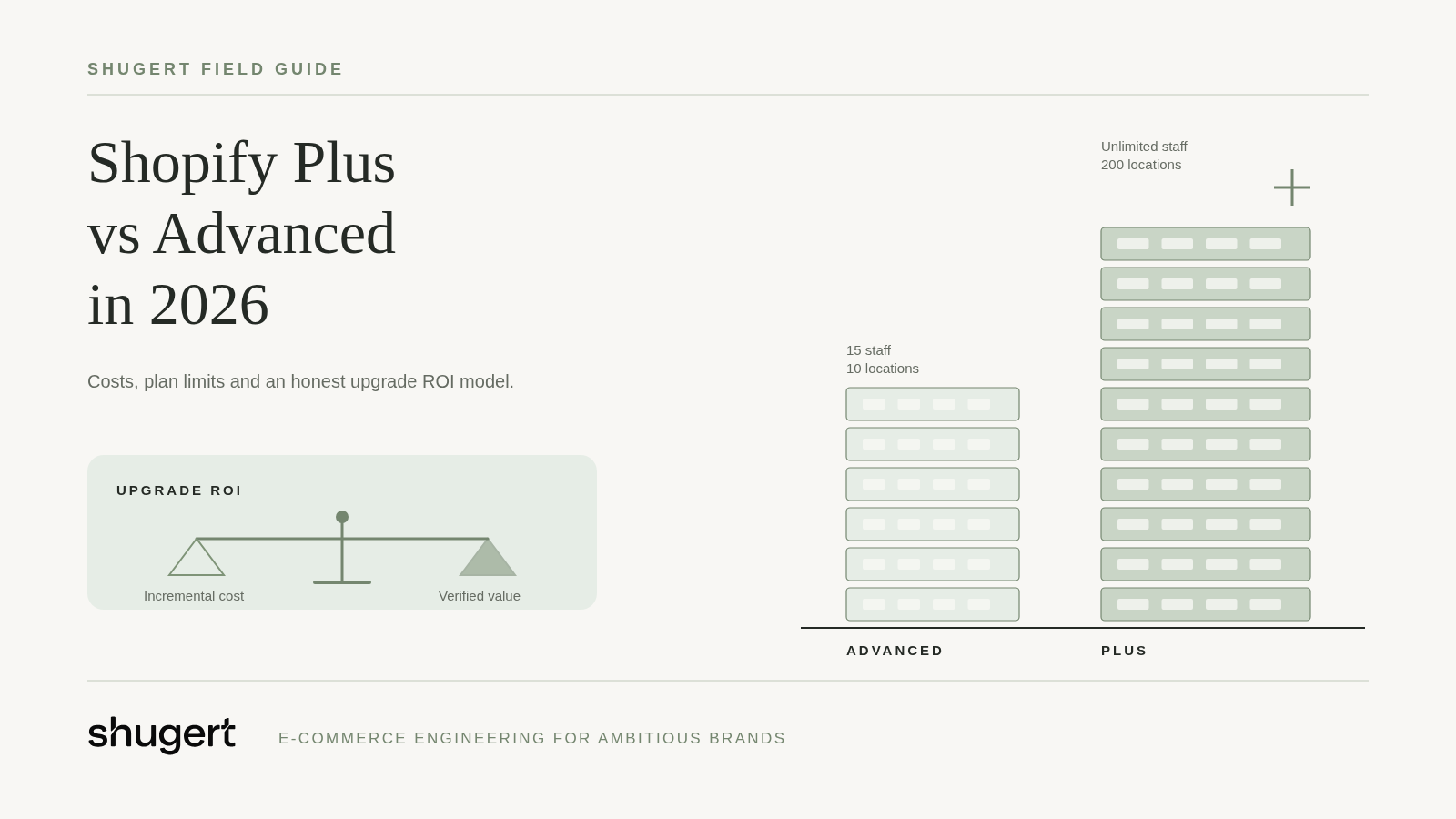
Shopify Plus can be the right investment for a brand with complex checkout requirements, high-volume integrations or negotiated B2B pricing. The enterprise badge on its own, however, does not improve conversion, site speed or organic rankings. In 2026 the choice between Shopify Advanced and Shopify Plus is also more nuanced than older comparisons suggest. Shopify has extended native B2B capabilities to the Basic, Grow and Advanced plans, so wholesale selling by itself no longer justifies an upgrade.
Cost is the other half of the decision. For U.S. merchants, the Shopify Help Center lists Shopify Plus at $2,500 per month on a one-year term or $2,300 per month on a three-year term for standard setups. That equals $30,000 or $27,600 a year before apps, development, support and payment processing, and businesses with more complex setups may be quoted variable commercial fees. The useful question is therefore not "Is Plus better?" but: which specific constraint does Plus remove, what does that constraint cost the business today, and does removing it create more value than the incremental cost?
Need this built properly? Our custom Shopify development team designs themes, apps and integrations as maintainable systems.
Shopify Advanced vs Plus: what actually changes?
For a merchant already on Shopify, moving from Advanced to Plus is generally a change of plan and capabilities, not a change of storefront platform. Your theme, products, customers and order history stay where they are. That is a very different project from moving onto Shopify from Magento, BigCommerce or WooCommerce, which we cover further down.
The table below summarizes the differences that most often matter to established DTC and B2B operators. It is based on Shopify's documentation for B2B features by plan, checkout apps and extensions, GraphQL Admin API rate limits and location setup.
| Capability | Shopify Advanced | Shopify Plus |
|---|---|---|
| USD subscription | Your current quoted Advanced price | $2,500/month (one-year term) or $2,300/month (three-year term), standard setups |
| Staff accounts | Up to 15 | Unlimited |
| Active inventory locations | 10 | 200 |
| GraphQL Admin API restore rate | 200 cost points per second | 1,000 cost points per second |
| Native B2B companies, payment terms and market catalogs | Available; up to 3 active B2B market catalog assignments | Available; unlimited |
| Catalogs assigned directly to a company or company location | Not available | Available |
| B2B deposits, partial payments and requests per fulfillment | Not available | Available |
| UI checkout extensions on information, shipping and payment steps | Not available | Available |
| Shopify Functions | Public apps, where supported | Public apps, plus Functions in custom apps |
| Hydrogen / Oxygen public environments | 1 | Up to 25 |
Two rows deserve a caution. The API figure is a restore rate measured in calculated cost points, not API calls per second and not a throughput guarantee. And the Hydrogen row does not mean headless commerce is exclusive to Plus: Advanced stores can run a Hydrogen storefront on Oxygen, they simply have fewer public environments.
What Shopify Plus really costs in 2026
The most common budgeting mistake is to treat the full Plus fee as new spend, as though Advanced were free. The number that matters is the incremental difference between your current Advanced quote and the Plus fee you would actually sign. Build that comparison line by line:
- Subscription delta. Plus at $2,500 or $2,300 per month minus what you pay for Advanced today.
- Payment processing. Model card rates and any third-party gateway fees on your own transaction data, by channel and payment method, rather than on a headline percentage.
- Transaction fees and contract terms. Confirm how variable fees, minimums and term length apply to your account before you commit.
- Apps. Some apps price by plan tier; others may become redundant if Plus features replace them.
- Implementation. Checkout extensions, Functions, B2B catalog setup and integration work are engineering projects with their own scope.
- Ongoing support. Custom logic needs owners, monitoring and testing whenever Shopify ships API changes.
The term choice is also a trade-off. The three-year plan is $200 per month, or $2,400 per year, below the listed one-year Plus fee, in exchange for a longer commitment. That saving only makes sense if you are confident the capabilities you are buying will still be needed three years from now.
Finally, Plus does not automatically fix a slow theme or reduce app overhead. If performance is the real complaint, the more direct lever is usually an audit of scripts and apps; our guide to third-party app impact on Shopify performance explains how to measure that cost before you pay for a bigger plan.
Four reasons Plus may justify the investment
1. You need custom logic inside checkout
Plus earns its fee when a specific checkout requirement can only be met with Plus-only extension targets on the information, shipping or payment steps, or with Shopify Functions deployed in a custom app. Be precise about which surface you need: Functions delivered through public apps, and order status page extensions, are available on lower plans too. Our article on Shopify Plus checkout extensibility maps those surfaces in more detail.
2. Your B2B pricing is genuinely negotiated per account
Native B2B now exists on Basic, Grow and Advanced, including companies, payment terms and up to three active B2B market catalog assignments. For many wholesale programs, that is enough. Plus becomes relevant when you need catalogs assigned directly to individual companies or locations, more catalogs than the market-level limit allows, or deposits and partial payments on B2B orders. Decide on those workflow requirements, not on an arbitrary share of revenue coming from wholesale. Our overview of Shopify's B2B expansion and our guide to customer-specific B2B pricing cover the setup choices.
3. You have documented API throttling after optimization
"High order volume" is not, by itself, a reason to upgrade. The relevant evidence is documented throttling against the GraphQL Admin API restore rate after your integrations have been optimized. Shopify calculates the cost of each query and refills each app-and-store bucket over time, so query structure, pagination and the use of bulk operations often matter as much as the plan. Plus raises the restore rate from 200 to 1,000 cost points per second, but that does not make every integration five times faster. If your ERP, OMS or 3PL sync still throttles after the queries are tuned, the higher limit can be worth real money.
4. You are hitting real staff, location or environment limits
Some constraints are simple arithmetic. If your team needs more than 15 staff accounts, or your operation needs more than 10 active inventory locations, Advanced cannot stretch to fit. The same applies to headless teams that can justify many public Oxygen environments for regions, brands or release workflows; our headless Shopify guide explains when that architecture is worth it in the first place.
When staying on Advanced is the smarter move
If the pain you feel is low conversion, slow pages, script bloat, flat organic traffic or a confusing site architecture, a more expensive subscription is the wrong first step. Those problems live in the theme, the app stack, the content and the information architecture, and they respond to targeted engineering. Plus would leave all of them in place while adding to the monthly bill.
The same applies to many wholesale programs. If your B2B buyers can be segmented into a small number of markets, the Advanced limit of three active B2B market catalog assignments may be entirely workable, especially while you validate demand. When organic growth is the real objective, work with a Shopify SEO agency on crawlability, collection pages and content before you treat a plan upgrade as a growth lever.
An honest ROI model for a Shopify Plus upgrade
A defensible upgrade case fits on one line:
Annual net upgrade value = verified incremental annual savings + attributable incremental contribution margin − incremental annual plan costs − one-time implementation costs − added maintenance.
Each term should be backed by something you can measure. Savings should come from costs you will actually retire, such as a separate wholesale portal or manual order entry. Contribution margin should come from revenue you can attribute to the new capability, net of product and fulfillment costs. Implementation should be spread over the period you expect the solution to last, not ignored.
A hypothetical example, not a client result: suppose a brand could retire a wholesale portal that costs $12,000 a year and eliminate documented manual order entry worth $18,000 a year in staff time. That is $30,000 of potential gross annual savings. It is not net profit. From that figure you still subtract the incremental subscription cost over Advanced, the development needed to rebuild the portal workflows natively, and the support required to maintain them. Depending on those numbers, the same $30,000 can justify Plus comfortably or barely cover it.
Be equally careful with conversion assumptions. A change of one percentage point in conversion rate, from 2.0% to 3.0%, is a 50% relative improvement, while a 1% relative improvement moves 2.0% to 2.02%. Confusing the two inflates business cases quickly. Unless you have test results showing that a Plus-only capability changes conversion, leave predicted lift out of the model and let operational savings carry the decision.
Upgrading versus migrating to Shopify Plus
On Shopify, changing plan is not a replatform. Moving to Plus from WooCommerce, Magento or BigCommerce is a full migration: product, customer and order data have to move, legacy URLs need a mapped 301 redirect plan, canonicals and structured data need checking, GTM and GA4 tracking has to be rebuilt and validated, and the launch needs QA followed by Google Search Console monitoring. Our guide to the Shopify Plus migration process covers that technical path, and our Shopify migration service handles it end to end.
How Shugert approaches the decision
Shugert has worked as a Shopify Partner since 2015. When a merchant asks whether to upgrade, we start by identifying the platform limits they are actually hitting and the alternatives that could remove them, including apps, query optimization and Advanced-plan B2B features. We then document the scope, costs and tests behind any recommendation, so the decision can be checked rather than taken on faith. If Plus is the right answer, our Shopify development team can implement the checkout, B2B and integration work it unlocks.
Ship complex Shopify builds without breaking the store
Fashionable Inc. has relied on us for more than six years across three Shopify Plus stores. Read the case study
Most quotes returned within 1 business day
Frequently asked questions
Is Shopify Plus worth it for a $500k-a-year store?
There is no generic revenue threshold. A $500,000 store with negotiated per-company B2B pricing or a necessary custom checkout step may benefit; a store ten times larger with standard needs may not. Evaluate the specific constraint and run the ROI model above.
Does Shopify Advanced include B2B?
Yes. Advanced includes native B2B companies, payment terms and market catalogs, with up to three active B2B market catalog assignments. Direct company or location catalogs, deposits and partial payments remain Plus features.
Is Shopify Plus required for headless commerce?
No. Hydrogen and Oxygen are available on Advanced with one public environment. Plus allows up to 25, which matters mainly for teams running many storefronts or preview workflows.
Does Shopify Plus automatically improve SEO or site performance?
No. Rankings and speed depend on the theme, apps, content and site architecture. Plus changes capabilities and limits, not how fast your storefront renders or how well it is crawled.
Can I customize checkout without Shopify Plus?
Partly. Functions delivered through public apps, where supported, and order status page extensions are available on lower plans. UI extensions on the information, shipping and payment steps, and Functions in custom apps, require Plus.
The bottom line
Shopify Plus is worth it when a measurable, real operational constraint makes Advanced more expensive to run or prevents a workflow that matters to the business. If you cannot name that constraint and put a number on it, invest in SEO, conversion and performance first, and revisit the upgrade when the evidence exists.
Need to validate a Shopify Plus upgrade before committing to a contract? Get a scoped recommendation from Shugert.
Pricing and plan features checked against Shopify documentation on November 16, 2026; verify current terms with Shopify.